Disassembling Casio CZ-1000 Backplate
ID: 180175
Description: Many Casio CZ-1000 troubleshooting symptoms...
Steps:
- Use a Phillips #1 screwdriver to remove the eleven 7.5 mm screws securing the back plate.
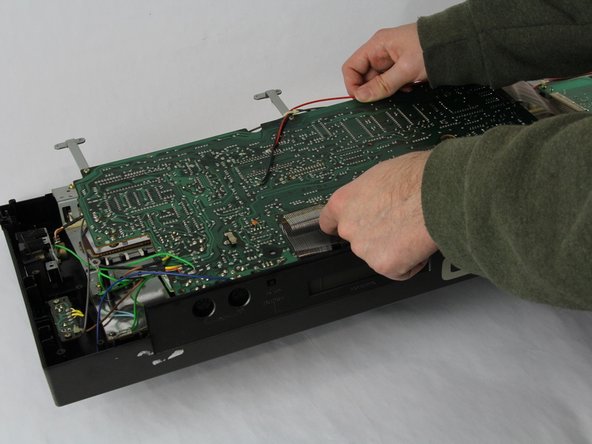
- Using a Phillips #1 screwdriver, remove all 14 5.5 mm screws from the two motherboards.
- These screws secure the motherboards to the keyboard assembly and the dial on the right side.
- Carefully cut the zip tie located in the right-hand corner using a pair of scissors or wire cutters.
- Be sure to avoid cutting any nearby wires or components.
- Gently slide all the plugs out of their sockets.
- This will prevent them from catching on anything or damaging the connectors as you lift.