Lenovo IdeaPad 3-15IML05 USB Board Replacement
ID: 180204
Description: This guide will walk you through replacing the...
Steps:
- Before beginning, discharge the battery below 25%, power the device off, and disconnect all peripherals.
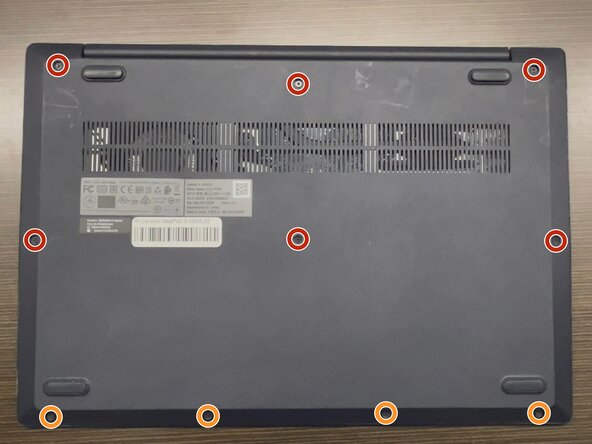
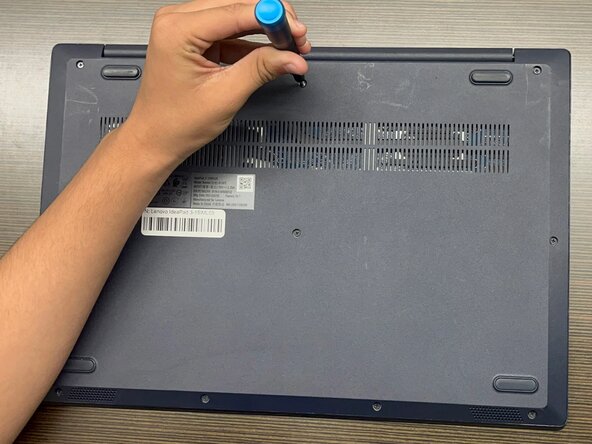
- Use a Phillips #1 screwdriver to remove the following screws:
- Six 7 mm screws
- Four 4 mm screws
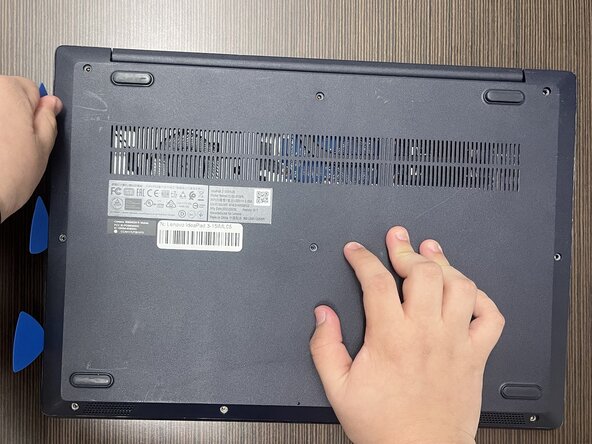
- Insert an opening pick into the seam between the lower case and chassis.
- Slide the pick around the entire perimeter until all of the plastic retaining clips release.
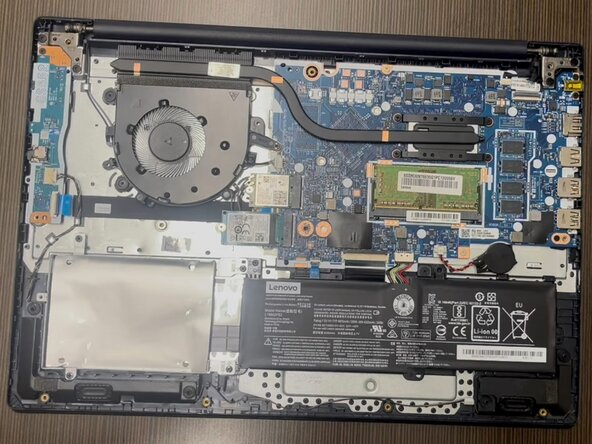
- Remove the lower case.
- Forcing the back cover open could break the plastic retaining clips.
- During reassembly, lay the cover flat and press around the edges to secure it to the plastic clips.
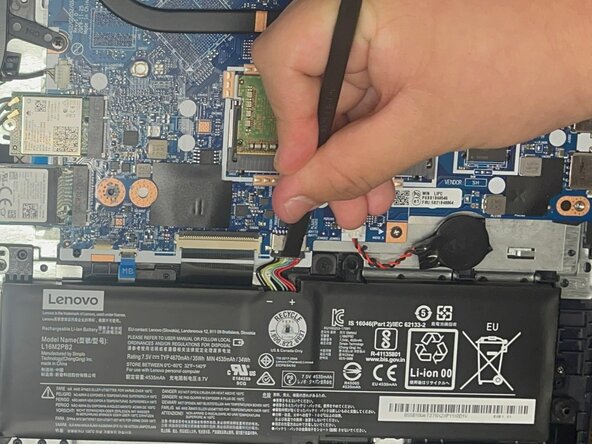
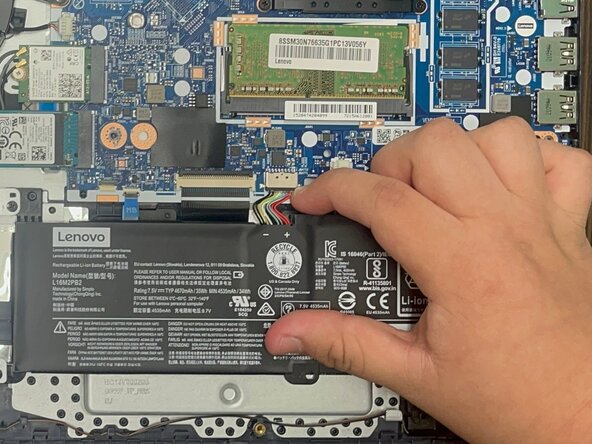
- Use a plastic spudger or your fingernail to gently push the JST battery connector out of its socket.
- Pulling directly on the cable could damage the connector.
- Grip the tab at the end of the bundle cable and pull the connector slowly and steadily out of its socket to disconnect the fan cable.
- Be careful that you do not damage the socket on the motherboard when disconnecting the fan cable.
- Use a spudger or a clean fingernail to flip up the locking flap of the ZIF connector—this is the unlocked position.
- Use the widest tool possible to avoid damaging the delicate hinge pins.
- Use tweezers or your fingers to gently pull the cable out of its socket by the blue tab.
- To reconnect, make sure the locking flap is flipped up and gently reinsert the cable. Then, flip the locking flap down to secure the cable. The cable should slide into the socket with little to no force. If you're having trouble, remove it, check that the flap is fully unlocked, and try again.
- Use a Phillips #0 screwdriver to remove the three 3 mm screws securing the USB board to the chassis.
- Gently remove the USB board from the frame.
- Be careful when you remove the board that the ports are disconnected from the edge of the device.