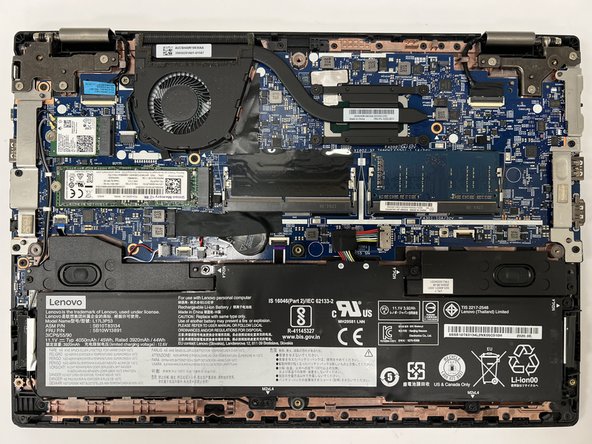
Lenovo ThinkPad L390 Lower Case Replacement
ID: 180401
Description: Use this guide to replace the lower case on a...
Steps:
- Before you begin, discharge your laptop battery below 25%. A charged lithium-ion battery can catch fire and/or explode if accidentally punctured. Lay the device down with the lower case facing up.
- Power off your laptop and disconnect the charger and any peripheries before beginning disassembly.
- Unscrew the nine 5 mm Phillips #00 screws that secure the lower case.
- Insert an opening tool in the gap between the lower case and the chassis.
- Pry around the entire perimeter of the lower case until it fully releases.
- Lift the lower case up and off.