Lenovo Flex 3-1580 Screen Replacement
ID: 182027
Description: If the Lenovo Flex 3-1580 screen has been...
Steps:
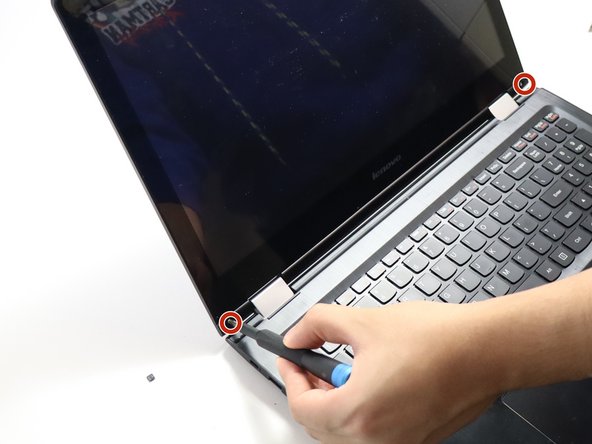
- Open up the laptop so that the screen is facing you like in the picture.
- Use the black spudger to pry off the two rubber covers at the bottom right and left side of the laptop screen.
- Remove the two 4.0 mm screws that were under the rubber covers using a JIS #0 screwdriver.
- Pry off the plastic covers that you just unscrewed with the spudger.
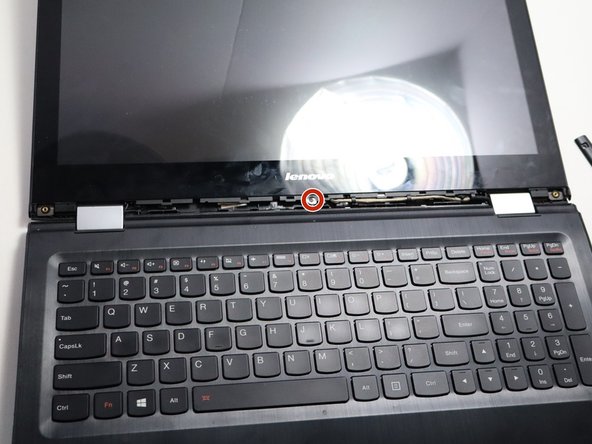
- Pry off the middle black plastic part with the spudger. Remove the 4.0 mm screw using a JIS #0 screwdriver.
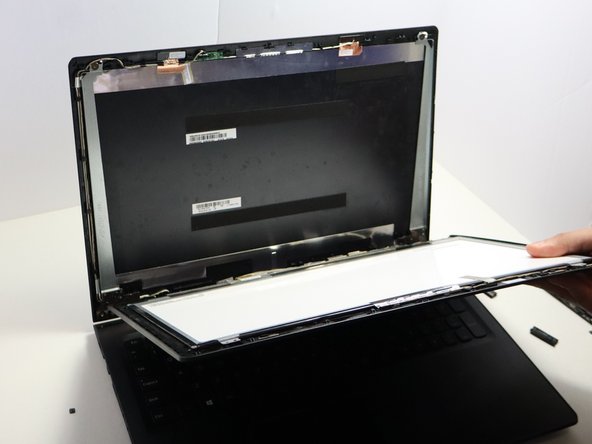
- Pry off the backing of the screen with a spudger.
- The screen will then fall off; however it will still be connected to the screen back plate like in picture 3.
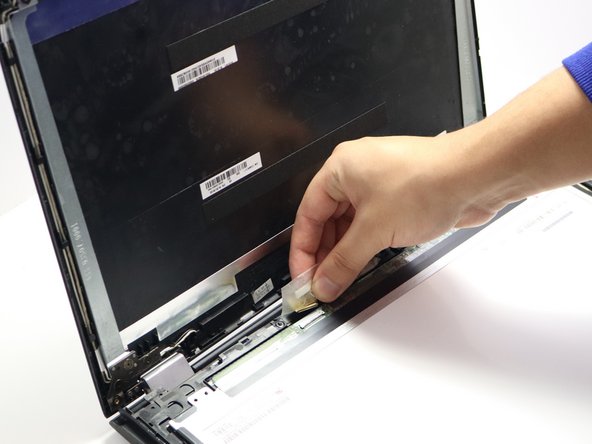
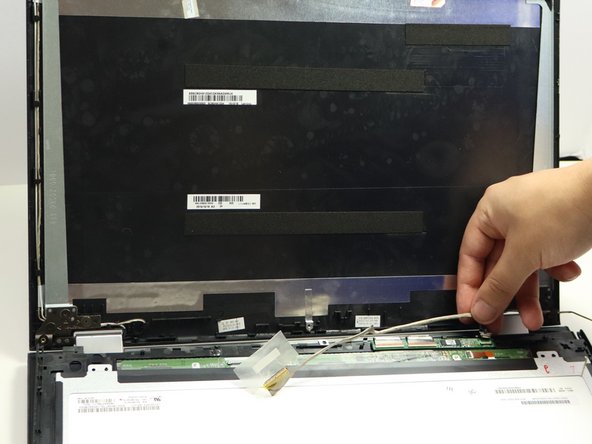
- Peel off the tape and disconnect the yellow cable from the screen.
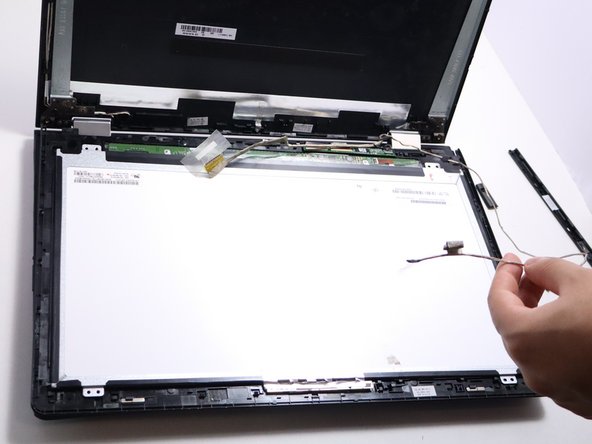
- Follow the cable to unplug the smaller black plug in as seen in the second picture.
- Follow the same cable all along the side of the screen and untape and disconnect the cable going into the camera.