Acer Chromebook CB0311-1H-C1MX Battery Replacement
ID: 182255
Description: This repair guide will demonstrate the process...
Steps:
- Using a JIS #1 screwdriver, remove eleven 6.6 mm screws from the back cover.
- Beginning at the hinges, use an iFixit Opening Tool to pry open the back case.
- Continue using the iFixit Opening Tool around the entire edge of the case.
- Using a JIS #1 screwdriver, remove all four 4.8 mm screws holding the battery in place.
- Gently push on either side of the silver connector so that it no longer covers the battery cable.
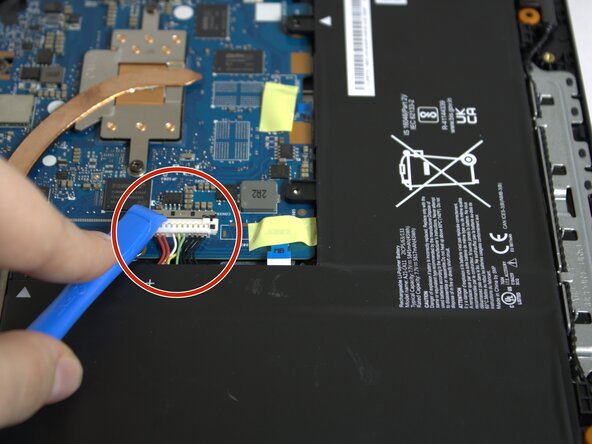
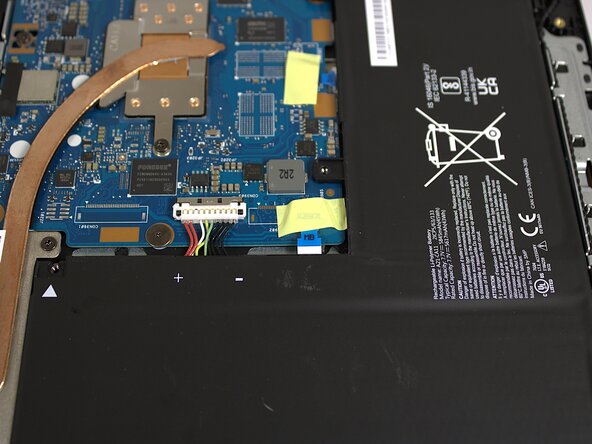
- Disconnect the battery cable by pulling it straight out.
- This component is called the Flat Topped Connector.
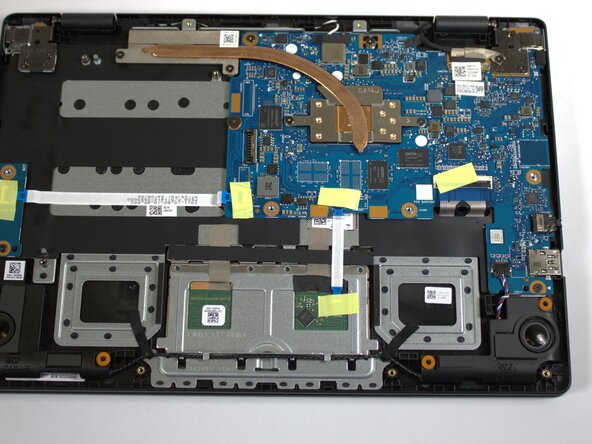
- Lift and remove the battery from the laptop.