HP Chromebook 14a-ne0013dx Battery Replacement
ID: 182307
Description: The battery for the HP Chromebook 14a-ne0013dx...
Steps:
- Remove two 8 mm screws from the bottom panel of the laptop using a Phillips #0 screwdriver.
- Remove six 6 mm screws from the bottom panel of the laptop using a Phillips #0 screwdriver.
- Flip the device over so it is right side up and open it.
- Use a Jimmy to gently pry between the keyboard and case.
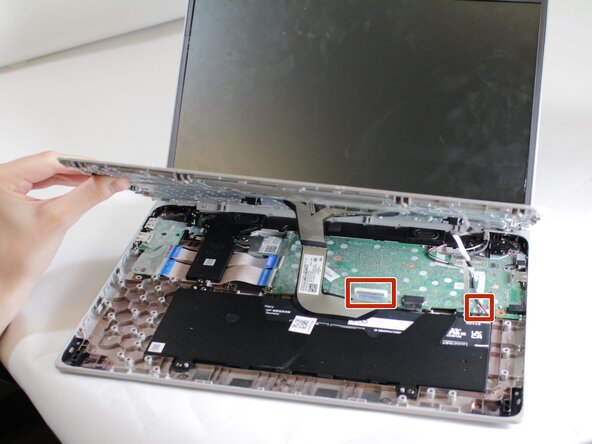
- Lift the top panel gently. Once loose, ribbon cables inside will need to be detached.
- Pry gently to pop open the plastic tabs holding the top panel in. A clicking noise will occur during this step
- Continue prying, moving around all sides of the panel until it is loose.
- Carefully lift the top panel from the device body.
- Removal of ribbon cables may require lifting or peeling tape.
- Lift the top piece of the display cable's housing until it is loose. Gently pull it free.
- Lift the top piece of the touchpad cable's housing until it is loose. Gently pull it free.
- With the cables detached, lift the front panel away from the device.
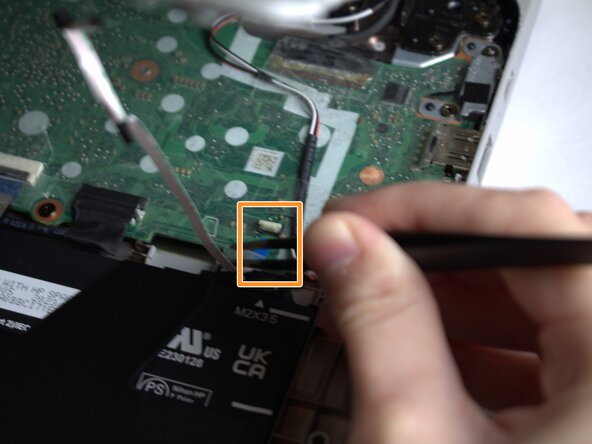
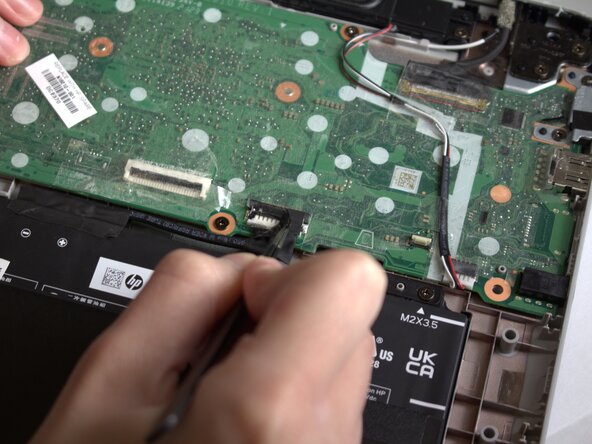
- Peel the tape off of the cable connecting the battery to the motherboard.
- Grasp the connector and tug until loose.
- Remove the four 3 mm screws from the battery casing using a Phillips #0 screwdriver.
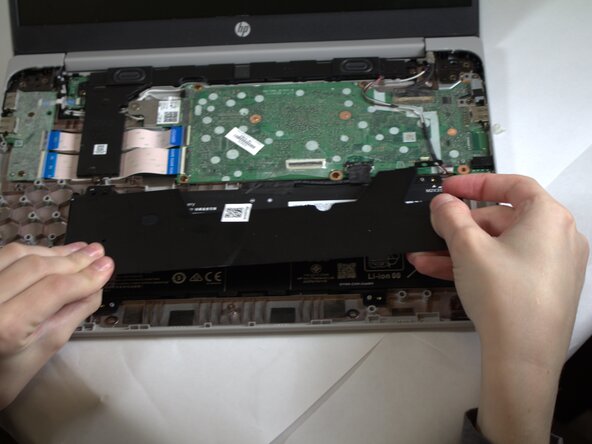
- Gently peel the tape pieces connecting the battery to cables on the bottom panel.
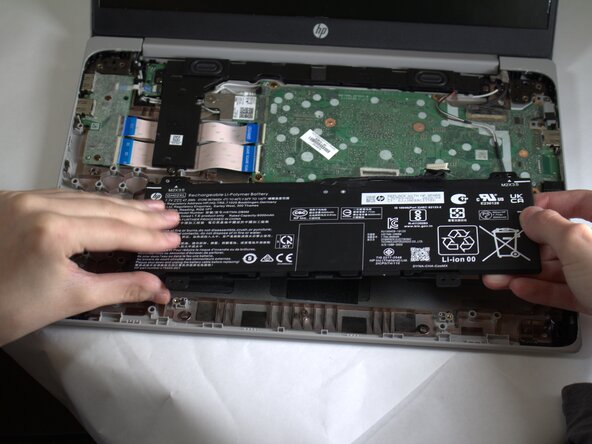
- Lift the top panel off, then lift the battery out of the casing.