Holy Stone HS165 Drone Arm Gear Replacement
ID: 182409
Description: Use this guide to replace the small plastic...
Steps:
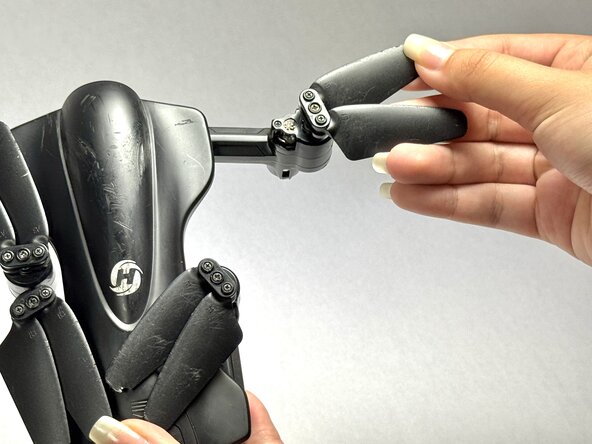
- Locate the defective drone arm on the drone.
- You'll know if the gear needs to be replaced if you spin the propellers on the arm and feel a click when spinning.
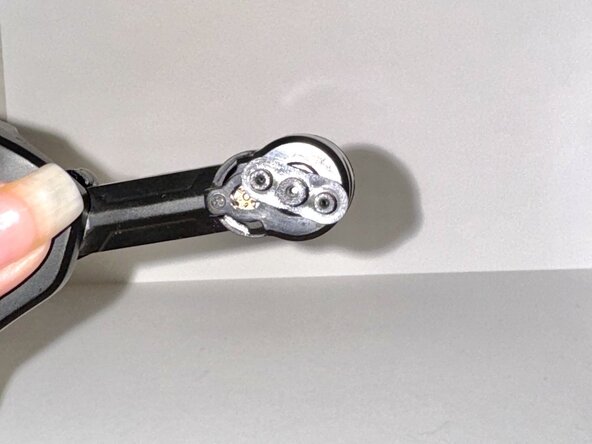
- Remove the three 1.5 mm screws holding the propellers in place.
- Pull out the propeller.
- This can be done once you've removed the top of the drone which you'll be able to do once you've removed the screws.
- Remove the small plastic cap that's under the propellers.
- Be careful as this requires a lot of force and may send the cap flying in any direction
- Remove the plastic cap that covers the gear with your hands but if needed, use a plastic spudger to support you.
- Using plastic tweezers, pry off the gear from the drone.
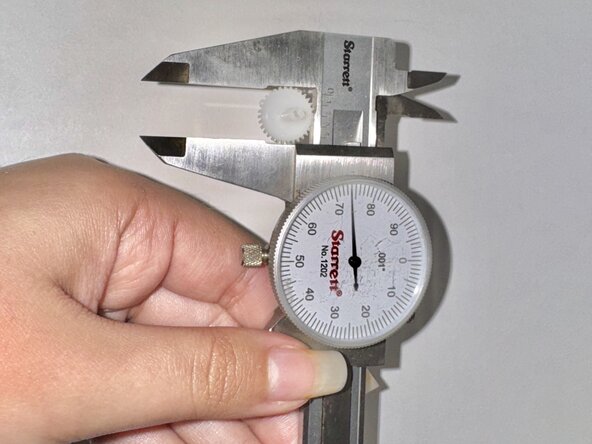
- Using a caliper, measure the size of the gear.
- Pull out the bag of plastic gears and find one that matches the original size.
- To measure the size of the gears accurately, use your caliper again.
- Place the gear in the previous spot.
- Now reattach the plastic cap from the previous step and push the propellers back in.
- Be sure to test out your drone's arm before reattaching everything to make sure it's working properly. Just push it up and down and back and forth.
- To reassemble your drone, return to steps one and two.