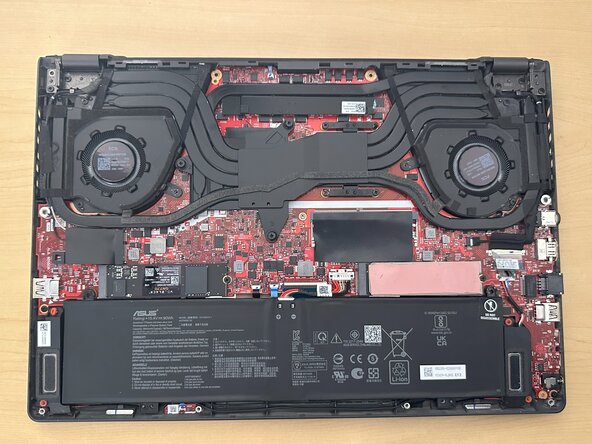
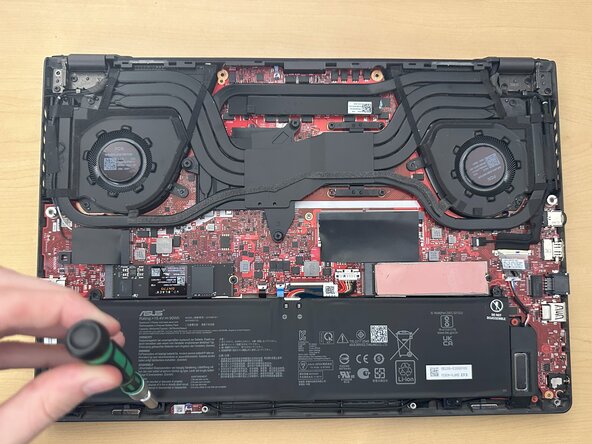
Asus ROG Zephryrus G16 GU603 Battery Replacement
ID: 184930
Description: The ASUS ROG Zephyrus G16 is a powerful gaming...
Steps:
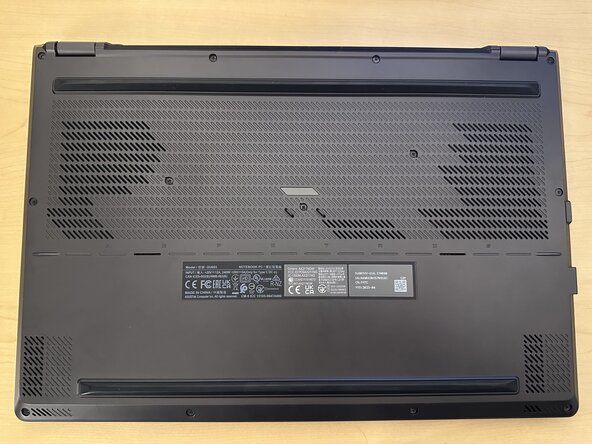
- Flip the laptop so the front faces you.
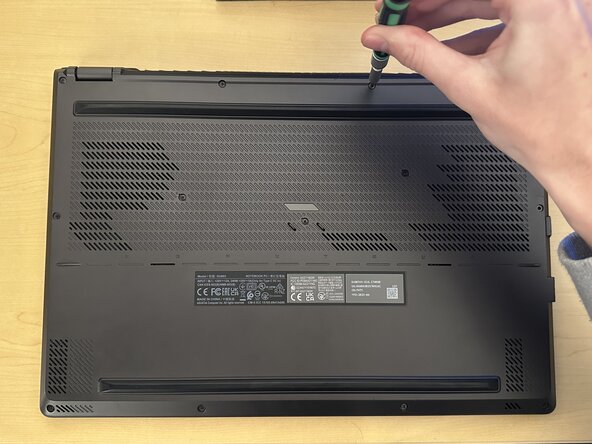
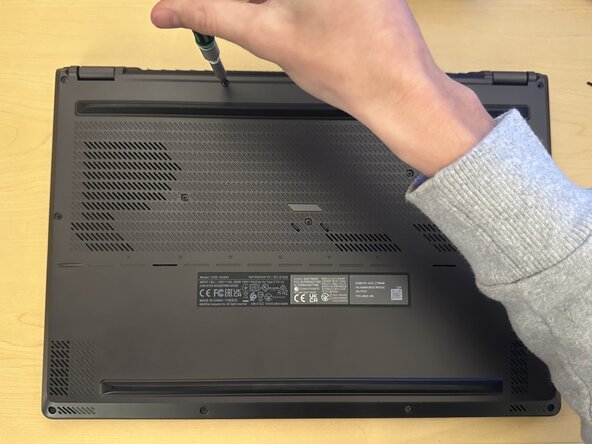
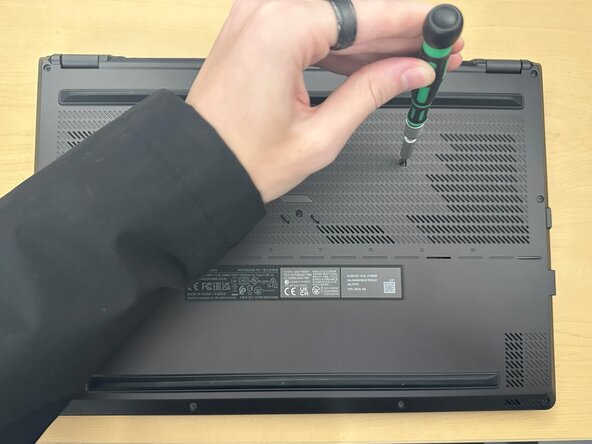
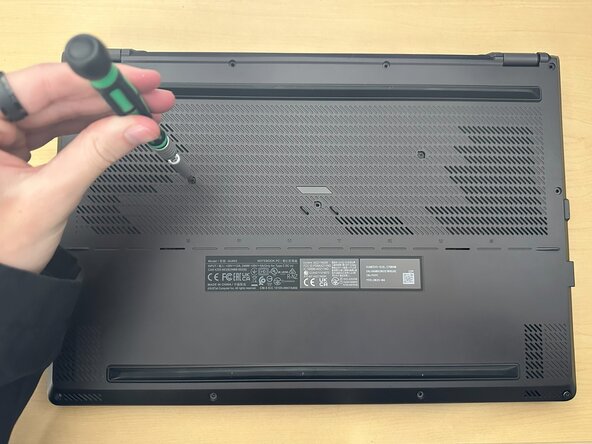
- Remove the Phillips #0 screws from the bottom casing.
- Six 8.0 mm-long screws
- Three 6.0 mm-long screws
- The screw in the bottom right corner is captive and should not be removed. Unscrew it as much as possible without forcing it out.
- Use a Phillips #0 screwdriver to remove the three 6.0 mm screws located in the center bottom of the laptop.
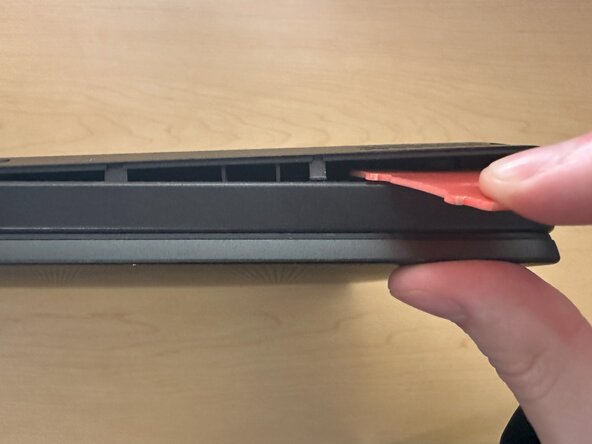
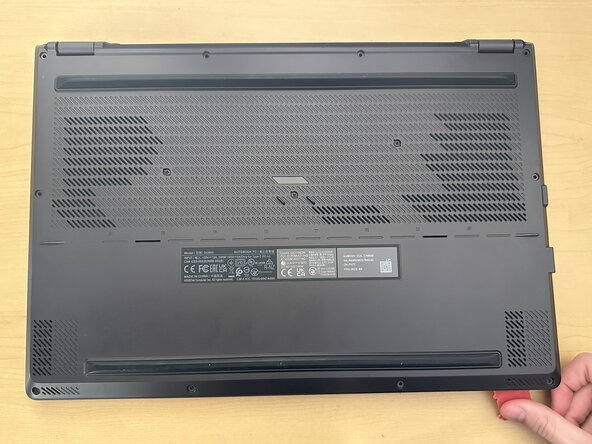
- Insert an opening pick or tool into the bottom right corner of the laptop and gently pry open the bottom casing.
- Avoid using metal tools, as they can damage the casing or internal components.
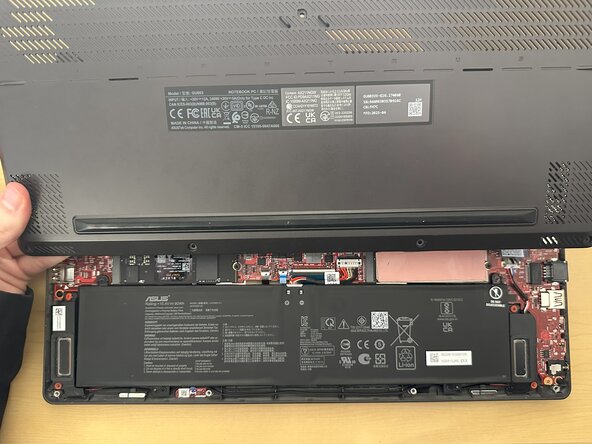
- Lift the bottom casing from the device to remove it.
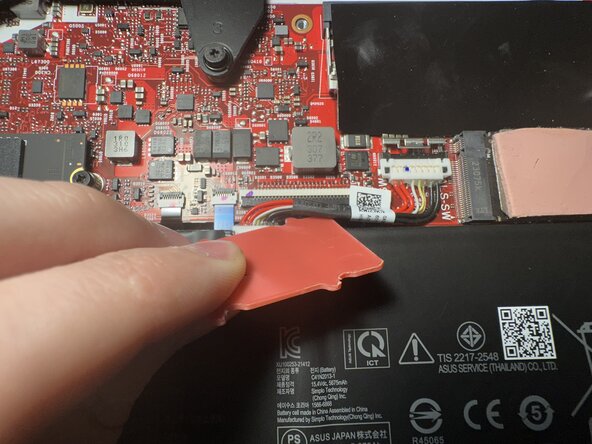
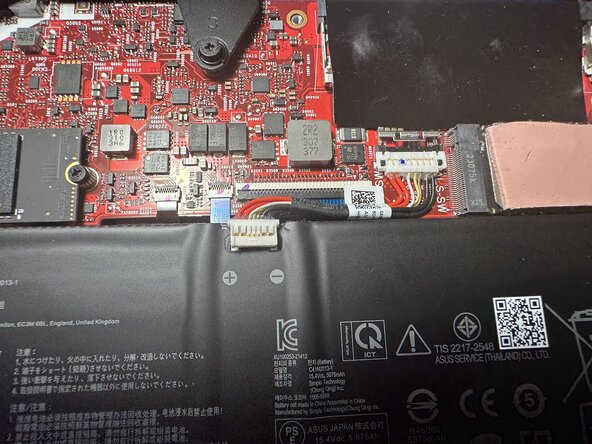
- Use a plastic opening pick to pry the battery cable upward and disconnect it from the battery.
- Be gentle when prying to avoid damaging the cable or connector.
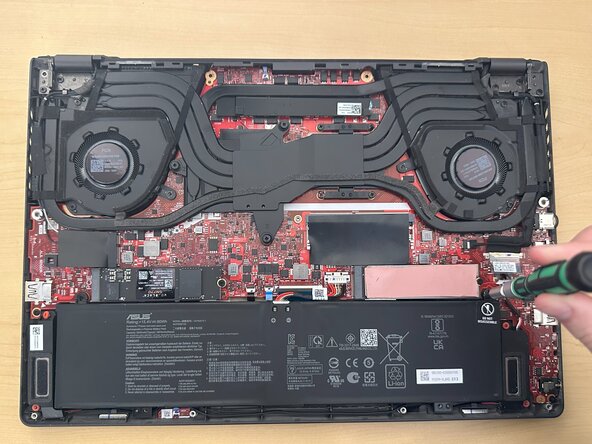
- Remove the four Phillips #0 screws securing the battery.
- Two 6.0 mm-long screws
- Two 3.0 mm-long screws
- Remove the old battery and set it aside.