Anbernic RG 40XXV Shoulder Button Replacement
ID: 184973
Description: The shoulder buttons on your Anbernic RG 40XXV...
Steps:
- Remove the micro SD card located on the left and right sides of the device by pushing into the SD card slot and pulling the card out.
- Unscrew all six 7.5 mm screws on the backside of the case using a 1.5 mm hex screwdriver.
- Take apart the case by separating the front and back sides using an iFixit opening tool.
- When using the opening tool, carefully pry open the case to avoid damaging the device.
- Disconnect the battery connection cable by gently pulling it away with angled tweezers from the slot that connects the cable to the motherboard.
- The cable connection to the motherboard is labeled "+BAT-" for easy identification.
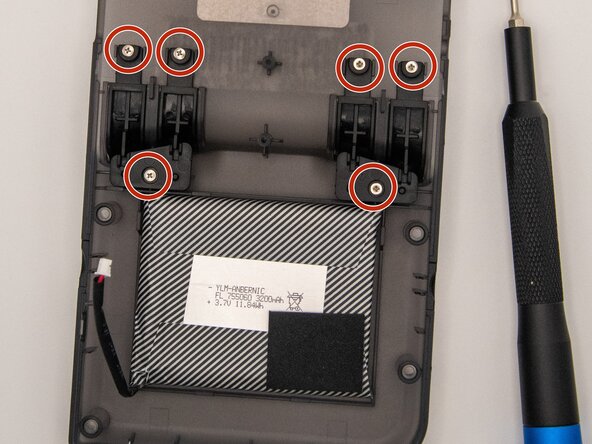
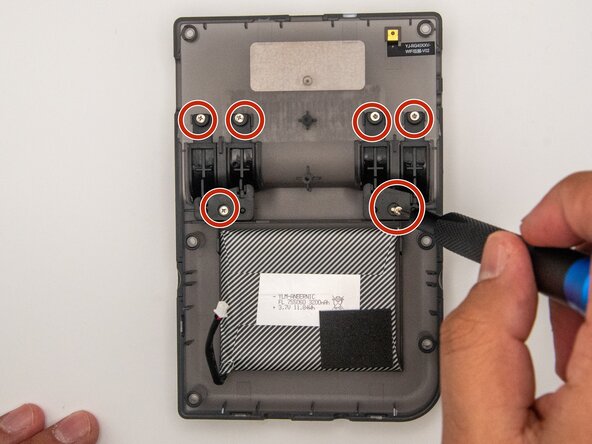
- Using a Phillips #000 screwdriver, unscrew the six 5 mm screws holding the shoulder buttons in place.
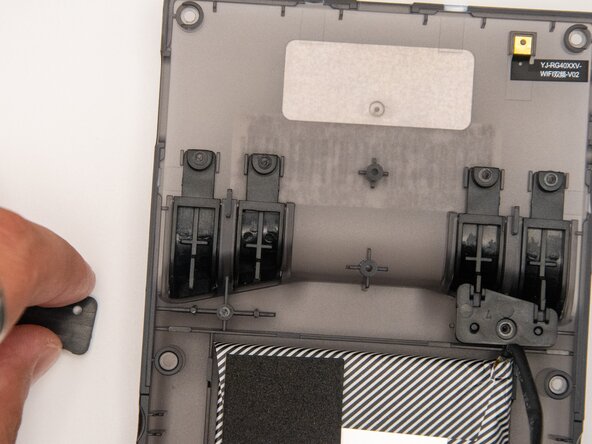
- Use a pair of ESD-safe tweezers to remove the covers holding the shoulder buttons in place.
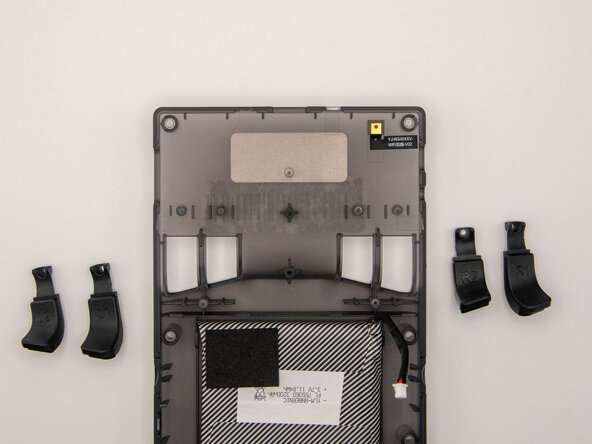
- Place the shoulder button covers to the side to allow easy accessibility to the shoulder buttons for replacement.
- After removing the covers from the shoulder buttons, pull the buttons out. They will easily dislodge from the back of the case.