Asus X515 SSD Replacement
ID: 184977
Description: In this guide I will be showing you how to...
Steps:
- Power down the laptop and unplug all of the cables.
- Flip over the laptop.
- Remove the 10 phillips screws from the bottom of the case.
- Using a prying tool pry the bottom of the case open.
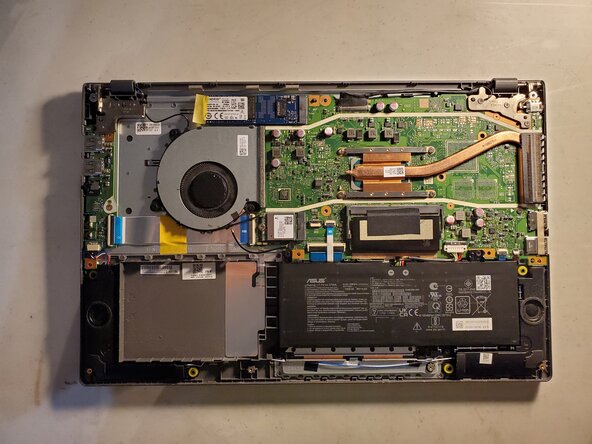
- Locate the battery and its connector.
- Using your fingers or a prying tool pull up on the connector to disconnect it.
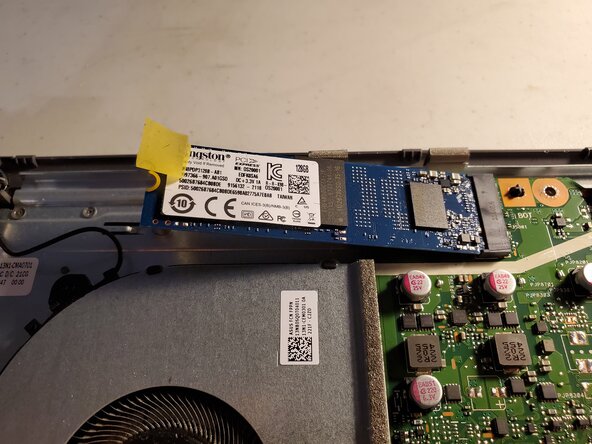
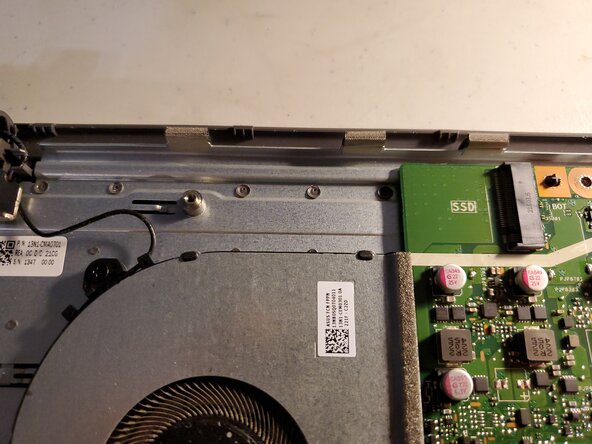
- Locate the SSD
- Peel the tape so that you can access the screw.
- Remove the single screw.
- The SSD will pop up and face outwards.
- Pull the SSD outwards.