Logitech UE Megaboom 4 Power Button Board Replacement
ID: 185029
Description: If the power button isn't responding when...
Steps:
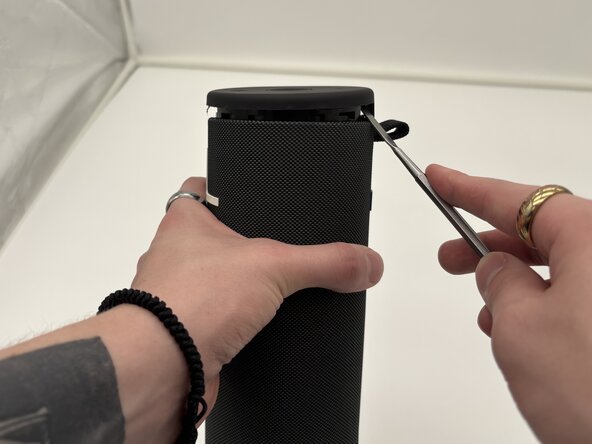
- Place the end of a metal spudger in the seam between the top cover and outer case of the speaker. Work your way around the seam of the cover to loosen it.
- This will take force as it is glued down with the waterproofing sealant.
- Be careful when using the metal spudger. It is sharp and can cause damage to your device and yourself.
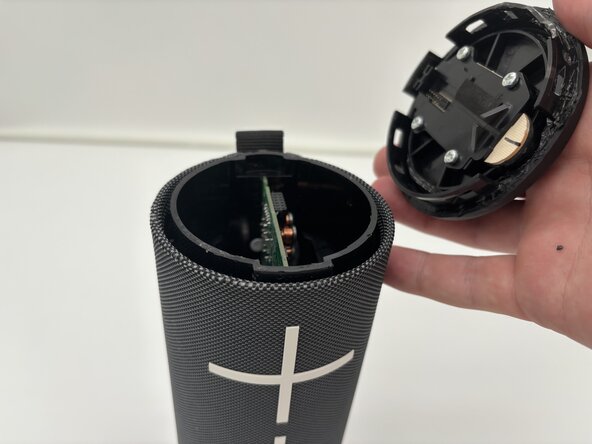
- Separate the top cover of the speaker from the case.
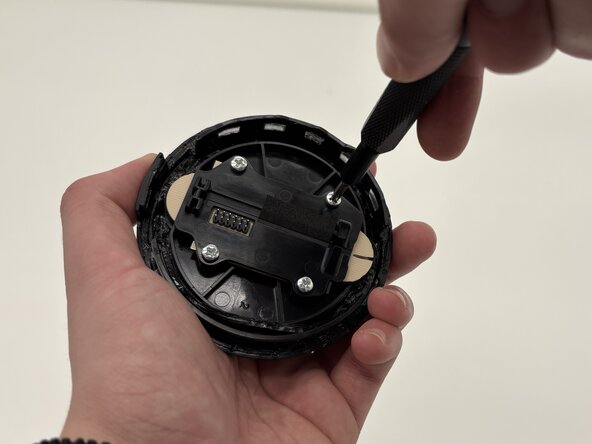
- Use a Phillips #1 screwdriver to remove four screws from the underside of the top cover of the speaker.
- Remove the black bracket covering the button board.
- Remove the circuit board from the cap.