iPhone 16e Microphone Removal
ID: 185042
Description:
Steps:
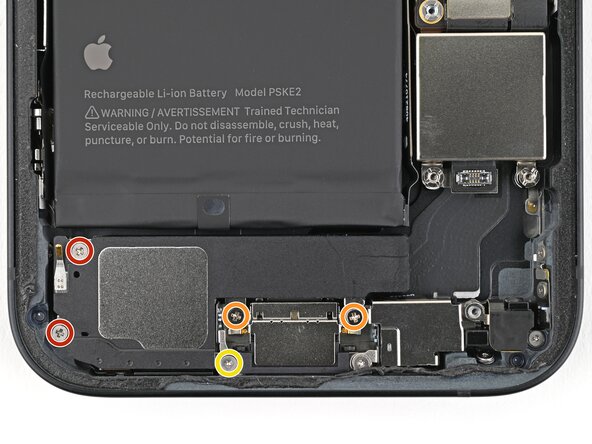
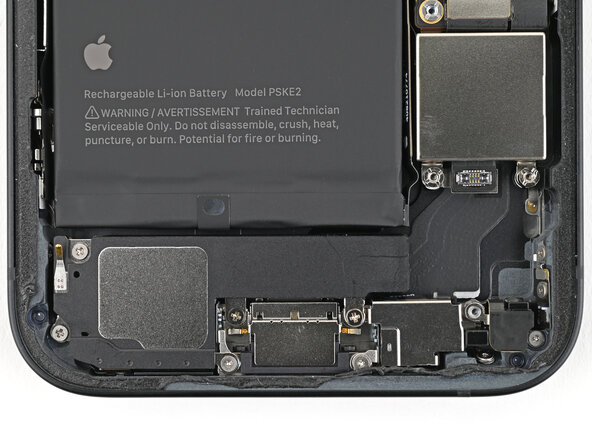
- Use a Phillips screwdriver to remove the four screws securing the loudspeaker:
- Two 1.4 mm‑long screws
- Two 1.7 mm‑long screws
- Use a tri-point Y000 screwdriver to remove the 1.3 mm‑long screw.
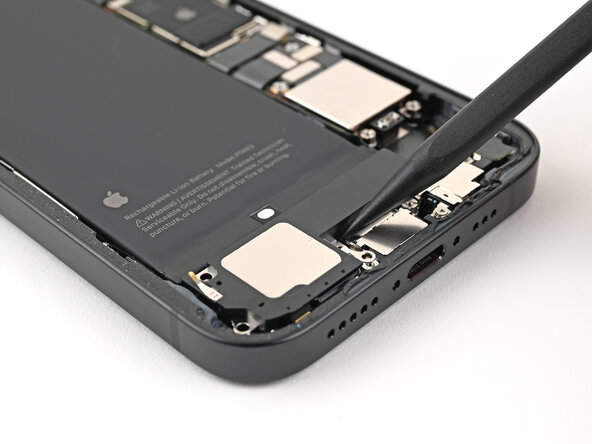
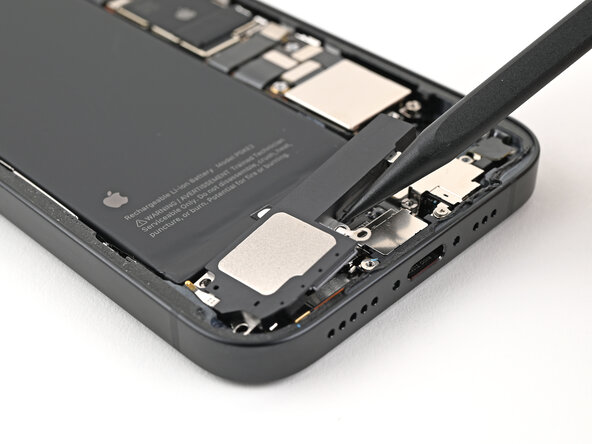
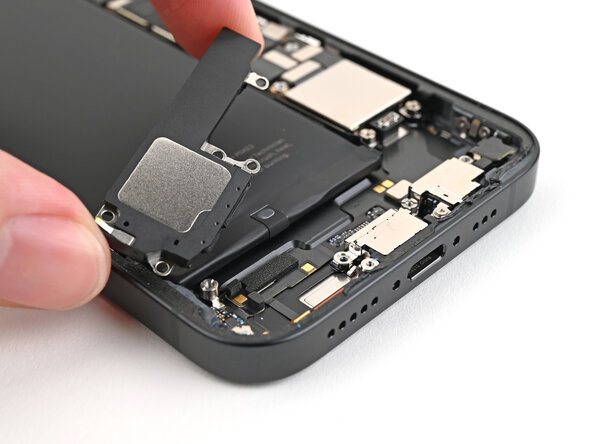
- Use the point of the spudger to lift the loudspeaker out of the frame and remove it.
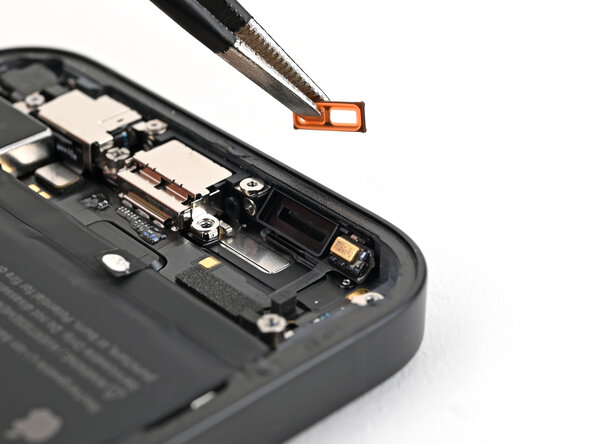
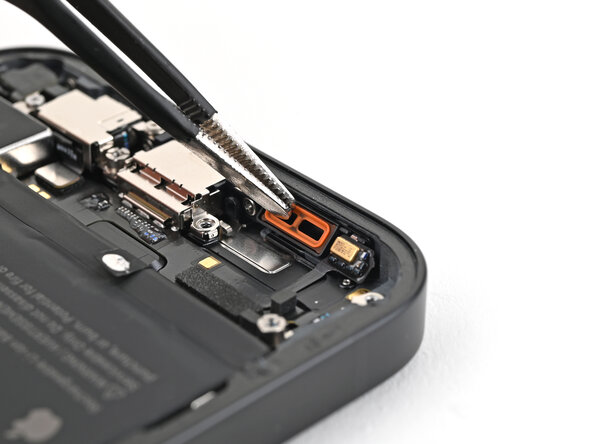
- If the orange loudspeaker gasket fell out during disassembly, use tweezers to place it back into the sound channel.
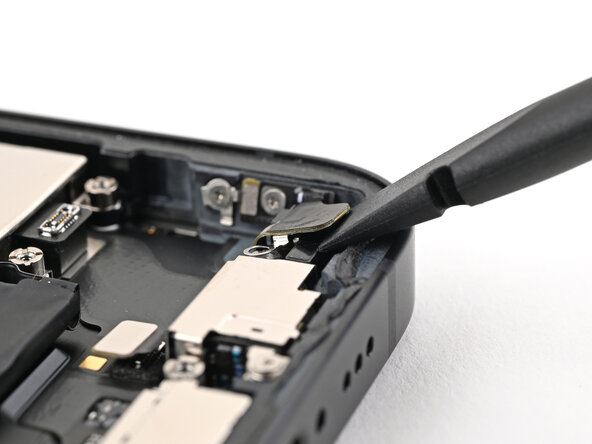
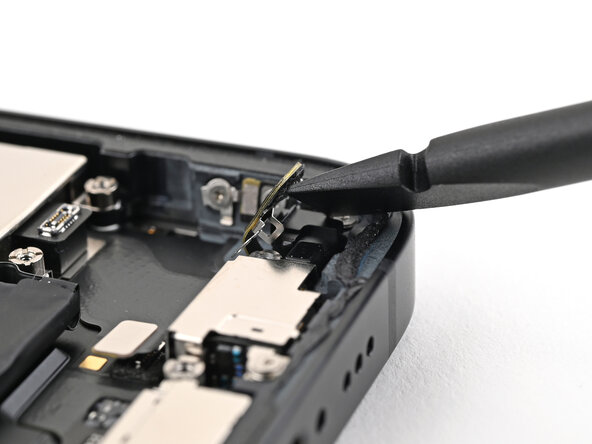
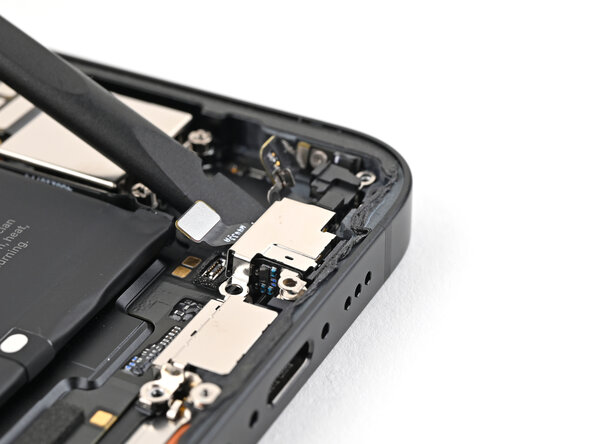
- Insert the flat end of a spudger between the screw cover and the microphone.
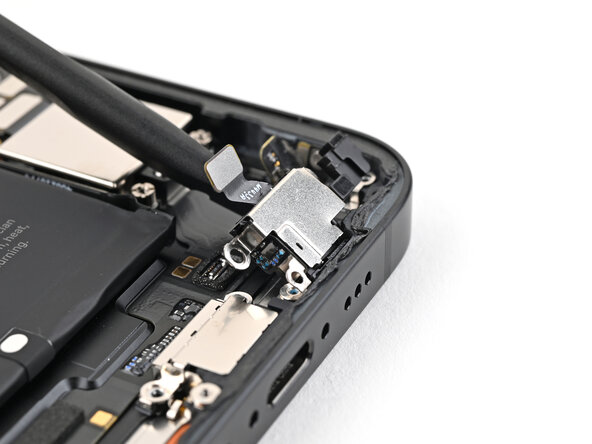
- Twist the spudger to separate the adhesive under the cover and release its metal clip.
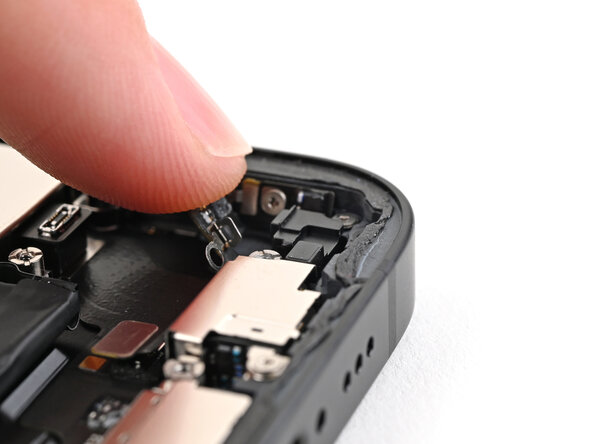
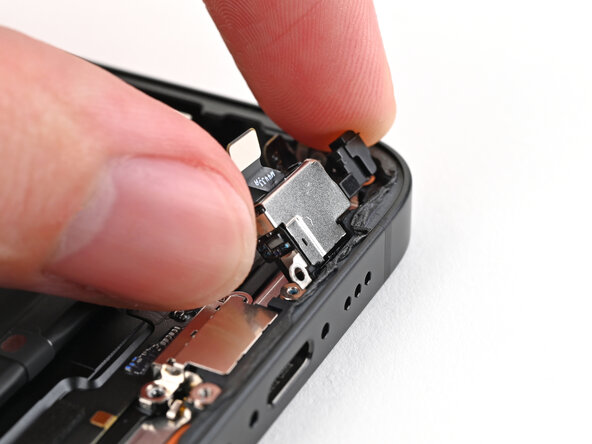
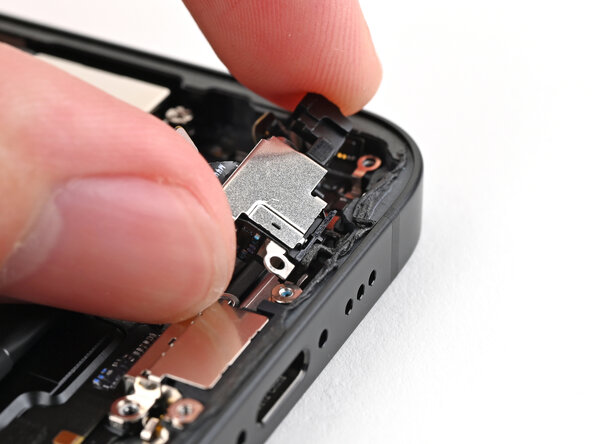
- Use your finger to gently bend the cover toward the top of the phone and reveal the remaining standoff screw.
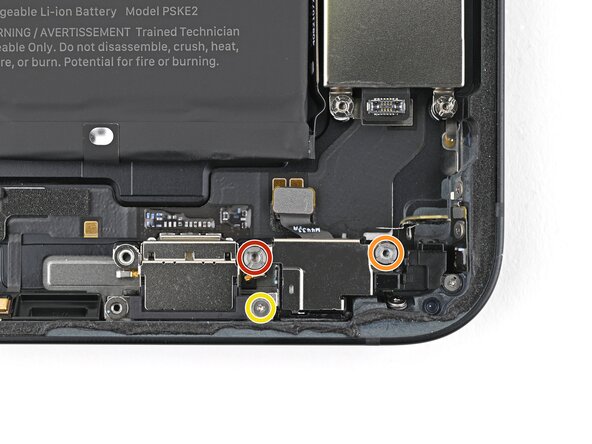
- Use a standoff screwdriver to remove two screws securing the microphone:
- One 3.0 mm‑long screw
- One 2.8 mm‑long screw
- Use a tri-point Y000 screwdriver to remove the 1.3 mm‑long screw securing the microphone.
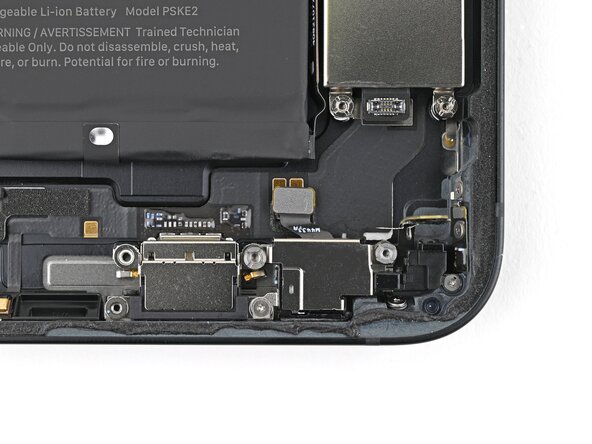
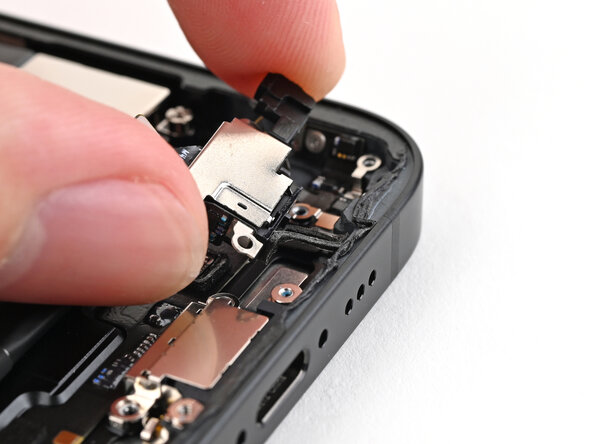
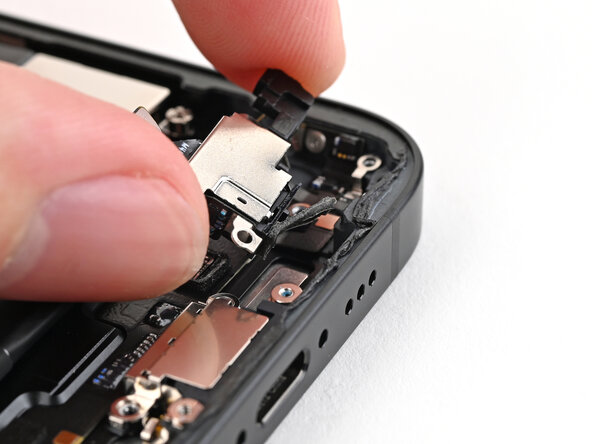
- Use the flat end of a spudger to lift the microphone enough to grip it with your fingers.
- Pull the microphone away from the frame to separate the adhesive.
- Remove the microphone.