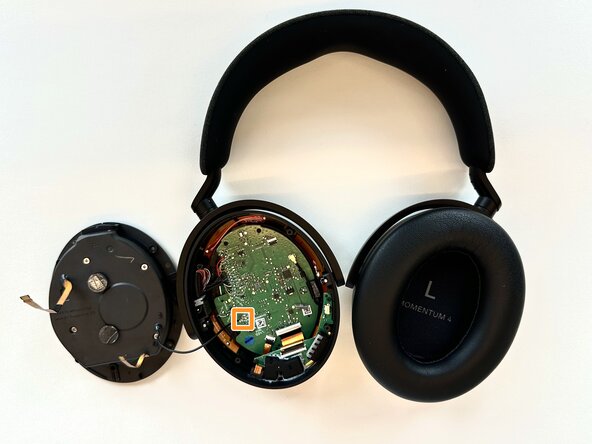
Sennheiser Momentum 4 Right Driver Assembly Replacement
ID: 185102
Description: This step for speaker replacement is very...
Steps:
- On the right ear piece, insert an opening tool into the gap between the ear pad and the driver housing.
- Gently pry the ear pad away from the driver housing until the ear pad fully releases.
- Remove the right ear pad.
- Use a Phillips #00 screwdriver to remove four 6.5mm screws that secure the right driver housing.
- Insert a spudger into the seam between the driver housing and chassis.
- Gently pry the driver housing up and out of the chassis, with care not to strain the connected cables.
- Flip up the two black ZIF locking flaps that secure the two bronze ribbon cables attached to the driver assembly.
- Disconnect the two ribbon cables and set the driver assembly to the side of the chassis.
- Desolder the two speaker cable motherboard connections.
- Remove the driver assembly.