Logitech UE Megaboom 4 Charging Port Replacement
ID: 185168
Description: This guide demonstrates how to replace the...
Steps:
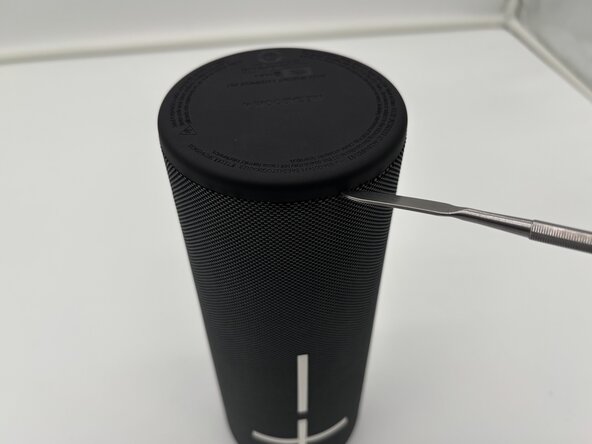
- Flip your speaker upside down so the charging port side is faced upwards.
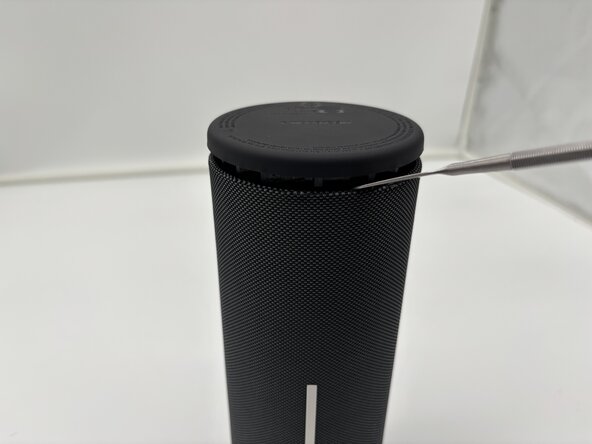
- Place the end of a metal spudger in between the rubber bottom and the mesh case.
- Work your way around the base of the speaker until the top separates from the case of the speaker.
- This will take force.
- Use the metal spudger carefully. Improper use may lead to injury.
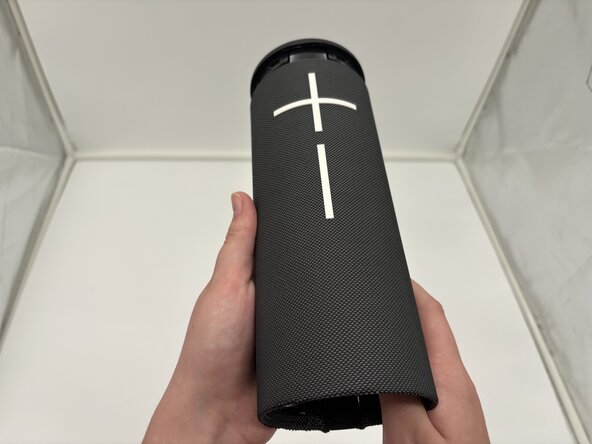
- Pull the bottom end of the speaker off and place it aside.
- Once the glued seal is broken you will be able to pull it off with your hands.
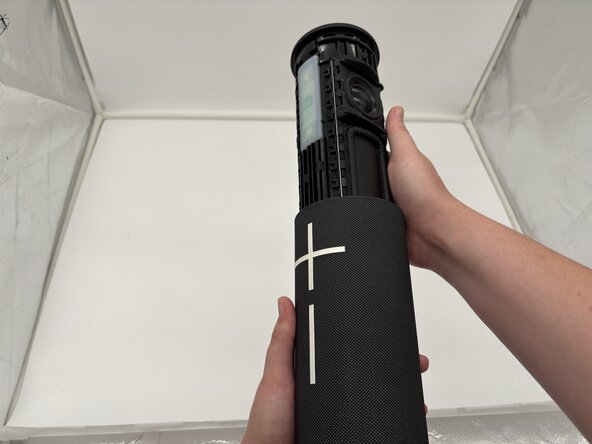
- Use your thumbs to press the two plastic tabs inside the speaker case and gently push out the internal components.
- The inside components will begin to slide out of the top from the mesh casing.
- The internal components of the Logitech UE MegaBoom 4 speaker are now separated from the outer case.
- Remove the cover from the USB-C charging port end of the device.
- The port should be visible from the outside.
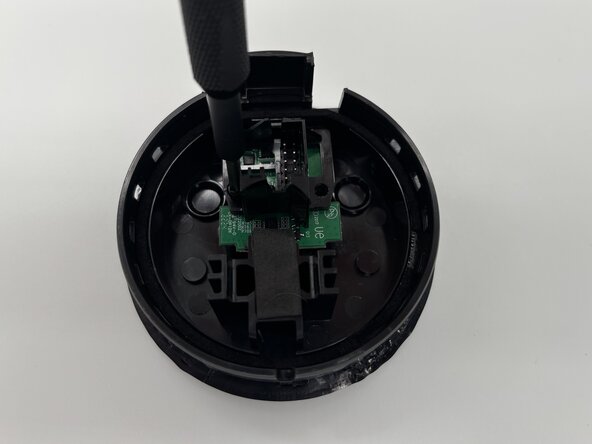
- Use a Phillips #1 screwdriver to remove the two screws securing the I/O board inside the speaker's end cover.
- Set the screws aside for reassembly.
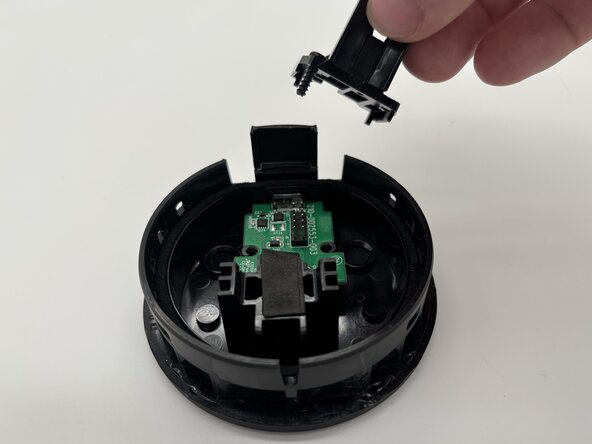
- Remove the black plastic bracket from the top of the I/O board.
- Remove the board with the charging port from the inside cover.
- Take note of the charging port placement for reassembly.