Motorola Moto G Power 5G 2023 Motherboard Replacement
ID: 185353
Description: If your Moto G Power 5G (2023) is no longer...
Steps:
- Hold the power button, tap “Power off,” and wait for the screen to go black.
- If it's unresponsive, hold power and volume down for 10–15 seconds to force shut off.
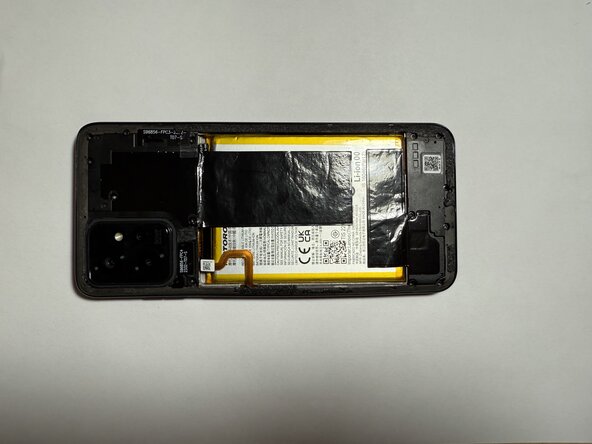
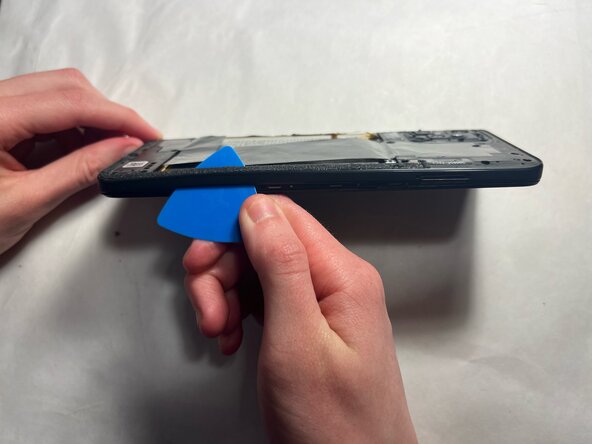
- Slide an iFixit opening pick along the edge seam of the phone to loosen the adhesive. Work slowly around the phone until the back cover begins to lift.
- Take your time to avoid cracking the plastic or damaging internal parts.
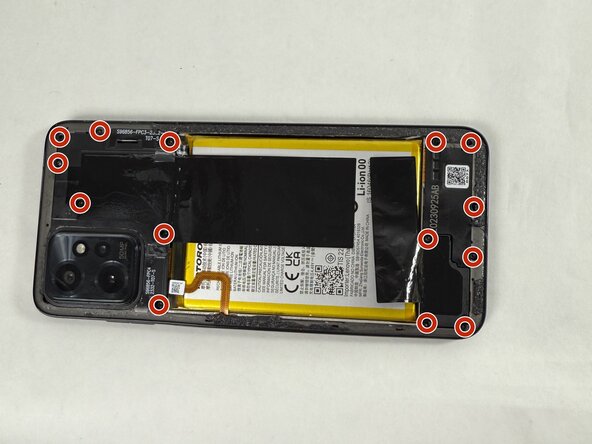
- Use a Torx T5 screwdriver to remove fourteen 2.2 mm screws securing the internal cover edges.
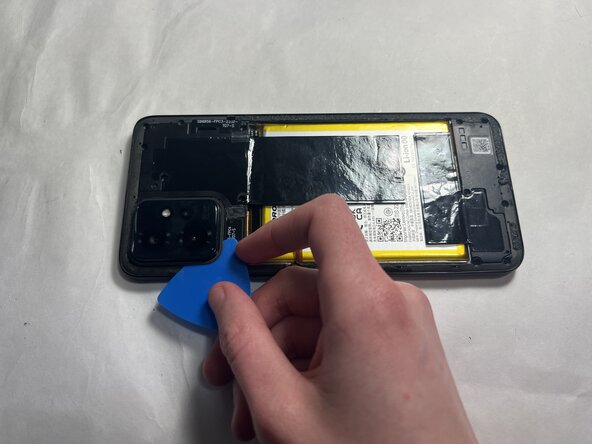
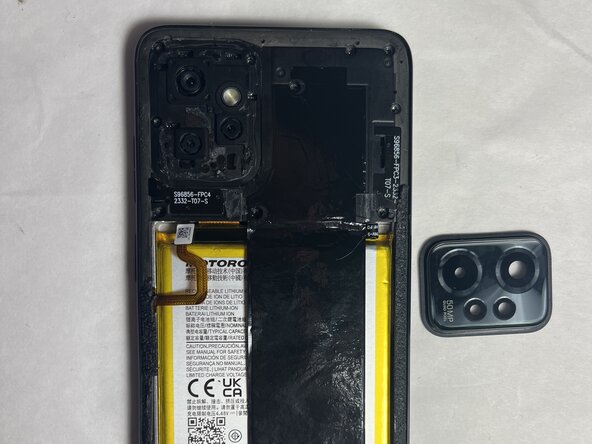
- Use the iFixit opening pick to gently pry off the back camera casing.
- Work slowly around the edges to avoid cracking the plastic or damaging nearby components. Apply even pressure and take your time—this piece is thin and can be delicate.
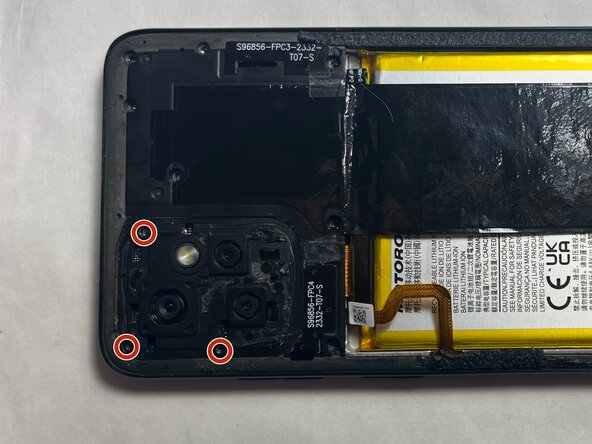
- Remove the three 2.2 mm screws that were underneath the back camera casing using a Torx T5 screwdriver.
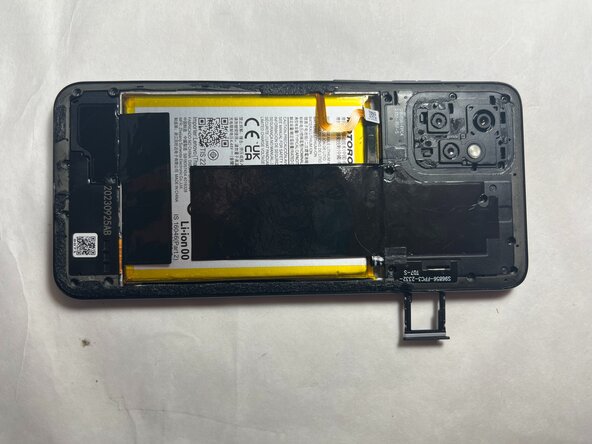
- Remove the SD card by ejecting the SIM/SD tray from the side of the phone.
- You can use a paper clip or the SIM ejector tool to pop the tray out.
- Remove the side casing from the phone by gently prying along the edges. Start from underneath the section of where the SD card was removed.
- You can use the opening pick again to carefully lift and separate the casing without damaging the clips or frame.
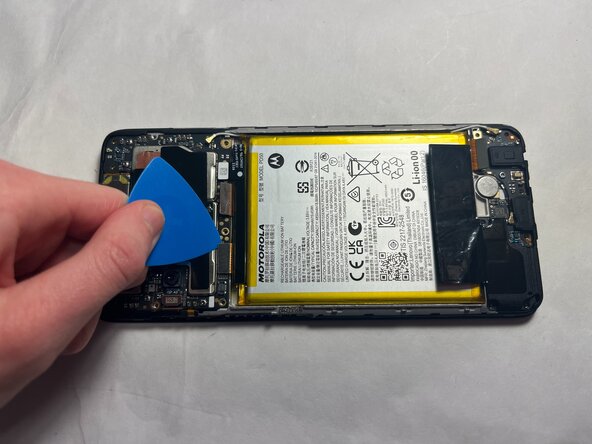
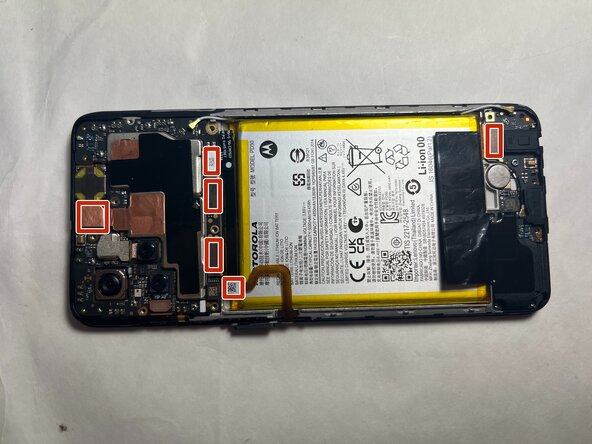
- Unfold the six small tabs carefully to access the internal components beneath.
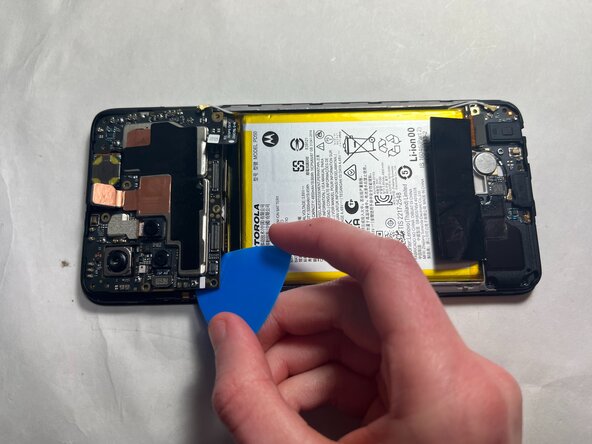
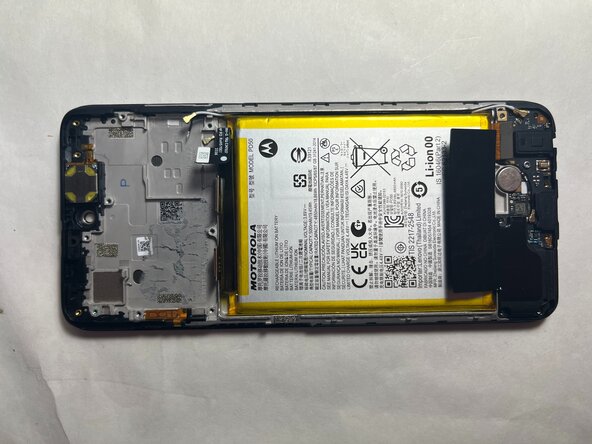
- Use an iFixit opening tool to pry the motherboard out of the device.