Lorex LHV210800 Hard Disk Drive (HDD) Replacement
ID: 185357
Description: A hard drive disk is non-volatile storage...
Steps:
- Before beginning, disconnect the DVR from power and unplug all peripheries.
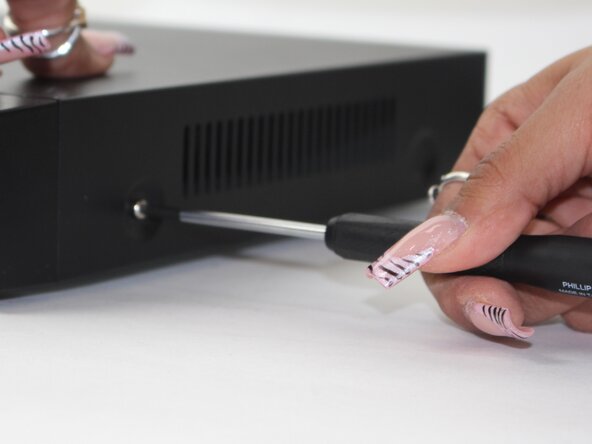
- Remove each of the two 1 cm screws on the right and left sides of the DVR with a Phillips screwdriver.
- Remove the four 1 cm Phillips screws on the rear panel.
- Do not unscrew the screw connected to the lower case.
- Lift up and remove the top cover.
- Disconnect the connectors on the bottom of the HDD.
- Remove the HDD.