JBL Go 3 Driver Replacement
ID: 186059
Description: This guide walks you through replacing the main...
Steps:
- Hold the power button until the JBL Go 3 shuts off
- Disconnect any charging cables
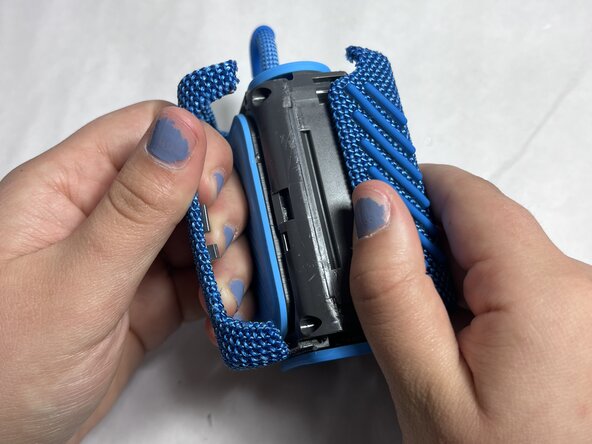
- Use jimmy to remove the hard shell
- Work your way around the edges slowly—be patient as it's glued or snapped in tightly
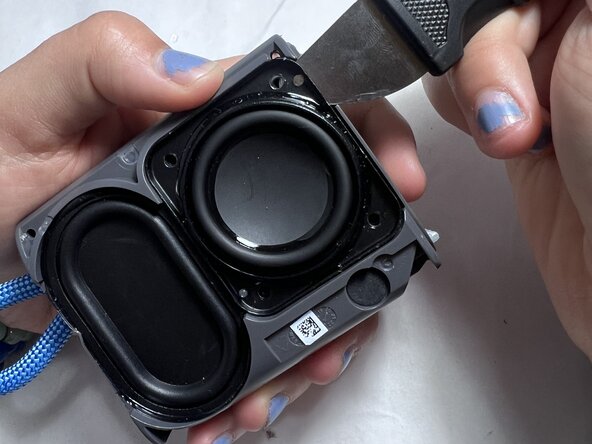
- Once the hard shell is removed,use jimmy to lift up the speaker part.
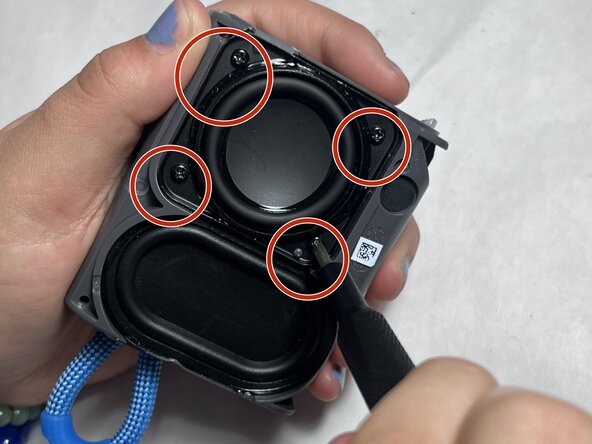
- Locate the internal screws underneath the outer shell.
- Use your precision screwdriver to remove all screws securing the plastic enclosure.
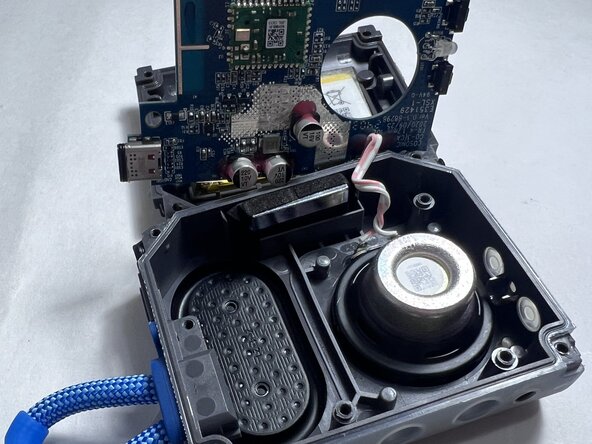
- Carefully lift the casing to expose the speaker and other internal components.
- If accessible, unplug the battery to prevent any electrical short while working.
- If it's soldered, proceed carefully and avoid touching metal contacts unnecessarily.
- Unscrew any fasteners holding the speaker in place.