Sony SRS-XG300 Power Button Replacement
ID: 186086
Description: If your Sony SRS-XG300 (model XG300) is...
Steps:
- Before beginning, make sure to unplug and power off your speaker.
- With the Sony label on the left, roll the speaker horizontally to the bottom of the speaker with the rubber stands.
- Remove four 12 mm screws with a Phillips #1 screwdriver.
- Remove the loose rubber feet.
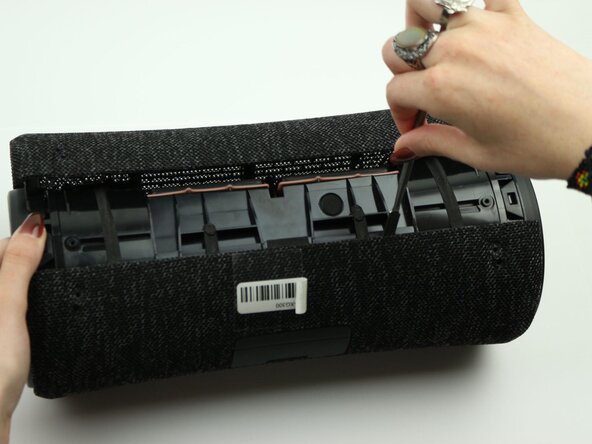
- Insert the metal spudger tool at 90-degree angle into the right part of seam.
- Pry off the top part of the fabric cover using the metal spudger.
- Follow the seam to completely detach the top part of the fabric cover.
- Repeat to remove the bottom part of the fabric cover.
- Remove the four 12 mm screws on the corners of the left tweeter using the Phillips #1 screwdriver.
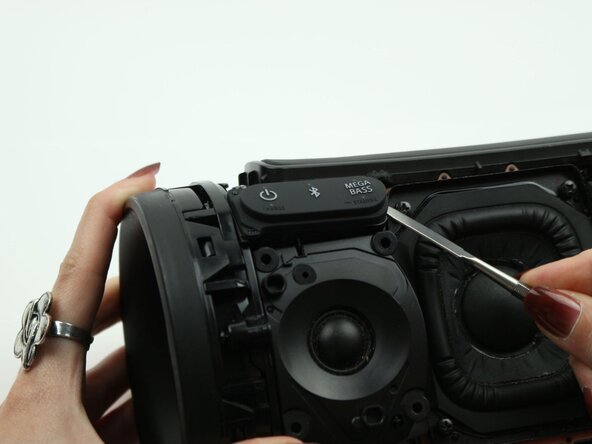
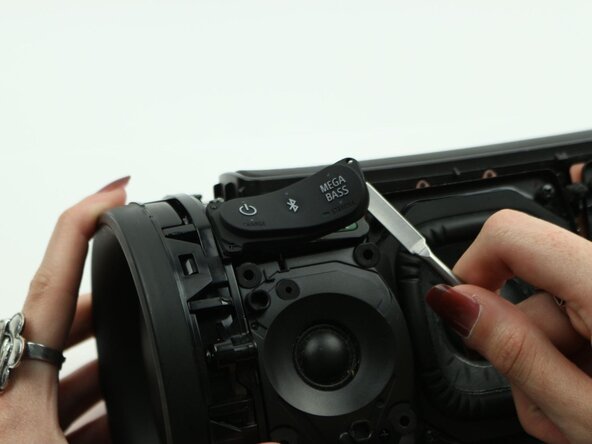
- Use the metal spudger to peel off the adhesive button on the power switch (power, bluetooth, and megabass) to access the control panel underneath.
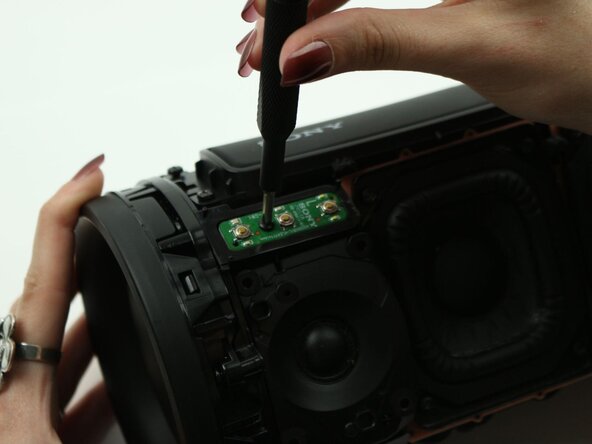
- Unscrew the one 7.5 mm in the middle of the control panel with a Phillips #1 screwdriver.
- Carefully lift up the control panel.
- You may need to use the metal spudger to make this step easier.
- Do this slowly and do not lift it all the way up, as it can tear the cables.
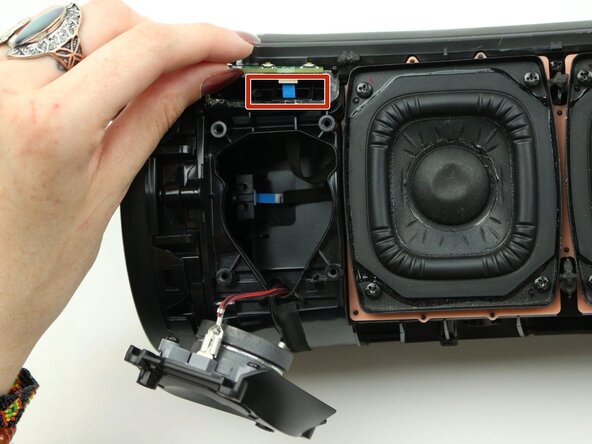
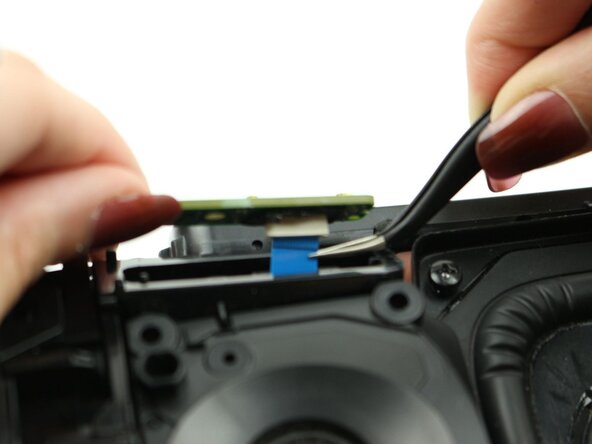
- Detach the blue ribbon cable from the power button.
- If not visible, lift the left tweeter to see a better view of the cable internally.
- Remove the power button from the speaker.