JBL Go 3 Motherboard Replacement
ID: 186178
Description: If your JBL stops turning on or won’t charge...
Steps:
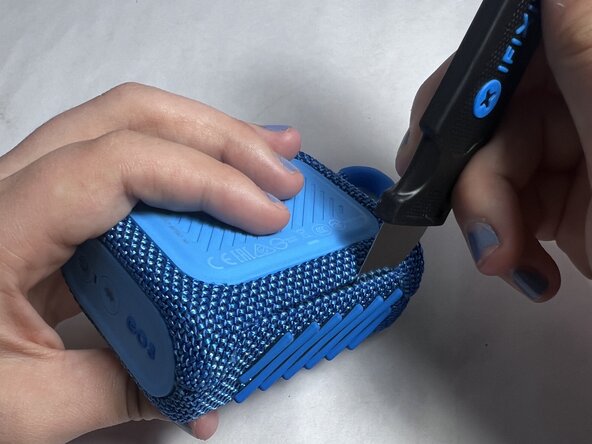
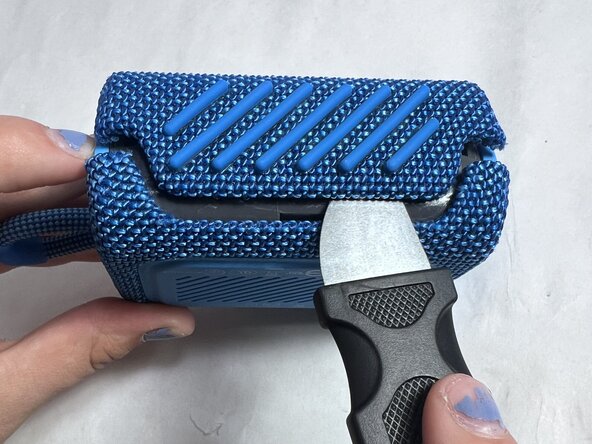
- Using an iFixit Opening Pick or a Jimmy, pry along the seam between the rubber outer layer and the hard shell.
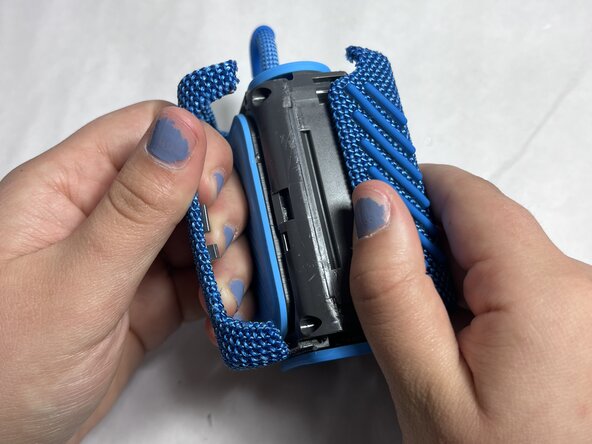
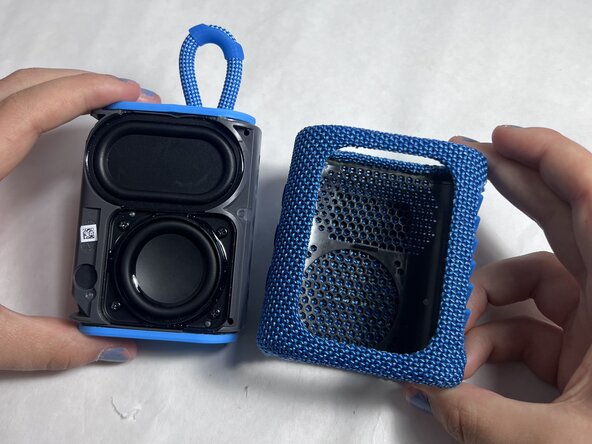
- Work your way around the edges until the shell loosens and can be fully removed.
- Align the new shell with the speaker’s body, making sure all edges are properly positioned.
- Press firmly around the edges until the shell snaps securely into place.
- Locate the internal screws underneath the outer shell.
- Unscrew and remove the screws using a precision screwdriver.
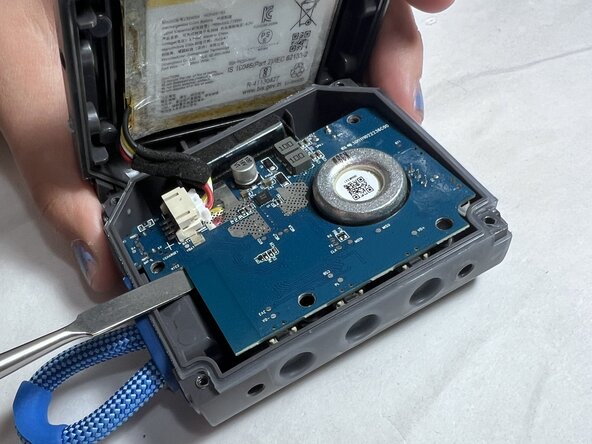
- Carefully lift the casing to expose the motherboard.
- Remove the screws securing the motherboard to the internal casing.
- Gently disconnect the battery from the motherboard.
- Locate the wires that lead from the speaker to the motherboard.
- Carefully pull the red connector from the motherboard and avoid pulling on wires.
- Carefully lift and remove the motherboard.