JBL Go 4 Motherboard Replacement
ID: 186212
Description: This is a guide to replace the motherboard of...
Steps:
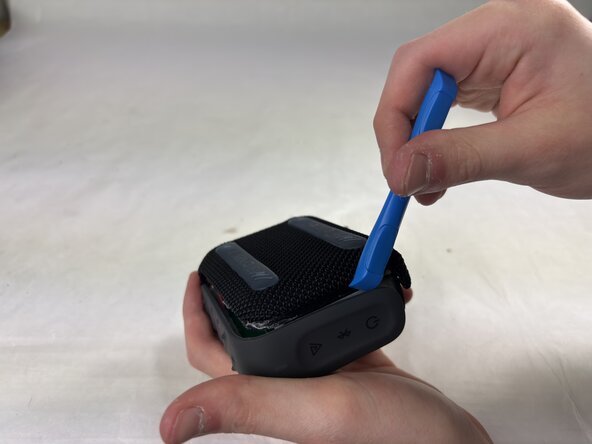
- Use an opening tool to pry off both sides of the speaker cover.
- Make sure to be careful to not force it apart and break it.
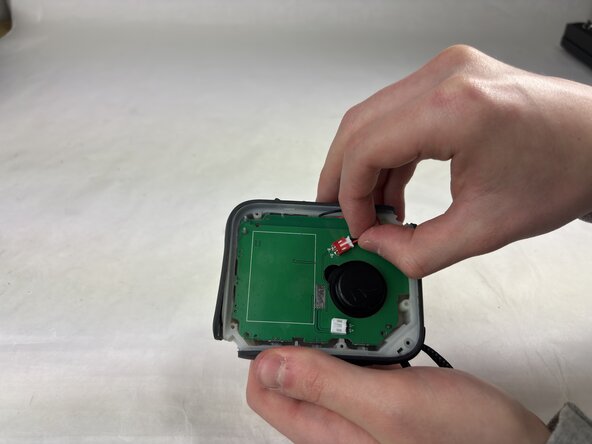
- Remove the Phillips screws securing the motherboard.
- Gently remove the white and red pieces from their connectors on the motherboard with your hands.
- They should come out relatively easy, this is the last piece needed before removing the motherboard.
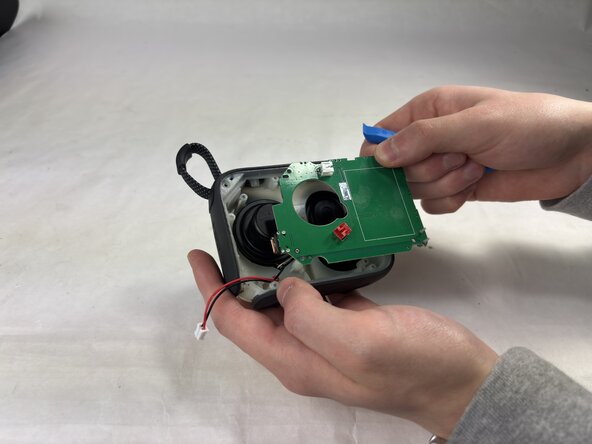
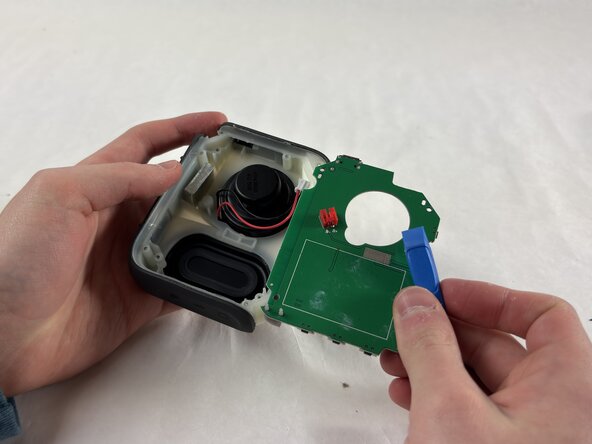
- Use an opening tool to pry the motherboard away from the rest of the speaker.
- Make sure to be very gentle, to cause no damage to the rest of the speaker.