1 - Microwave oven - The different functions
ID: 186222
Description: The following study covers a large portion of...
Steps:
- Microwave technology began in the 1930s, driven by a group of British researchers as part of military research.
- In 1939, they developed the "magnetron," a device that produces ultrashort waves. This device was used to manufacture radar systems, first used during the Battle of Britain. During this research, it was noted that these waves had the effect of heating food in particular.
- Microwave cooking was invented. The first microwave oven, branded as Radarange, was sold in 1953.
- Microwaves cook food in record time and offer a variety of functions that go beyond simply reheating food. Here are the main functions available. These functions make the microwave versatile and suitable for many culinary tasks, thus simplifying meal preparation.
- Reheating: Allows you to quickly reheat leftovers or prepared dishes.
- Cooking: Used to cook food, especially those containing water, such as vegetables, meats, and dishes with sauce.
- Defrosting: A specific function for defrosting frozen food quickly and evenly, without cooking it.
- Sterilization: Some models allow you to sterilize containers or utensils by using the heat generated by the microwaves.
- Convection Cooking: Integrates a convection function to cook food more evenly by using a cooling fan to circulate hot air.
- Grill: Allows you to brown or gratinate food by using an additional heat source.
- Automatic Cooking: Pre-programmed settings for different types of food, such as popcorn or potatoes, which automatically adjust time and power.
- (Fig 1) A microwave oven contains a microwave transmitter called a "magnetron." The emitted waves are confined within an enclosure called a cavity. This cavity is closed by a door (Rep 1) coupled with a safety device (Rep 8) to prevent the emission of waves to the outside.
- The door is equipped with a metal screen pierced with small-diameter holes: this creates the analogue of a Faraday cage, which prevents waves from passing through while still allowing the inside to be seen. To make the oven airtight, the door is equipped with a seal strip that completes the seal.
- A wave stirrer and/or a turntable (Rep 2) helps distribute the waves better over the food. The latter is driven by a motor (Rep 9) and placed on a rotating ring (Rep 11).
- A power supply system is connected to the socket (Rep 6) and a control panel (Rep 7) allows for the selection of cooking time and power.
- Depending on the type of device, the control panel consists of rotary knobs that allow the cooking power and duration to be selected. It also has a push button for opening the door. These are generally mechanical or electromechanical ovens (Fig 2). They are simple and economical.
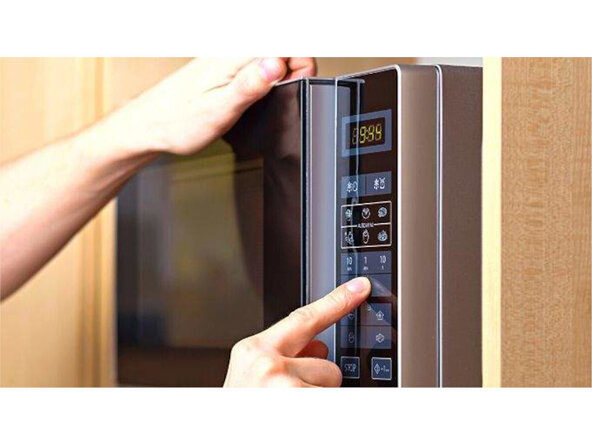
- Multi-function microwave ovens (Fig 3) are electronic and equipped with control panels with an electronic display, program selection keypad, memory, etc...
- A mica protection plate is placed at the exit of the microwave tunnel (Rep 4) generated by the magnetron. A lamp (Rep 5) illuminates the cavity when the door is opened.
- Some devices have an upper (Rep 3) and/or lower (Rep 10) grill. We will not study this functionality, which could be the subject of a specific study.
- Unlike a conventional oven, a microwave does not have a temperature setting and therefore no thermostat; the only existing settings are power and operating time, which must be set blindly based on your own experience or the manufacturer's instructions.
- Fig 1 This is an example of a control panel found on mechanical devices. Operation is very simple. 1-Turn the power knob to set the microwave power to the desired value. 2 - Turn the timer knob to set the recommended cooking time.
- 3 - After setting the power and duration, the microwave oven begins cooking. 4 - When the cooking time is reached, a "ding" sounds and the device stops.
- Fig 2 This is an example of a control panel found on electronic devices. Reading the user manual is required to use the various features of this type of device.