Azpen A1045 Battery Replacement
ID: 186300
Description: This guide will walk you through replacing the...
Steps:
- Power off the tablet by holding the side button for five seconds.
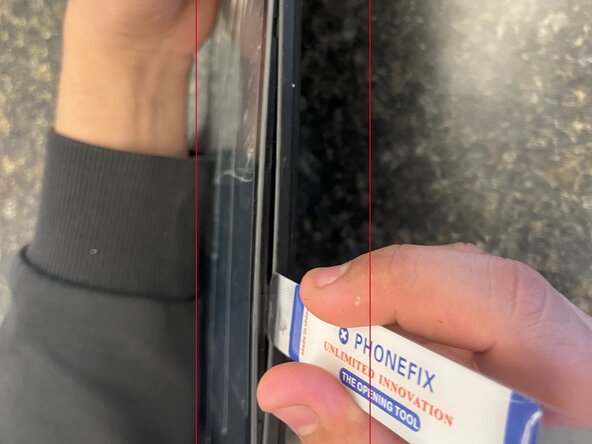
- Insert an opening tool into one of the sides and lift until the screen comes off.
- This tablet is secured by clips on the sides; no adhesive is used.
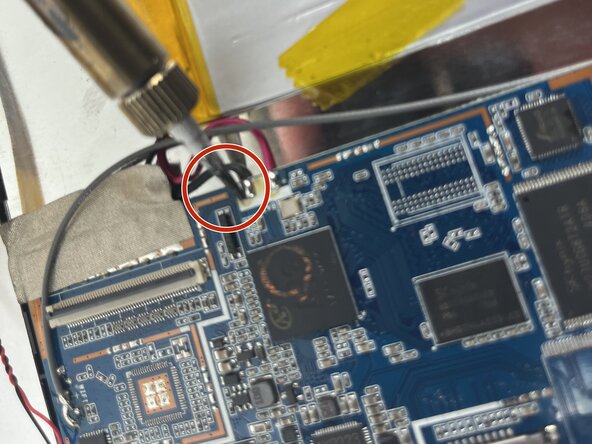
- After heating your soldering iron, place it on the black wire and desolder it.
- Repeat the same step for the red wire.
- For more information on soldering, check out this guide.
- Warning: Be careful not to puncture the battery, as doing so could cause it to explode.
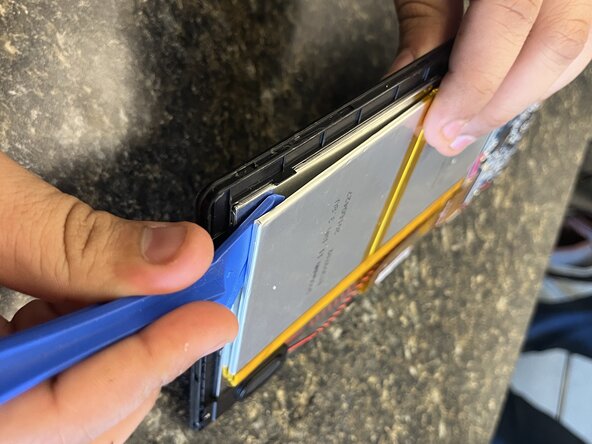
- Insert an iFixit opening tool beneath the battery and gently pry it up.
- If you're having trouble removing the adhesive, use 91% or higher isopropyl alcohol. Apply it in small quantities with a syringe, if possible, to avoid damaging any electrical components.
- After removing the battery, clean the area where the adhesive was, so it's ready for the new battery.