Azpen A1045 Charging Port Replacement
ID: 186304
Description: This guide applies to the Azpen A1045 Tablet...
Steps:
- Power off the tablet by holding the side button for five seconds.
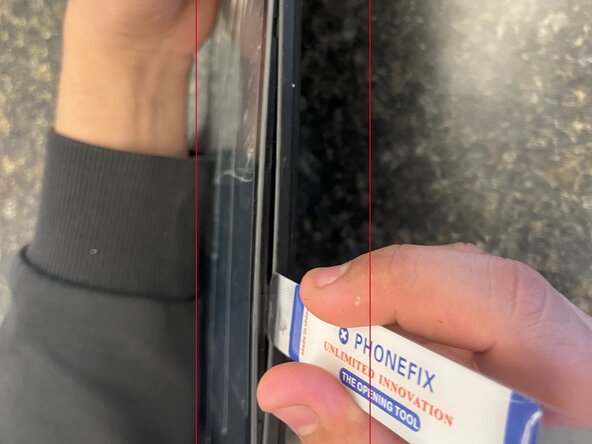
- Insert an opening tool into one of the sides and lift until the screen comes off.
- This tablet is secured by clips on the sides; no adhesive is used.
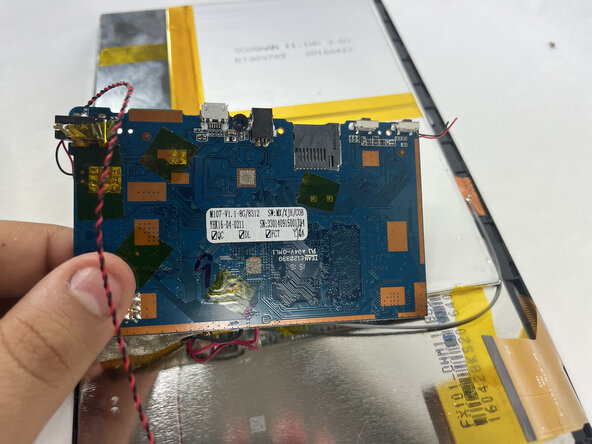
- The charging port is located on the right-hand side when viewing the rear panel, just above the USB connector. It can be identified by the black square with a hole on the underside of the circuit board.
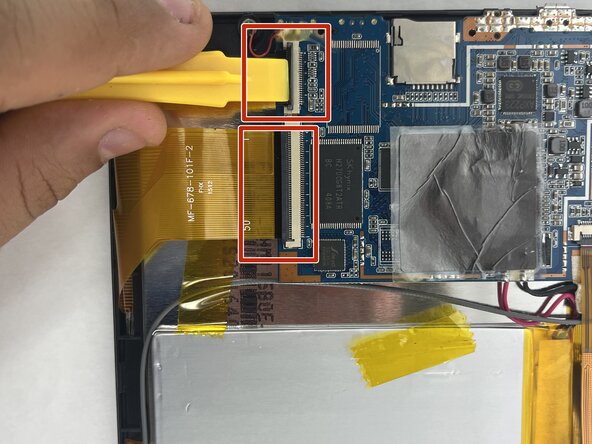
- To remove the circuit board, carefully peel off any tape securing it to the front panel. Gently disconnect the camera from the port in the upper corner of the panel.
- Gently disconnect the two remaining orange ribbon connectors attached to the circuit board. Use an opening tool to lift and remove the circuit board from the front panel.
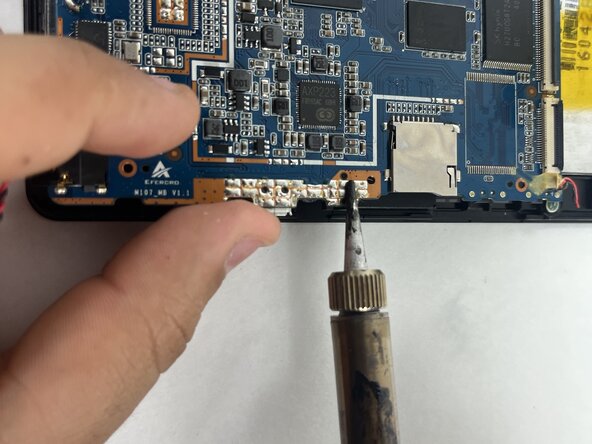
- Remove the charging port with a pair of tweezers. Solder the new charging port onto the circuit board using a soldering iron.
- For more information on soldering, check out this guide.