JBL Tune 720 BT Headphones Right Speaker Driver Replacement
ID: 186441
Description: This guide will detail how to open your JBL...
Steps:
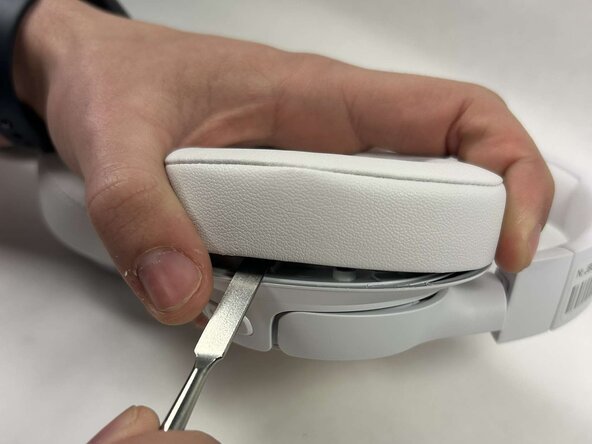
- Insert the Jimmy into the slit of the ear cup.
- Insert the metal spudger with the Jimmy and use the spudger to pry the ear cup off.
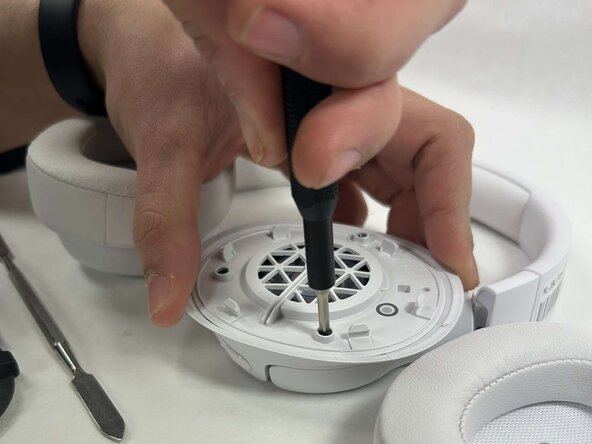
- Remove the three screws using a Phillips #0 screwdriver.
- Use the Jimmy to pry out the white covering from the headphones.
- Use the Jimmy to pry out the right speaker driver.