(New) iPhone 15 Earpiece Speaker Removal
ID: 191692
Description:
Steps:
- Allow your phone's battery to drain below 25%, as a charged lithium-ion battery is a potential safety hazard.
- Unplug any cables from your phone.
- Hold the power and either volume buttons and slide to power off your phone.
- If your screen or back glass is badly cracked, lay overlapping strips of packing tape over the glass to protect yourself and make disassembly easier.
- Make sure there's a smooth area near the bottom edge that's big enough for a suction cup to stick to.
- Use a P2 pentalobe driver to remove the two 7.7 mm-long screws on either side of the charging port.
- If inserted too far, an opening pick can damage your device. Follow this step to mark your pick and prevent damage.
- Measure 3 mm from the tip and mark the opening pick with a permanent marker.
- You can also mark the other corners of the pick with different measurements.
- Alternatively, tape a coin to a pick 3 mm from the tip.
- Use a hair dryer or heat gun to heat the bottom edge of the back glass until it's hot to the touch.
- Be careful not to heat the phone hotter than this—the battery is susceptible to heat damage.
- Apply a suction handle to the bottom edge of the back glass.
- Pull up on the handle with a strong, steady force to create a gap between the back glass and the frame.
- Insert the tip of an opening pick into the gap.
- As you slice the adhesive securing the back glass in the next steps, be careful of the following areas:
- There's a delicate cable connecting the back glass to the phone, right next to the volume down button. Don't insert your pick here to avoid slicing the cable.
- There are multiple spring contacts around the perimeter of the phone. Be extra careful not to insert your pick deeper than suggested in each step to avoid bending these contacts.
- Don't insert your opening pick deeper than 5 mm along the bottom edge.
- Slide your pick back and forth along the bottom edge to separate the adhesive.
- Leave your pick inserted in the bottom right corner to prevent the adhesive from re-sealing.
- Heat the right edge of the back glass until it's hot to the touch.
- Don't insert your pick deeper than 7 mm along the right edge.
- Rotate your pick around the bottom right corner and slide it to the volume down button or until you feel a hard stop at a large clip securing the back glass.
- Don't slice past the volume buttons to avoid damaging the wireless charging cable.
- Leave this pick inserted to prevent the adhesive from resealing.
- Heat the left edge of the back glass until it's hot to the touch.
- Along the left edge, don't insert your pick deeper than 5 mm.
- Insert a second opening pick at the bottom edge.
- Rotate the second pick around the bottom left corner.
- Slide this pick up to the top left corner to separate the adhesive.
- Leave this pick inserted to prevent the adhesive from resealing.
- Heat the top edge of the back glass until it's hot to the touch.
- Don't insert your pick deeper than 3 mm along the top edge.
- Rotate your second opening pick around the top left corner and slide it to the top right corner to separate the adhesive.
- You might hear and feel clicks as the top two clips release.
- Leave this pick in place to prevent the adhesive from resealing.
- Heat the top right corner of the back glass until it's hot to the touch.
- Don't insert your pick deeper than 4 mm along the right edge.
- Rotate the second opening pick around the top right corner and slide it to the volume up button to separate the adhesive.
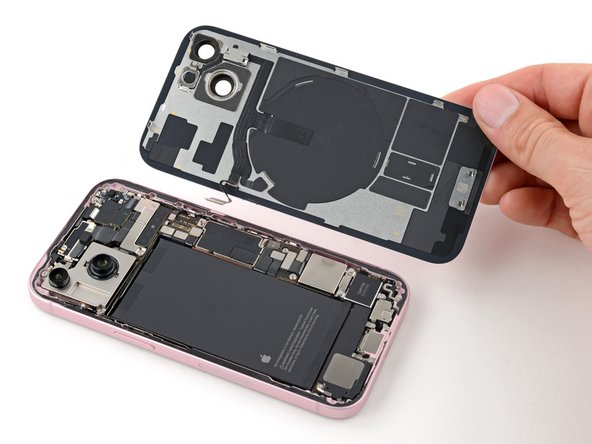
- Gently lift and swing open the back glass to the right of the phone.
- If the back glass feels stuck, go back around the perimeter to check for missed sections of adhesive or stuck clips.
- Rest the back glass against a raised surface so it doesn't strain the cable.
- Throughout this repair, keep track of each screw and make sure it goes back exactly where it came from.
- Use a tri-point Y000 driver to remove the two 1.3 mm-long screws securing the lower connector cover.
- Use tweezers to slide the cover toward the top of the phone to unlatch it from the logic board.
- Remove the cover.
- Hold the back glass upright with one hand and rotate it just enough to reveal the battery press connector just below the volume buttons.
- A plus and minus sign is printed on the head of this connector.
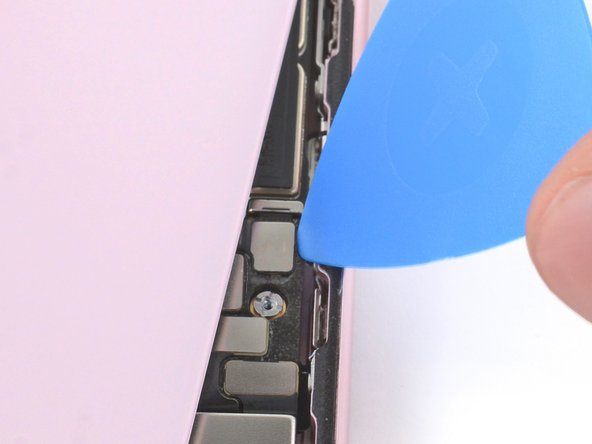
- Use the tip of an opening pick to pry up and disconnect the battery press connector from the logic board.
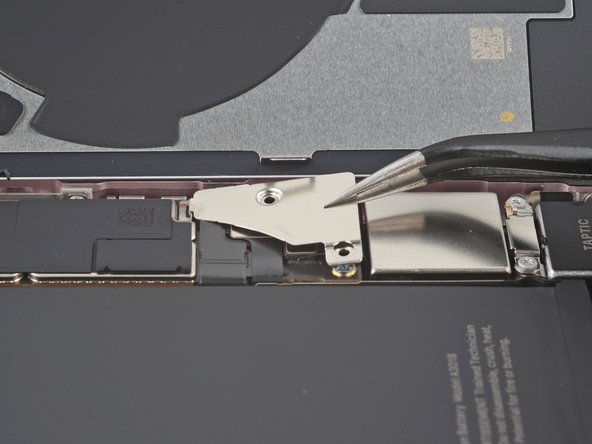
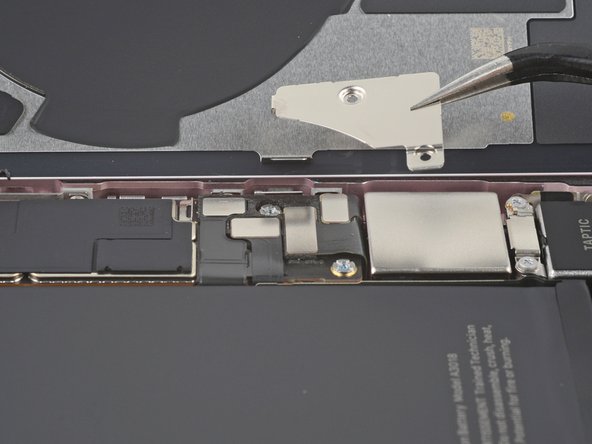
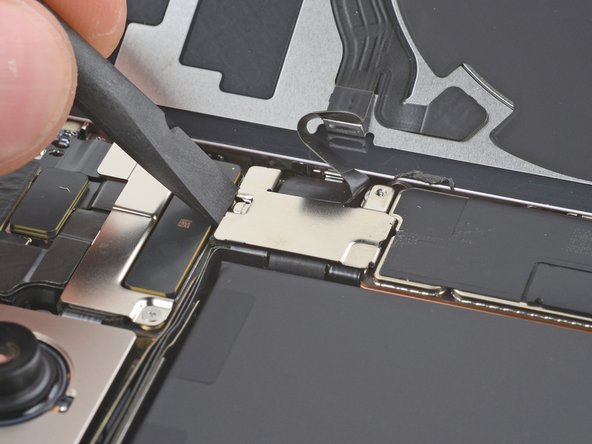
- Use your tri-point Y000 driver to remove the 0.9 mm-long screw securing the middle connector cover.
- Use the flat end of a spudger or your finger to push the cover toward the bottom of the phone and unclip its top edge.
- Remove the cover.
- Use an opening pick to pry up and disconnect the wireless charging coil and NFC connector.
- Remove the back glass.
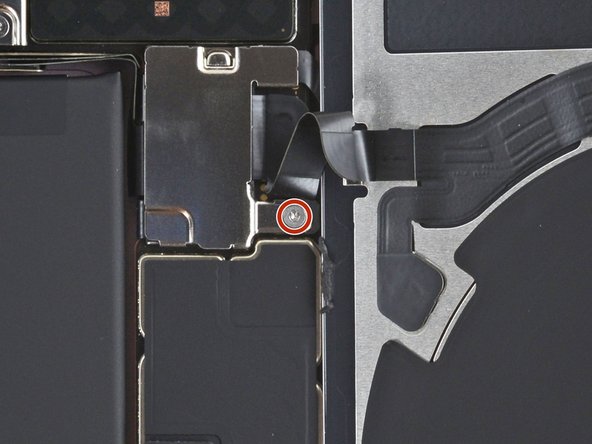
- Use the tip of an opening pick to pry up and disconnect the earpiece speaker press connector.
- Use a Phillips #000 driver to remove the five screws securing the earpiece speaker:
- Two 1.1 mm‑long screws
- Three 1.6 mm‑long screws
- Use tweezers or your fingers to lift and pull the earpiece speaker away from the top of the phone to free the gasket from the frame.
- Remove the earpiece speaker.