Disassembling ModRetro Chromatic (Released Mid-2025)
ID: 192722
Description: This step-by-step disassembly guide is intended...
Steps:
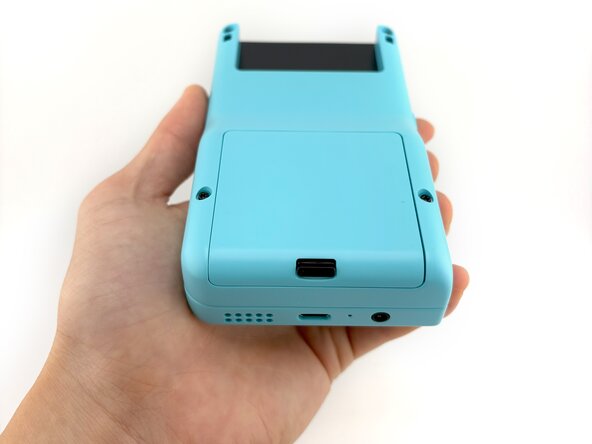
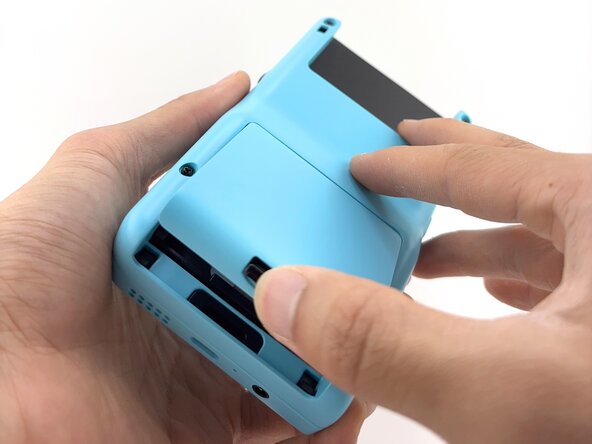
- To remove the battery cover, push upward on the battery cover lock. The battery cover will pop open.
- Lift the battery cover off and set aside.
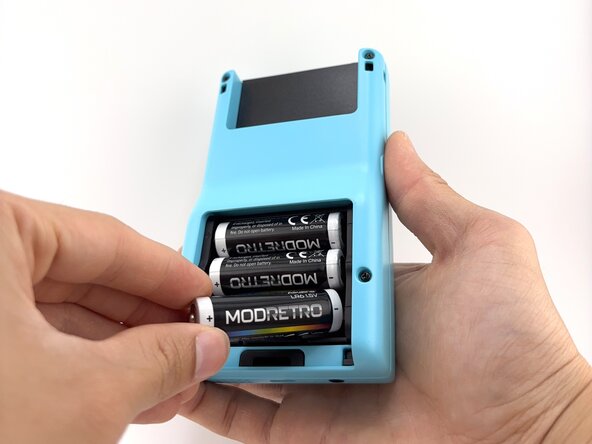
- Remove the batteries.
- Always remove the batteries before working on your Chromatic!
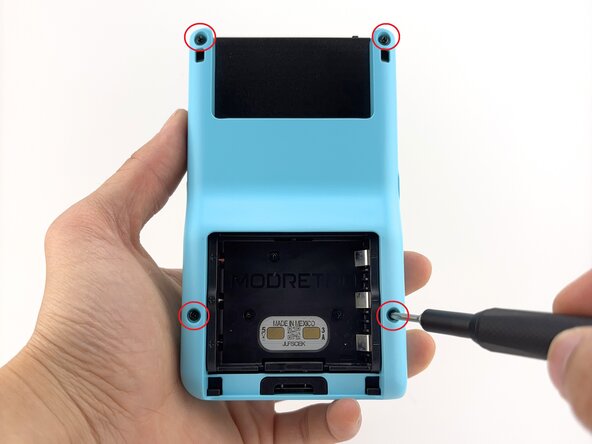
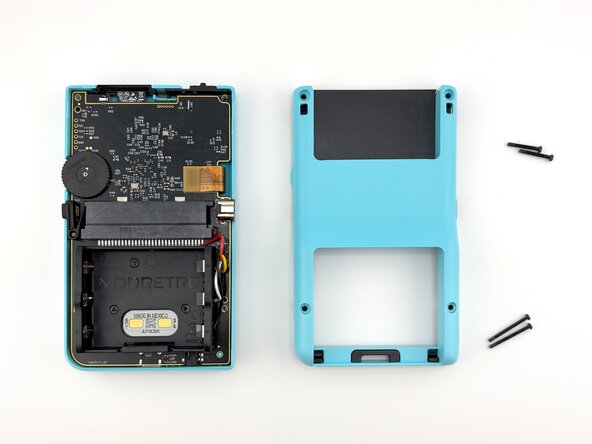
- Remove the back shell screws (x4) using a Tri-wing Y1 Screwdriver.
- A Tri-wing Y1.5 will also work for all screws.
- The screws near the top are a different length than the screws near the bottom of the shell.
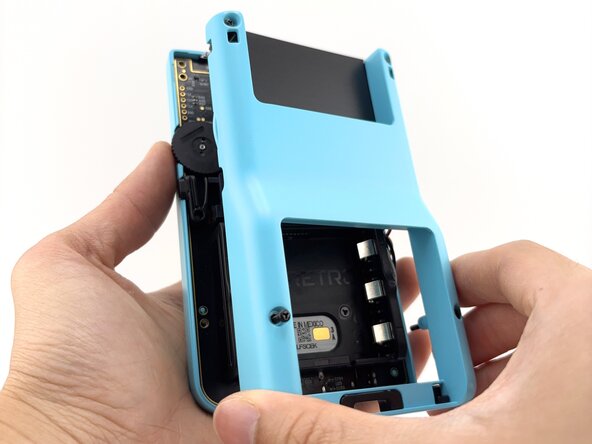
- Remove the back shell by lifting away from the device.
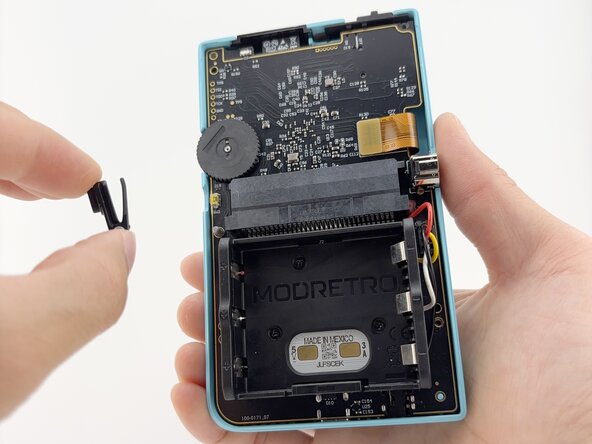
- Remove the menu button by lifting it off the post. It will remove with little to no resistance.
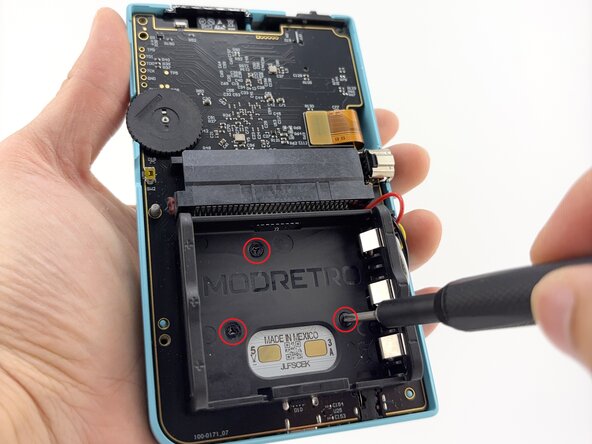
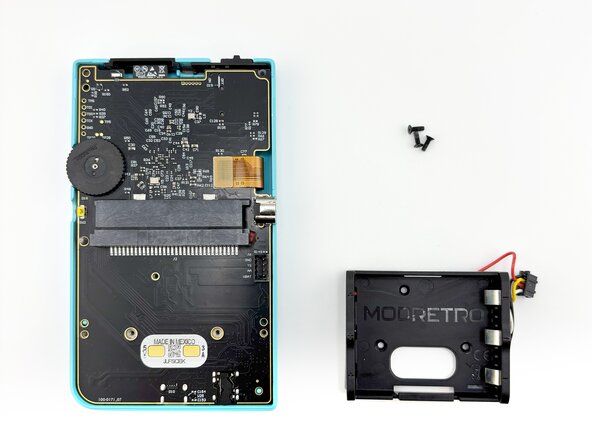
- Remove the battery tray screws (x3) using a Tri-wing Y1 Screwdriver.
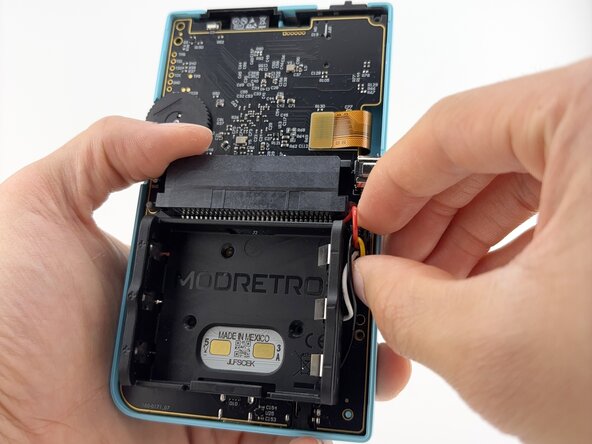
- Remove the battery tray connector.
- It is helpful to press lightly against the PCB with your off hand while working the connector loose.
- Carefully lift the LCD screen ribbon cable from the PCB.
- Handle with care!
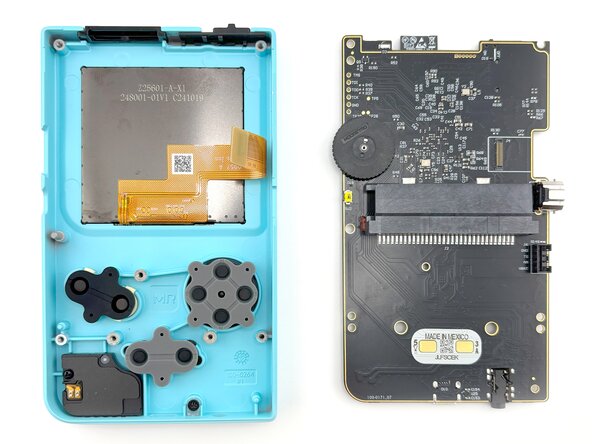
- Carefully remove the PCB from the front shell.
- Lifting at a slight angle will help clear the headphone jack on the bottom more easily. This is also important during re-assembly.
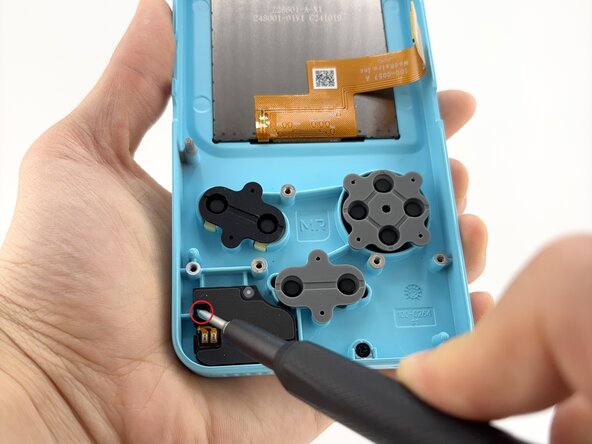
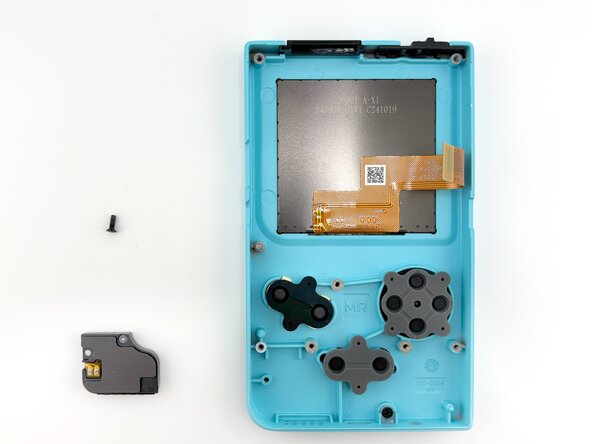
- Remove the speaker module screw (x1) using a Tri-wing Y1 Screwdriver.
- Carefully remove the speaker module from the front shell.
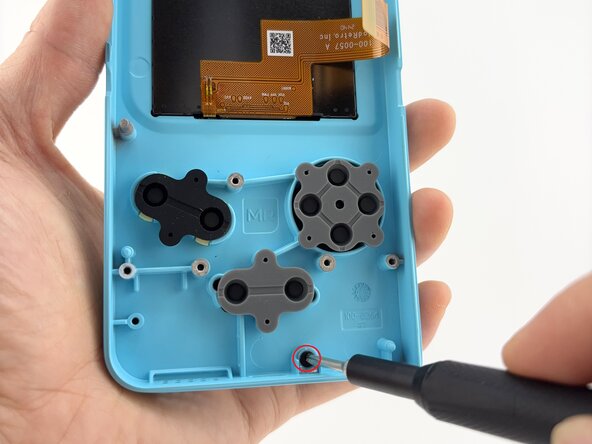
- Remove the light pipe screw (x1) using a Tri-wing Y1 Screwdriver.
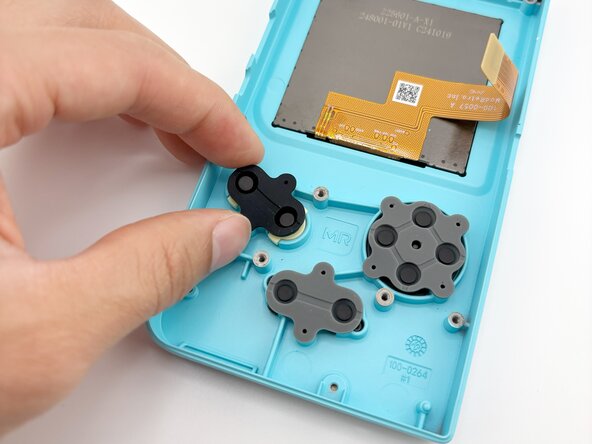
- Remove the rubber button membranes (x3) from their pockets.
- Remove the buttons and the D-pad from the shell with tweezers or by hand. If you flip the shell over, they will fall out freely.
- The buttons will come out easily once the membranes are removed.
- When re-attaching the rubber button membranes, be sure the positive features on the membranes seat securely into the pockets on the shell.
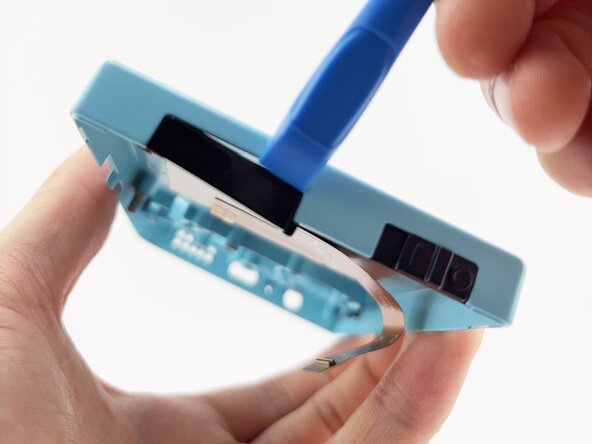
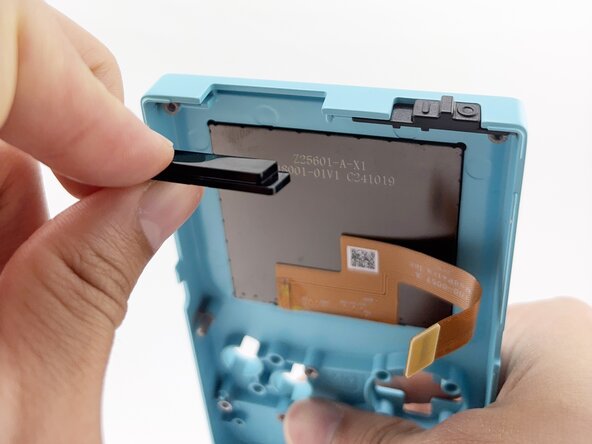
- Carefully separate the IR window by gently wedging a plastic spudger between the IR window and the front shell.
- Re-installing the IR window:
- Note the side with the lip is inserted towards the front shell first.
- Press in firmly until fully seated against the shell.
- If the IR window fits loosely, the orientation is incorrect. The fit should be snug.
- Remove the power switch by lifting away from the front shell. It will remove with little resistance.
- When re-assembling the power switch, make sure it is inserted in the OFF position.
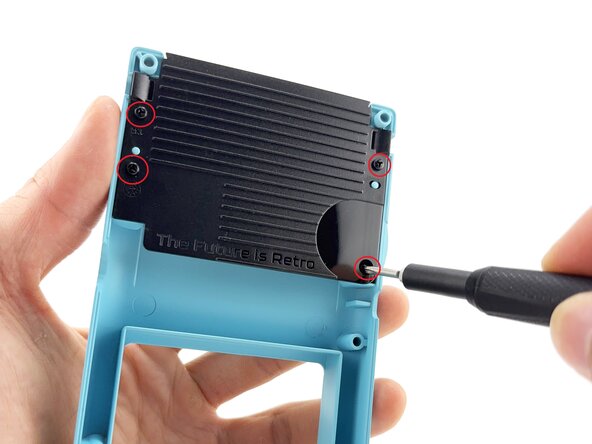
- Remove the cartridge backer screws (x4) using a Tri-wing Y1 Screwdriver.
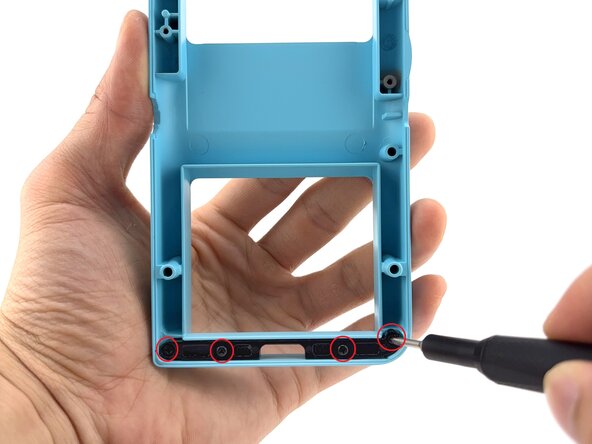
- Remove the latch catch screws (x4) using a Tri-wing Y1 Screwdriver.
- Gently push the latch up from the back using your finger.
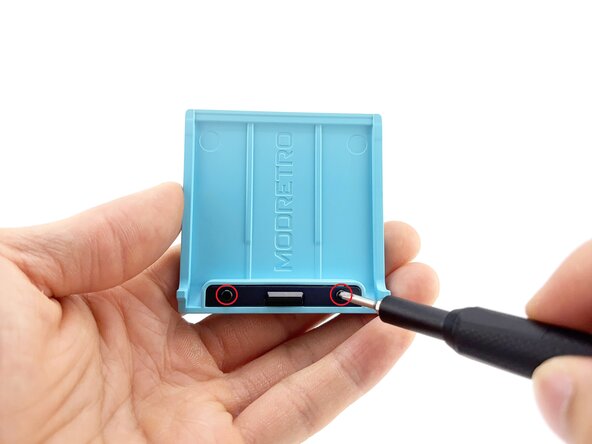
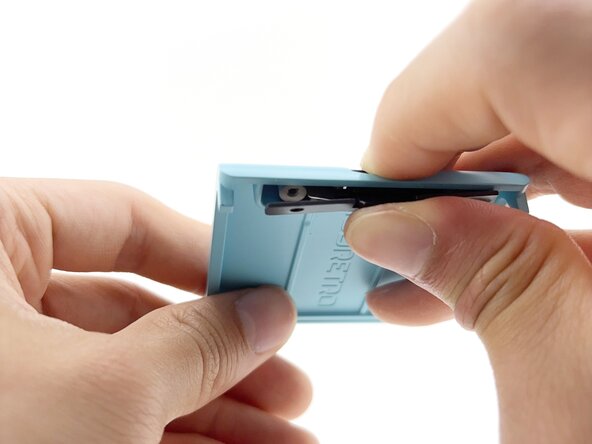
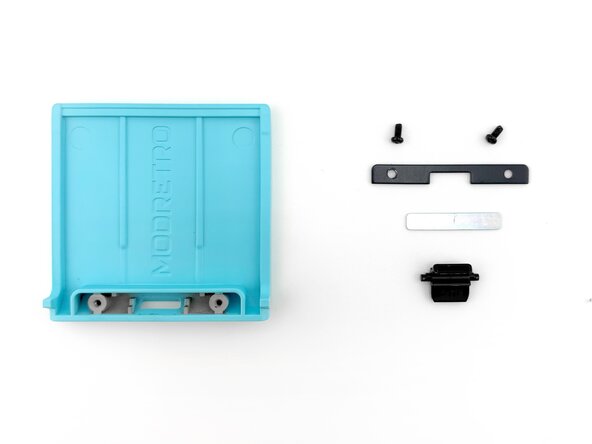
- Remove the screws (x2) securing the latch cover using a Tri-wing Y1 Screwdriver.
- Remove the door plate spring by fully depressing the battery cover lock. The spring should pop out.
- Use a spudger if the spring does not fully dislodge.
- Once the spring is removed, the battery cover lock can be removed without resistance through the underside of the battery cover.