Logitech Zone Wireless 2 Battery Replacement
ID: 192812
Description: Follow this guide to replace a worn-out or dead...
Steps:
- Power off the headset and unplug all cables.
- If you're replacing the battery, you only need to remove the ear pad from the side that doesn't have the boom mic.
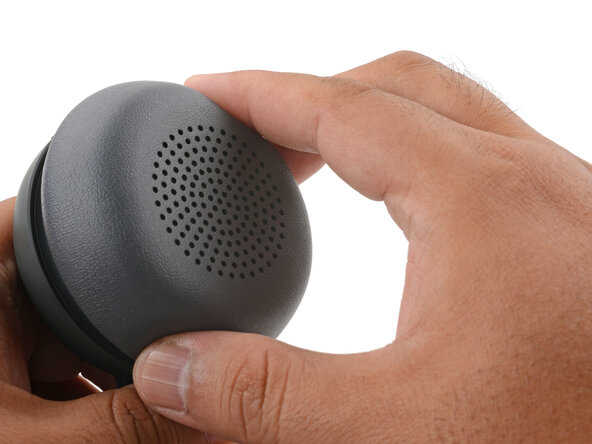
- With one hand, firmly hold the ear cup steady.
- With your free hand, twist the ear pad counter-clockwise until it feels loose.
- Remove the ear pad.
- To install the ear pad:
- Align the ear pad's notches to the tabs on the ear cup.
- Press the pad onto the cup.
- Twist the pad clockwise until it locks in place.
- Use a T5 Torx driver to remove the four 6.1 mm‑long screws securing the speaker housing.
- Be careful not to drop the screws into the speaker grille. You can cover the grille with some tape to prevent accidental drops.
- Don't try to fully remove the speaker housing, as delicate cables connect it to the ear cup.
- Use your fingers to lift and swing the speaker housing out of the ear cup.
- Lean the speaker housing against a stable object, making sure not to strain the cables.
- Use tweezers to grip the edges of the battery connector and slide it out of its socket.
- Be careful not to scratch the circuit board with the points of your tweezers.
- Use your fingers to lift and remove the battery out of the ear cup.
- During reassembly, it may be easier to reconnect the battery first before laying it in place.