Lenovo Yoga C740-14IML Battery Replacement
ID: 199407
Description: A battery provides its device with electric pow...
Steps:
- Before dealing with internal components, make sure the device has been turned off completely and its power adapter is unplugged.
- Place the laptop bottom-side up on a flat surface.
- Use a Phillips #00 screwdriver to remove the nine 3 mm screws from the bottom cover.
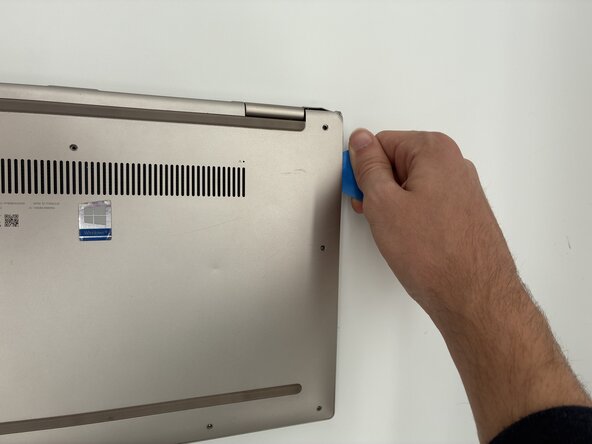
- Insert an opening pick or opening tool between the top and bottom covers, then slide it around the perimeter to release the clips.
- Use a Phillips #00 to remove the five 3.5 mm screws securing the battery.
- Use the point of a spudger to push on alternating sides of the connector to "walk" it out of its socket.
- It may take a lot of alternating before the connector comes out.
- Be patient, and don't pull on the cables.
- Remove the battery from the laptop.