Framework Laptop 16 Top Cover Removal
ID: 199817
Description:
Steps:
- Tilt the laptop backwards and let it rest on its Top Cover.
- While supporting the Bottom Cover with one hand, use your Framework Screwdriver to remove the five 2.4 mm‑long screws on each hinge connected to the Top Cover (10 total).
- Lift the Bottom Cover from the Top Cover and remove it.
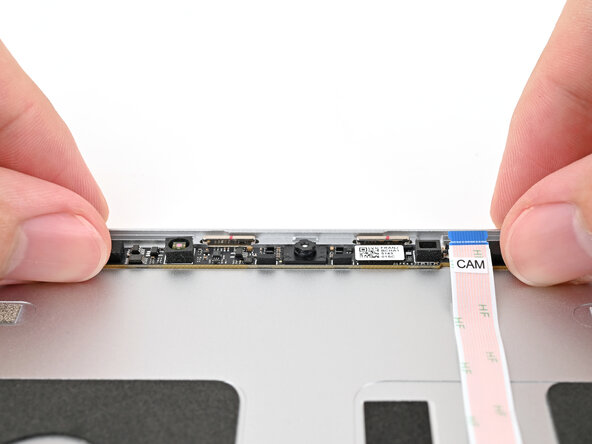
- Use the flat end of your Framework Screwdriver, or a clean fingernail, to lift up the locking tab on the webcam ZIF connector.
- Slide the flat end of your Framework Screwdriver under the webcam cable, near the ZIF connector, and twist to slide the connector out of its socket.
- Alternatively, you can use your fingers to slide out the cable.
- Use your Framework Screwdriver to remove the two 2.0 mm‑long T5 Torx screws securing the webcam.
- The washers underneath the screws are magnetic. If they come off with the screws, you can skip the next step.
- Use the magnetic tip of your Framework Screwdriver to pull the two washers off the Top Cover.
- Use your fingers to lift the webcam out of the Top Cover and remove it.