Lenovo ThinkPad A285 Hinge Replacement
ID: 199983
Description: This guide is for people whose hinge on their...
Steps:
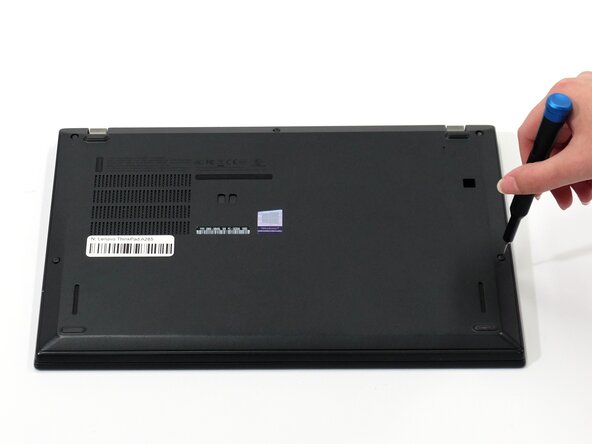
- Flip your laptop over so the bottom panel is facing up.
- Use a Phillips #0 to loosen the five screws holding the back panel to the laptop.
- These screws do not come all the way out, so loosen until free spinning.
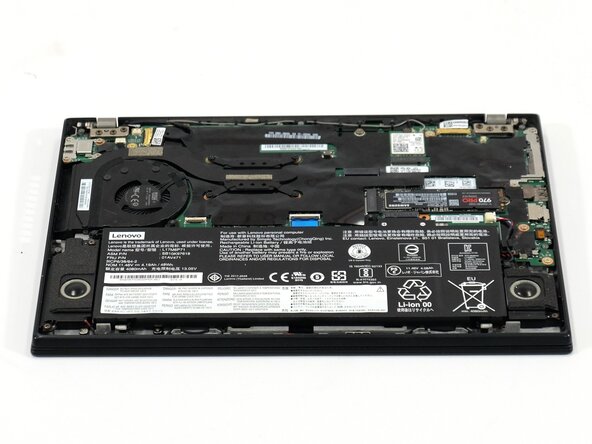
- Lift the bottom of the panel to separate the back panel away from the device.
- Remove the back panel.
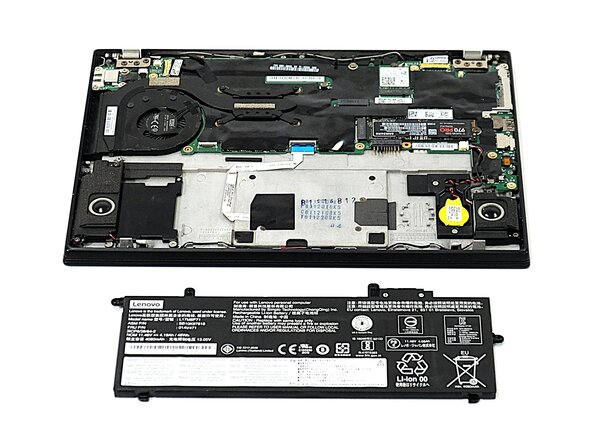
- Use a Phillips #0 screwdriver to remove the four 5 mm screws connecting the battery to the device.
- Slide the battery away from the connector on the motherboard to remove it.
- When replacing the battery, make sure to slide the fins on either side of the bottom edge of the battery into the their respective slots.
- Remove the six Phillips #0 screws securing the two hinges.
- Pry open the screen with an opening tool to gain access to the other set of hinge screws behind the screen.
- Use a Phillips #0 screwdriver to remove each of the two screws securing the display hinges.