Lenovo IdeaPad 320-15IKB Battery Replacement
ID: 200028
Description: If your Lenovo IdeaPad is overheating, large...
Steps:
- Remove the following screws securing the lower case:
- Seven 5 mm-long Phillips #00
- Three 7 mm-long Phillips #00
- Two 8 mm-long Phillips #1
- Insert an opening tool into the seam between the lower case and chassis.
- Pry around the entire perimeter until the lower case fully releases.
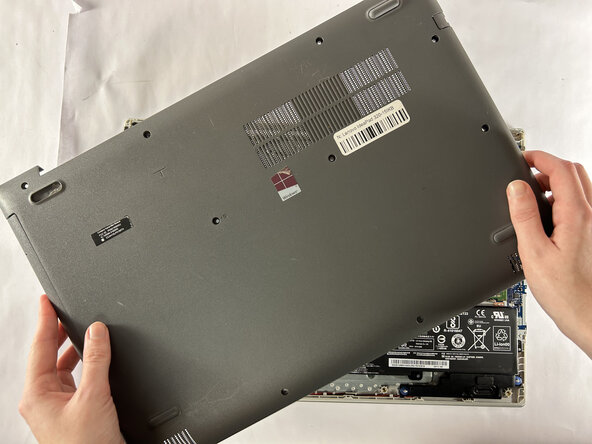
- Remove the lower case.
- Use a clean fingernail or a spudger to disconnect the battery sliding connector from its motherboard socket.
- Remove the four Phillips #0 screws securing the battery.
- Be careful not to puncture or bend the battery as the battery could leak harmful chemicals or catch fire.
- Lift the battery up and out of the laptop.