Sony PRS-505 Battery Replacement
ID: 200145
Description: Even with the Sony PRS-505 being important...
Steps:
- Press the SD card inward until it clicks and springs outward.
- Take the SD card out of the device.
- Remove the stylus.
- Remove the four 2 mm screws from the back of the device using a Phillips #000 screwdriver.
- Loosen the screw on the bottom of the device that is in its own little divot using a Phillips #000 screwdriver.
- Remove the thin panel on the bottom of the device using an opening tool.
- Use a Phillips #000 screwdriver to remove the three 5 mm screws that are underneath the panel.
- Remove the thin top panel using an opening tool.
- Remove the two metal brackets from the top of the device.
- They are both silver with a hole.
- Gently but firmly push the inner components of the PRS out towards the top until the ribbon cable is completely exposed and accessible.
- Disconnect the ribbon cable.
- Carefully continue to push the inner body of the device towards the top until the battery is accessible.
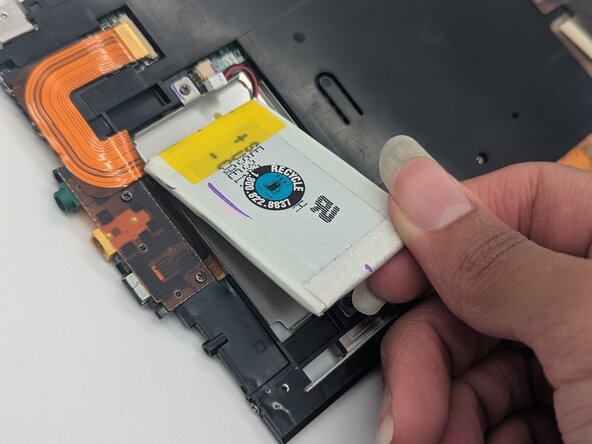
- Gently pry the battery from its placeholder within the device’s inner body. Disconnect and remove the battery.
- If the battery won’t come out, remove the entire compartment by removing the two 3 mm screws with a Phillips #000 screwdriver.