Acer Chromebook CBOA311-1H-C90F Battery Replacement
ID: 200159
Description: If the Acer Chromebook CBOA311-1H-C90F is...
Steps:
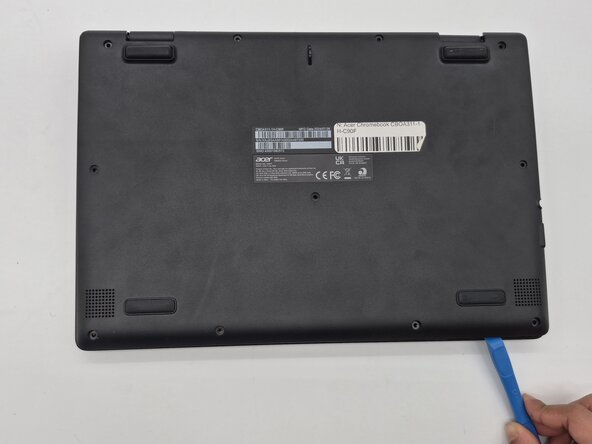
- Turn the Chromebook over so the bottom is facing up.
- Remove eleven 6 mm screws from the back using a Phillips #00 screwdriver.
- Use an opening tool on all sides of the computer to gently lift off the back cover.
- You may hear a cracking noise as the cover lifts.
- Caution: Do not work with metal tools, as they can damage internal components and cause an electric shock.
- Use the plastic opening tool to gently lift the white power cable from the motherboard.
- Use a Phillips #00 screwdriver to remove the two 3mm screws that hold the battery in place.
- Use a plastic opening tool to lift the tiny locks on the bottom that hold the battery in place.
- Gently remove the old battery and replace with a new one.