GameSir Nova Lite Action Buttons Replacement
ID: 200164
Description: If your action buttons are damaged, this guide...
Steps:
- Turn your controller so that the back of the controller is facing you.
- Remove all six 9 mm-long Phillips #1 screws securing the back plate.
- This step requires a regular screwdriver - a Phillips screwdriver bit won't fit down these holes.
- Insert an opening tool in the seam between the back and front case.
- Insert iFixit Opening Picks around the controller to help keep the front and separated.
- Slowly slide the tool around the controller until the two halves of the controller come apart.
- Take the back shell off of the controller.
- Hold the front part of the controller when taking the two halves apart.
- Lay the controller down so that the motherboard and battery are facing you.
- Grasp the white battery connector with blunt tweezers, and gently pull it out of its socket.
- Use tweezers to carefully take the battery off the motherboard.
- It’s ok if the adhesive strip that is stuck to the battery comes/doesn’t come off.
- Remove the four 6 mm-long screws securing the motherboard to the front case with a Phillips #2 screwdriver.
- Remove the motherboard and any components connected to it from the controller's front case.
- After removing the motherboard, hold the front shell of the controller.
- Do not flip the front shell of the controller to the front, or all the buttons will fall out.
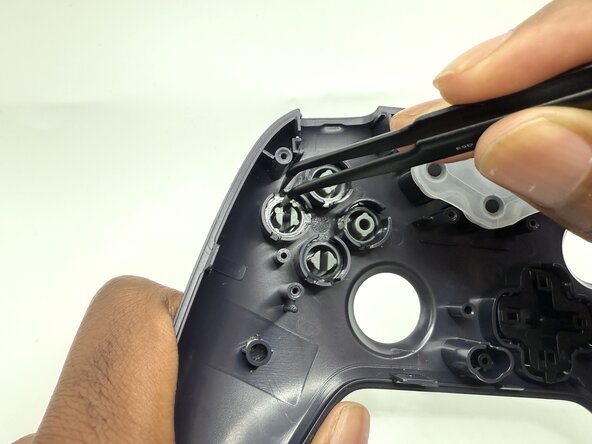
- Use angled tweezers to take the action buttons outside of their sockets.