Lenovo ThinkPad A285 Trackpad Replacement
ID: 200203
Description: This guide will show you how to safely remove...
Steps:
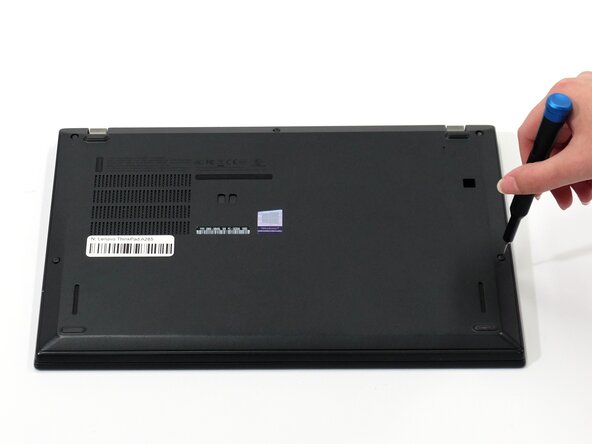
- Flip your laptop over so the bottom panel is facing up.
- Use a Phillips #0 to loosen the five screws holding the back panel to the laptop.
- These screws do not come all the way out, so loosen until free spinning.
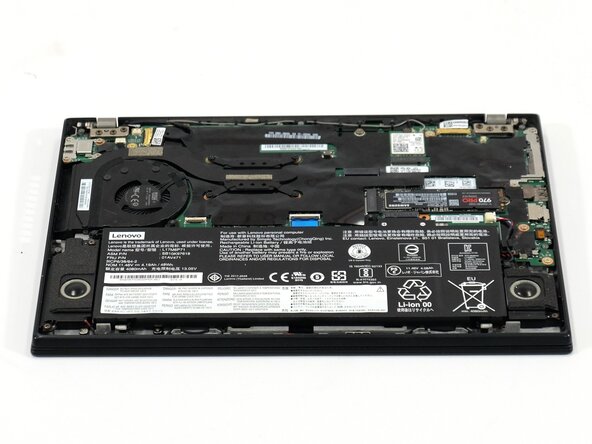
- Lift the bottom of the panel to separate the back panel away from the device.
- Remove the back panel.
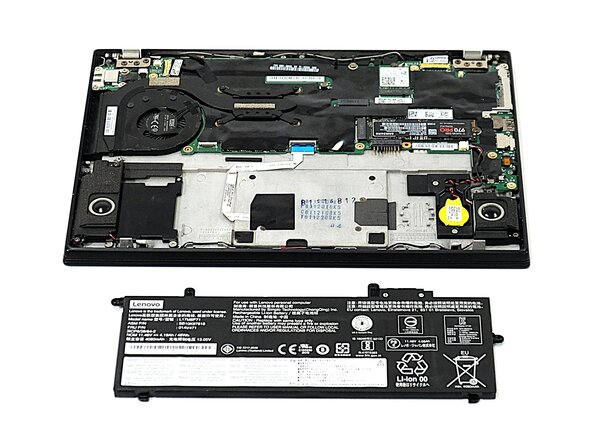
- Use a Phillips #0 screwdriver to remove the four 5 mm screws connecting the battery to the device.
- Slide the battery away from the connector on the motherboard to remove it.
- When replacing the battery, make sure to slide the fins on either side of the bottom edge of the battery into the their respective slots.
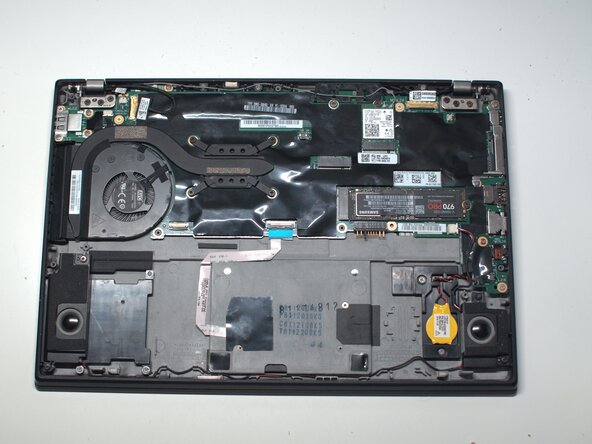
- Remove the three Phillips screws securing the trackpad.
- Lift the black film covering the trackpad connector and screw.
- Flip up the trackpad locking flap.
- Remove the final Phillips screw.
- Open the lid and remove the trackpad.