Lenovo 14e Chromebook Touchpad Replacement
ID: 200254
Description: Is the touchpad for your Lenovo 14e Chromebook...
Steps:
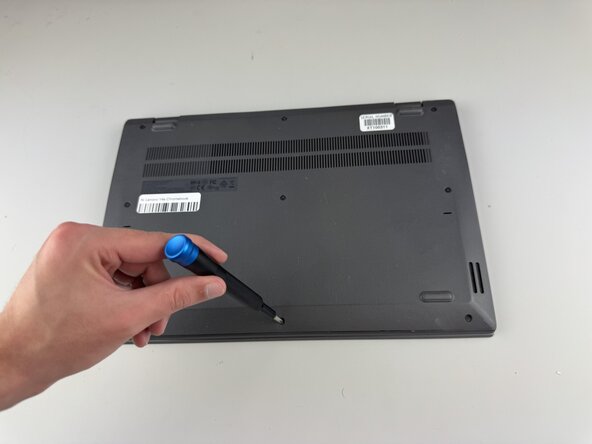
- Use a Phillips #0 screwdriver to remove the nine 8.6 mm screws from the back cover.
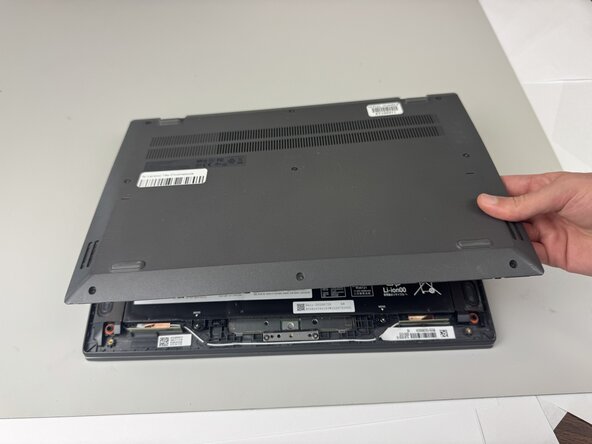
- Carefully remove the back cover from the Chromebook.
- You may hear clicking sounds as the cover becomes detached from the frame.
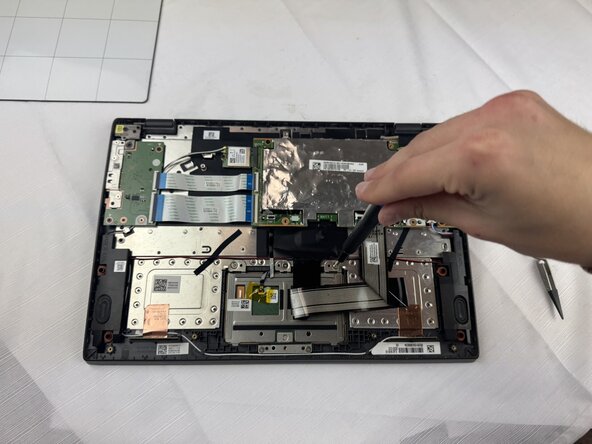
- Use a Phillips #0 screwdriver to remove the four 5.5 mm screws holding the battery in place.
- Do not apply too much downward pressure when unscrewing the screws, as the interior contains many vital and fragile components.
- Gently disconnect the power interface using a pair of tweezers.
- Lift the battery out of the Chromebook.
- Use a Phillips #0 screwdriver to remove the five 5.5mm screws holding the touchpad in place.
- Use tweezers to gently grasp and disconnect the touchpad ribbon cable.
- Remove the frame holding the touchpad in place.
- Gently lift the touchpad from the Chromebook, and remove it.