Garmin Nuvi 1450 Motherboard Replacement
ID: 200329
Description: If the motherboard on your Garmin Nuvi 1450...
Steps:
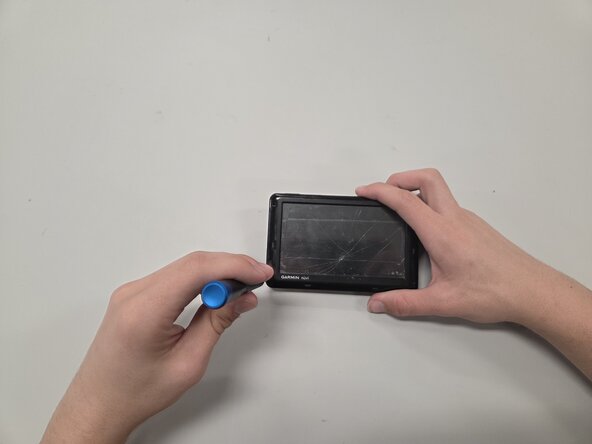
- Remove the gray bezel with an opening pick.
- Remove the four 2.5 mm-long screws with a T4 Torx screwdriver.
- Remove the black bezel with an opening pick.
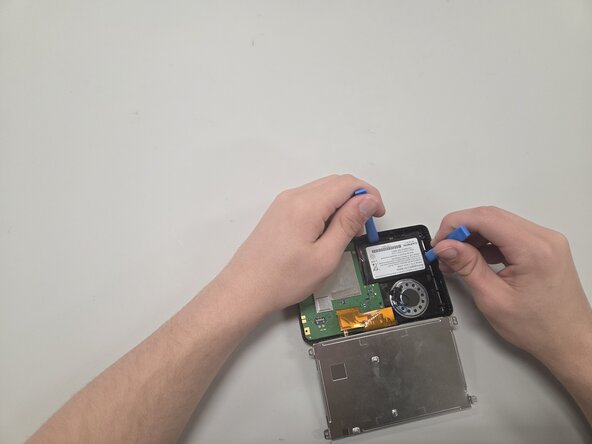
- Caution: The battery itself is double-taped to the assembly, so it will take time and care to remove it without damage.
- Remove the battery slowly by using an opening tool to pry the underside of the battery, and use another opening tool as leverage to lift the battery slowly. After some time, you should have the battery free from the frame.
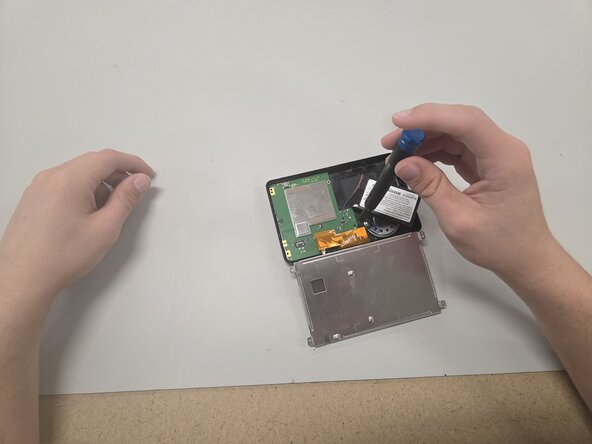
- Remove the tape covering the two 3.25 mm-long screws on the motherboard using your hands or Tweezers.
- Remove the two 3.2 mm-long screws with a T4 Torx screwdriver.
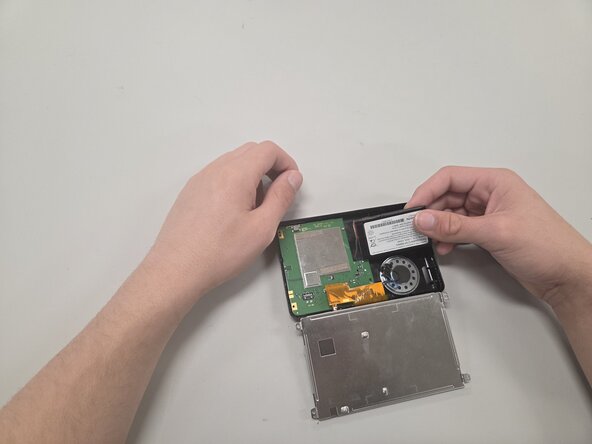
- Disconnect the battery connector.
- Remove the battery.
- Use a Bit Driver and a 2.5mm Flat Bit to remove the speaker wire connecting to the motherboard, and then remove the motherboard you plan to replace.