Subaru Smart Key Fob Model 14AHK Battery Replacement
ID: 205939
Description: If your Subaru key fob model 14AHK (printed on...
Steps:
- Press the silver button on the back of the key fob.
- While pressing the silver key, pull out the physical key.
- Use the physical key to pry and twist the back cover off.
- Use gentle pressure to avoid breaking the back cover.
- Remove the control board from the key fob.
- Keep in mind the direction of the control board as it needs to be reassembled in the same direction.
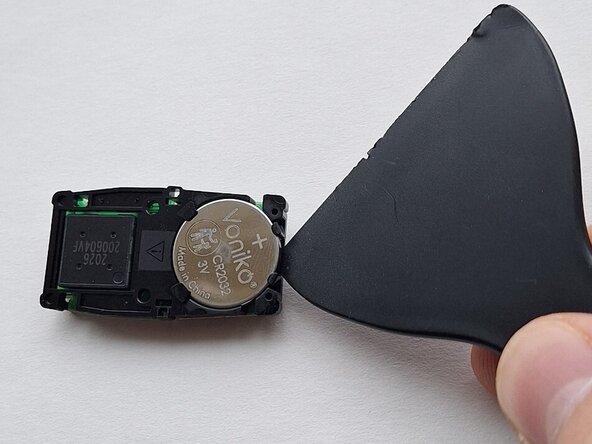
- Use a plastic pry tool to lift the battery out of place.
- Remove the old battery.
- Use gentle pressure here to avoid breaking the clips that hold the battery in place.
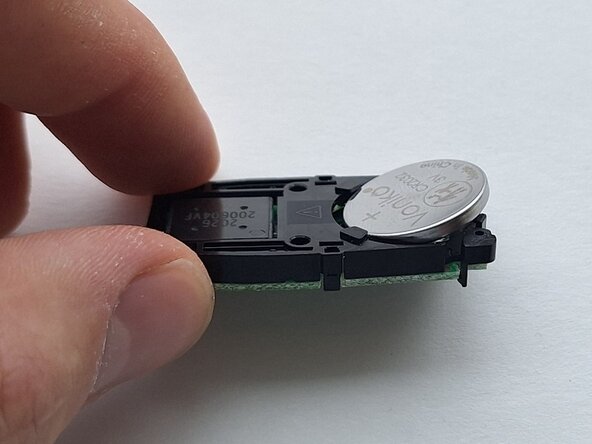
- Insert the new battery at an angle.
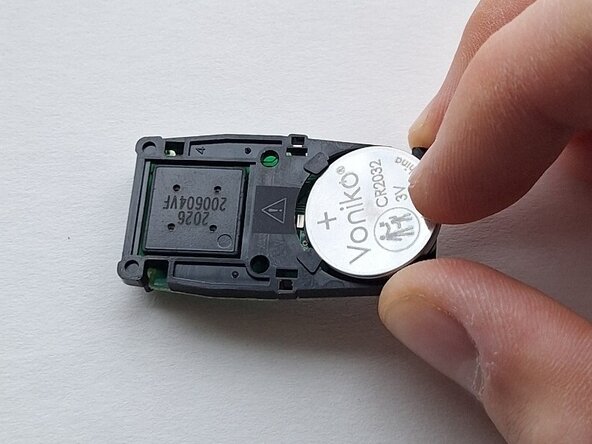
- Press down on the raised side of the battery until it snaps into place.
- Reinstall the control board into the key fob with the same orientation as before.
- Align the back cover and press firmly around the edges to secure it in place.
- Reinsert the physical key.
- Test the key fob by pressing a button and looking for a red light to light up in the top left corner.