iPhone 17 Pro Max Taptic Engine Removal
ID: 206234
Description:
Steps:
- Use a JIS 00 screwdriver to remove the two 1.9 mm‑long screws securing the ground clip.
- Use tweezers to remove the ground clip.
- The clip is delicate and easy to lose. Store it in a safe place for reassembly.
- Use a JIS 00 screwdriver to remove the three screws securing the flex antenna:
- One 1.7 mm‑long screw
- Two 1.9 mm‑long screws
- Use your fingers or a spudger to swing the flex antenna out of the way to access the screws beneath it.
- Use a standoff screwdriver to remove the two 4.0 mm‑long screws securing the Taptic Engine.
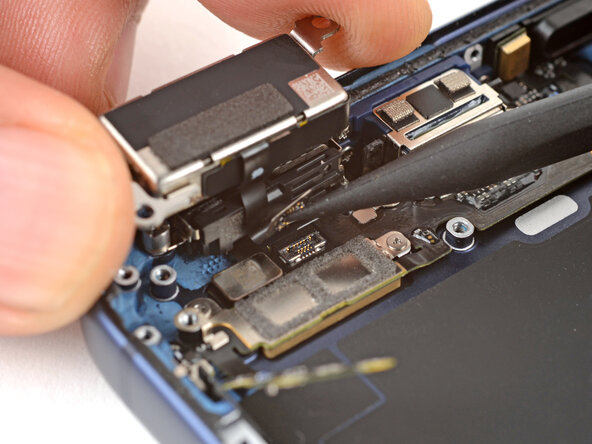
- Use your fingers to flip the Taptic Engine out of its recess and onto the edge of the iPhone.
- Hold onto the Taptic Engine during the next step to prevent straining its cable.
- Use the point of a spudger to pry up the Taptic Engine press connector and disconnect it.
- Remove the Taptic Engine.