Framework Laptop 16 Fastener Guide
ID: 206796
Description: Did you lose a screw in your Framework Laptop...
Steps:
- The Fastener Kit contains the following:
- Grey screws labeled "M1.6 1.5mm fastener with a 5.5mm diameter 0.6mm thick T5 head"
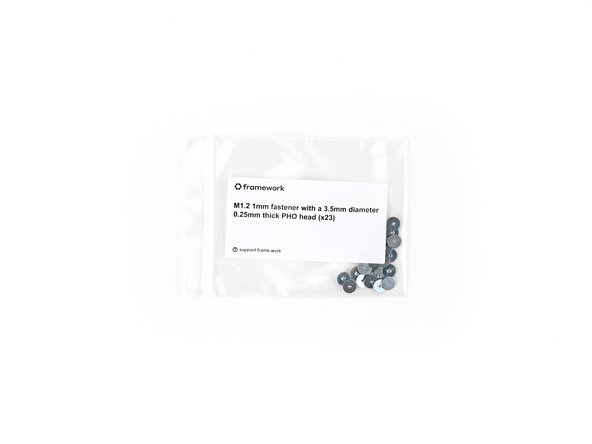
- Silver screws labeled "M1.2 1.0mm fastener with a 3.5mm diameter 0.25mm thick PH0 head"
- Grey screws labeled "M1.4 1.8mm fastener with a 4.0mm diameter 0.4mm thick PH0 head"
- Gold screws labeled "M1.4 1.4mm fastener with a 4.5mm diameter 0.6mm thick T5 head"
- Gold screws labeled "M2 3.0mm fastener with a 4.5mm diameter 0.7mm thick T5 head"
- Black screws labeled "M2.5 3.5mm fastener with a 4.5mm diameter 0.5mm thick T5 head"
- Your Framework Laptop comes with a spare screw of each size, attached to the chassis under the ventilation plate. You can use the Fastener Kit to replenish any screws you used there.
- The Fastener Kit also comes with two additional sets of screws that aren't included with the spares:
- Grey screws labeled "M2 2.6mm fastener with a 5.5mm diameter 0.8mm thick T5 head"
- Grey screws labeled "M2 2.0mm fastener with a 4.5mm diameter 0.5mm thick T5 head"
- Use the grey screws labeled "M1.6 1.5mm fastener with a 5.5mm diameter 0.6mm thick T5 head" to secure the Webcam and Mainboard.
- Use the silver screws labeled "M1.2 1.0mm fastener with a 3.5mm diameter 0.25mm thick PH0 head" to secure the Input Connector Board and Input Module.
- Use the grey screws labeled "M1.4 1.8mm fastener with a 4.0mm diameter 0.4mm thick PH0 head" to secure the Fingerprint Reader and the bottom of the Touchpad.
- Use the gold screws labeled "M1.4 1.4mm fastener with a 4.5mm diameter 0.6mm thick T5 head" to secure the Primary and Secondary Storage.
- Use the gold screws labeled "M2 3.0mm fastener with a 4.5mm diameter 0.7mm thick T5 head" to secure the Expansion Bay Shell components.
- Use the gold screws labeled "M2 3.0mm fastener with a 4.5mm diameter 0.7mm thick T5 head" to secure the Graphics Module cover.
- Use the black screws labeled "M2.5 2.0mm fastener with a 4.5mm diameter 0.5mm thick T5 head" to secure the hinges to the bottom cover.
- Use the grey screws labeled "M2 2.6mm fastener with a 5.5mm diameter 0.8mm thick T5 head" to secure the Bottom Cover screws.
- Use the grey screws labeled "M2 2.0mm fastener with a 4.5mm diameter 0.5mm thick T5 head" to secure the display.