Logitech G305 Lightspeed Mouse Switch Replacement
ID: 206824
Description: This guide will show you how to disassemble and...
Steps:
- Take off the four plastic guides/covers on the bottom side of the mouse, exposing 4 black screws.
- Using a Phillips #00 screwdriver, remove the four black screws on the back of the mouse.
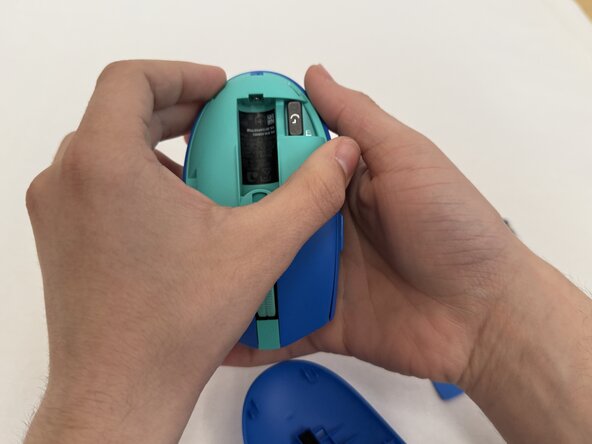
- Flip the mouse over, and pull down the outer lid exposing the battery.
- Take out the battery.
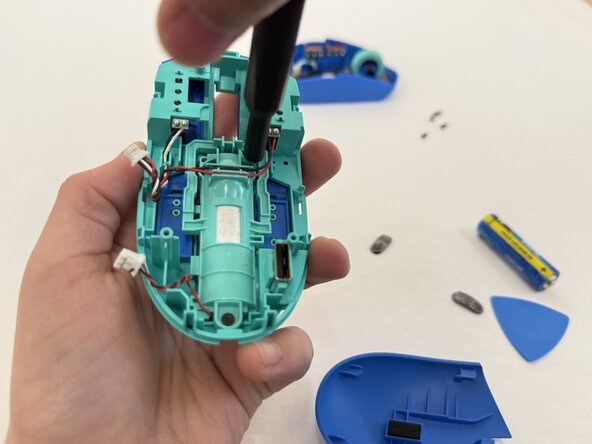
- Carefully separate the lid of the mouse and locate the two white connectors that link the bottom of the mouse to the top of it.
- Disconnect these connectors.
- Inside of the mouse, remove seven black screws holding the mouse click covers in place.
- Push down the top base of the plastic mouse cover and remove it from the casing.
- Remove the two newly exposed black screws.
- Remove the four screws securing the circuit boards.
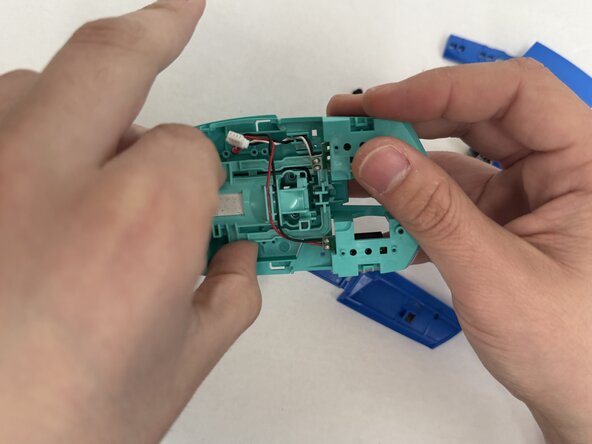
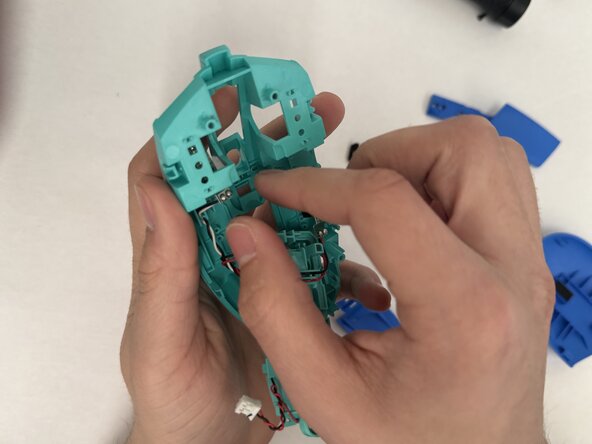
- Carefully pull up the center plastic piece and remove the two circuit boards holding the switches.
- Desolder the switch and remove it from the circuit board.
- Solder in the replacement switch and reassemble the mouse.