Wooting 60 HE Key Switch Replacement
ID: 206831
Description: If your Wooting 60 HE keyboard doesn't print...
Steps:
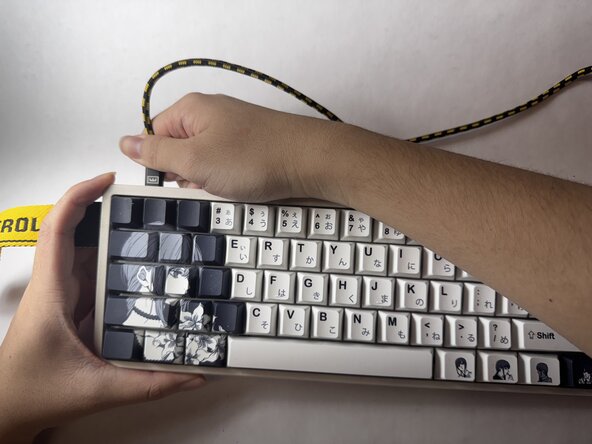
- Unplug the power source.
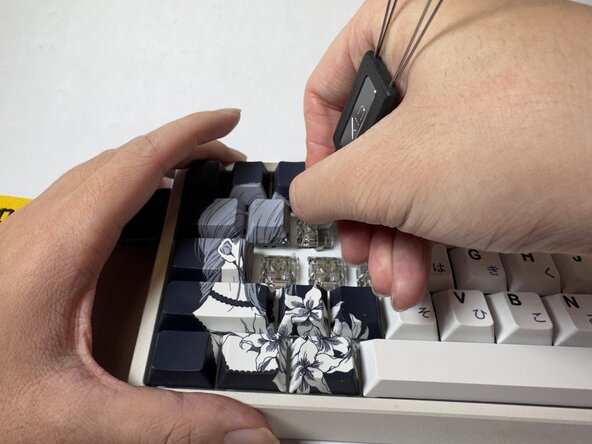
- Clamp the key cap of the faulty switch using a key cap puller, then pull upward until it pops out.
- Sweep the area of the faulty switch using a cleaning brush.
- Clamp the key switch of the faulty switch using a key switch puller, then pull upward until it pops out.
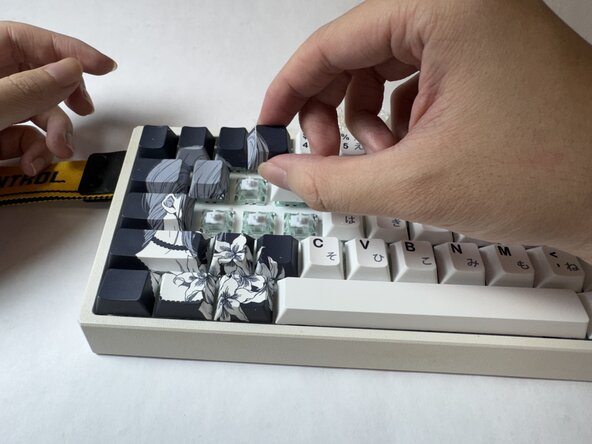
- Take the replacement switch and align it with the switch socket.
- Align the switch’s transparent window with the square sensor on the keyboard’s PCB to ensure the correct orientation.
- Hold the keyboard steady with one hand, then press the switch straight down into place with the other hand until it is fully steady.
- Find the keycap that was removed earlier. Align the keycap with the stem of the newly installed switch, making sure it is oriented correctly.
- Gently push down the keycap straight down onto the switch until it sits firmly in place.
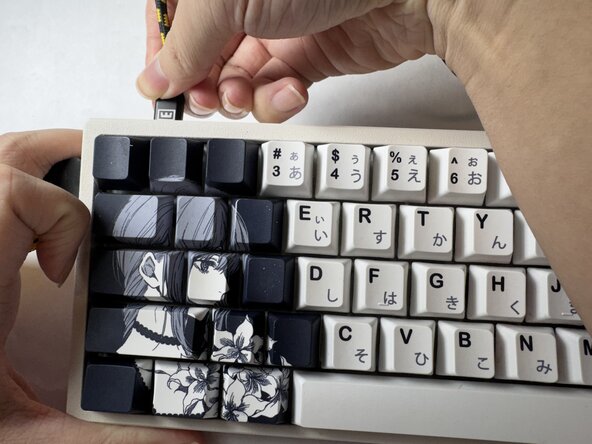
- Reconnect the power cable to the keyboard. Once connected, the keyboard is ready to use.