iPhone 17 Pro Loudspeaker Installation
ID: 207249
Description:
Steps:
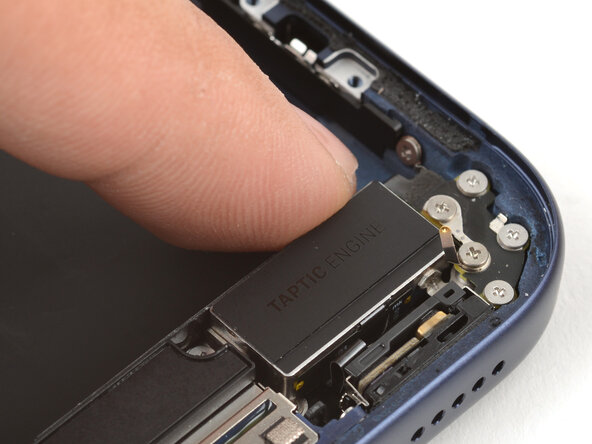
- Align the bottom edge of the loudspeaker with the frame and lay it in its recess.
- Make sure the bottom-right screw tab seats properly against the frame. Gently bend it if it's out of place.
- Use your finger to press down on the loudspeaker until it clicks in place.
- Use a JIS 00 screwdriver to install the six loudspeaker screws:
- Two 2.7 mm‑long screws
- Two 2.0 mm‑long screws
- One 1.5 mm‑long screw
- One 1.5 mm‑long screw attached to the bottom edge of the iPhone frame
- Use your fingers or a spudger to press the buffer strip back onto the top edge of the Taptic Engine.