2020 Nissan Altima S Cabin Air Filter Replacement
ID: 212118
Description: In this simple yet necessary guide, I will be...
Steps:
- Inside your Altima, locate the glove box on the passenger side.
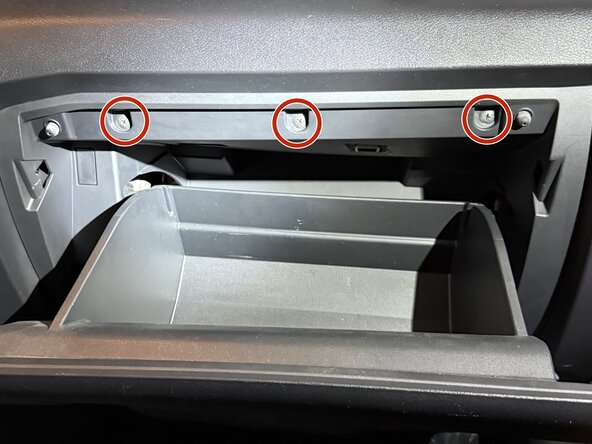
- Remove three screws with a Phillips screwdriver from the top of the glove box while it is open.
- Close the glove box and remove the two Phillips screws on the bottom.
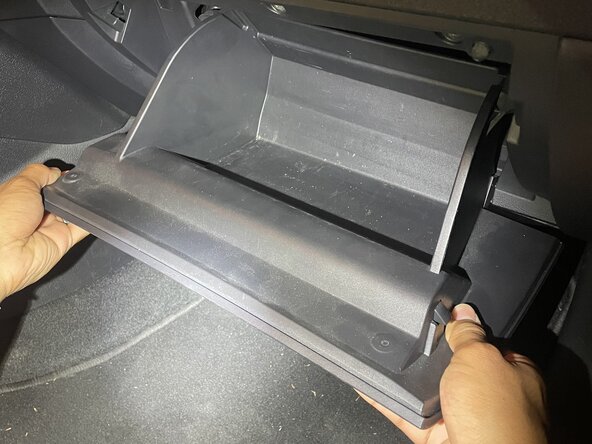
- Pull out the glove box, starting with one side at a time.
- Pull it down and right or left. Hold it up so the light bulb is not holding it, as it may break.
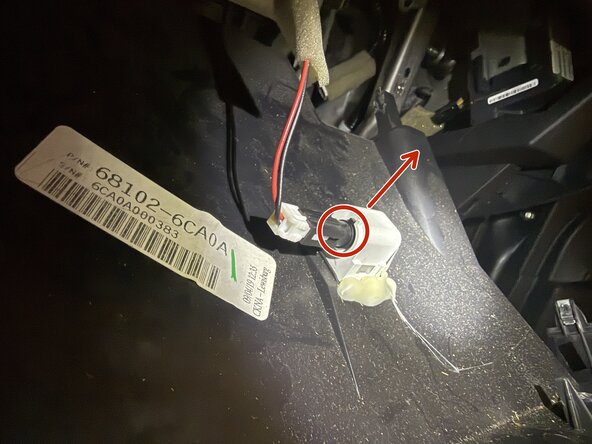
- Twist the bulb counterclockwise to release, then pull it out.
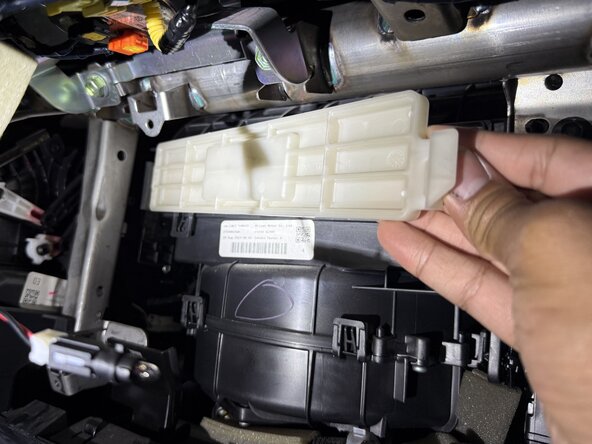
- Pull the tab on the right towards the left and out of the slot; also pull the tab on the left.
- Remove the air filter.
- I recommend replacing the filter with an STP Cabin Air Filter CAF15027C for your Nissan, and make sure the airflow arrow points down.
- Push the cover into the slot on the left and press the tab on the right.
- Plug the light back in.
- While pushed in, turn it clockwise until you can no longer move it.
- The black line out of the circle should point to 12 like on a clock.
- Pull the right side of the dash to secure it.
- Pull the side part from the center of it to release it from its tab.
- Align the bottom of the glove box to the connectors and push in. Make sure to push the side part back in.
- Screw all of the screws back in starting from the bottom, then the top.
- The screws are to be hand-tight, not super-tight.