JBL Grip Driver Replacement
ID: 212243
Description: This guide will walk you through replacing the...
Steps:
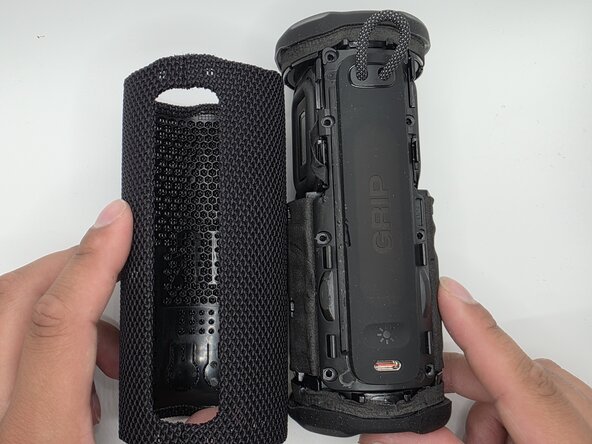
- Slide the Jimmy along the seam to separate the case.
- Caution: Do not bend or puncture membrane.
- Unlatch the membrane from the rest of body.
- Remove the four 3mm screws securing the speaker cover with a Phillips #2 screwdriver. Pry the speaker assembly from the body with the plastic pry tool.
- Pry the speaker assembly from the body with an opening tool.
- Caution: Do not unplug the speaker cover, as doing so could damage the connected cables.
- Use a soldering iron to remove the wires/cables connected to the speaker driver.
- Caution: Do not touch the soldering with bare hands or fingers as to prevent burning yourself.