Kyocera DuraXV Extreme Plus Battery Replacement
ID: 212619
Description: This guide will show how to remove the back...
Steps:
- Use a coin to unscrew the big silver screw on bottom middle back of the phone counterclockwise until you hear a click.
- Gently pull the backing off by inserting an iFixit opening tool into the notch under the screw.
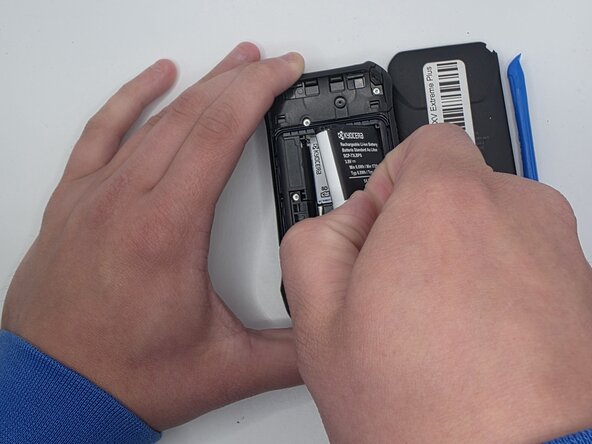
- Grip the edge of the white pull tab on the battery.
- Gently pull the white pull tab to remove the battery.