Asus Chromebook Flip C214MA Motherboard Replacement
ID: 212620
Description: If your ASUS Chromebook Flip C214MA is not...
Steps:
- Flip the device over and use the Phillips #0 screwdriver to remove the four 7.5 mm screws
- Remove the six 6 mm Phillips #0 screws from the bottom cover and bottom cover panel.
- Open the back panel using a metal spudger.
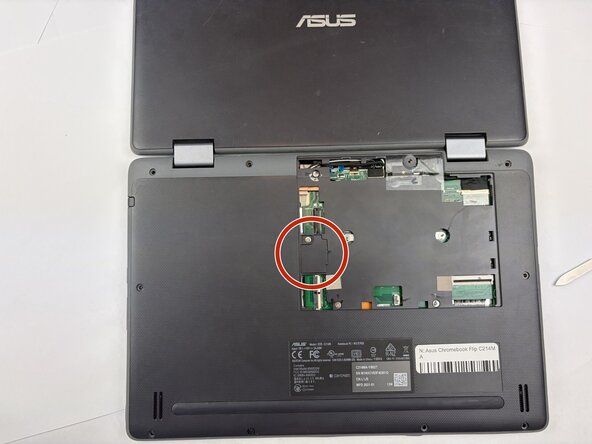
- Use the metal spudger to remove the battery connector access panel.
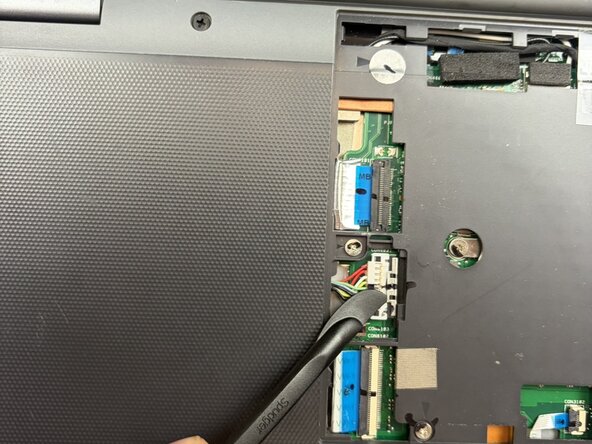
- Use a prying tool to slide the locking clip back and disconnect the battery from the motherboard.
- Flip open the locking clips and unplug the daughterboard cables from the motherboard using the tweezers.
- Flip open the locking clip for the touchpad cable and unplug the touchpad cable using the prying tool.
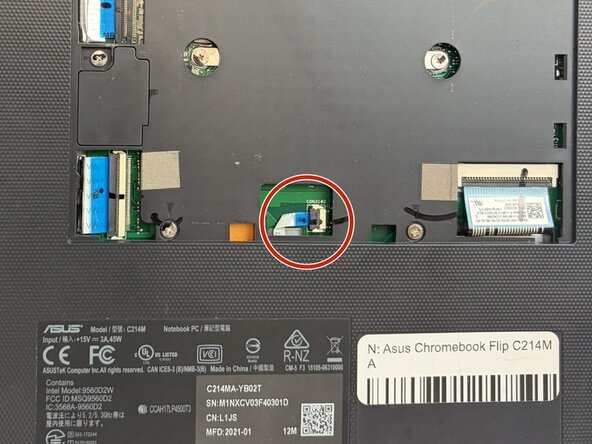
- Use the prying tool to unplug the palmrest cable from the motherboard.
- Use tweezers to peel back the tape and unplug the LCD cable from the motherboard.
- It might help to unseat the cable before unplugging.
- Use tweezers to unplug the sensor board cable from the motherboard and unplug the camera cable from the motherboard.
- Use a prying tool to flip open the locking clip and unplug the world-facing camera and microphone cable from the motherboard.
- Unplug microphone cable from the motherboard.
- There may be foam pieces covering the cable, you can use tweezers to pull them off.
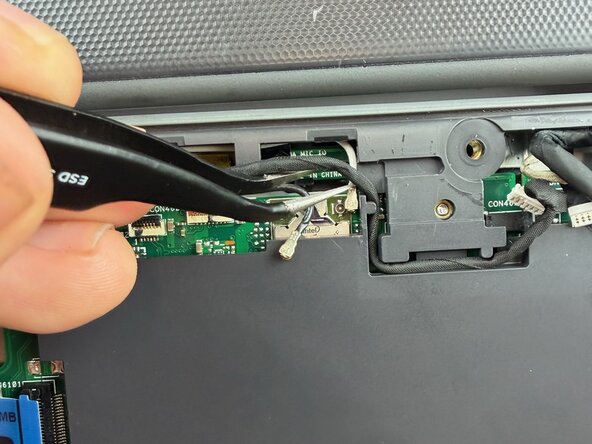
- Gently pull the Wi-Fi antennas off the motherboard using tweezers.
- Flip over and open the device.
- Use an opening tool to pry the palmrest from the bottom cover and partially pull the palmrest.
- Using the tweezers to peel back the tape and pull the touchpad cable through its slot.
- Fully remove the palmrest.
- Remove the three 4mm Phillips screws using a Phillips screwdriver.
- Remove the four 3mm Phillips screws
- Gently remove the motherboard making sure not to bend or damage the ports.
- Use the tweezers to unplug the speaker cable from the motherboard.