Ring Floodlight Cam Floodlight Replacement
ID: 212621
Description: Follow this guide to replace the floodlight on...
Steps:
- Remove the acorn cap nuts from the device.
- Lift the device and remove the baseplate.
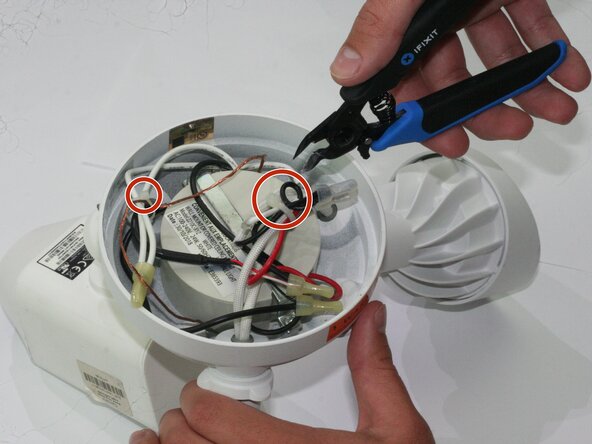
- Cut the zip ties surrounding the wires.
- This step is not necessary if the zip ties were previously cut during the installation of the device.
- Remove the wire connectors. This step requires pinching the wire connector at the elongated edges, until the wire connector returns to a circular shape. When putting wire connectors back on, pinch the circular shape until it returns to the original elongated shape.
- Un-twist the wires underneath the wire connectors, marking each pair of wires for later.
- Rotate the imbedded threaded washers until the floodlight comes loose.
- Remove the floodlight.