Microsoft Surface Pro 8 Kickstand Replacement
ID: 212643
Description: Follow this guide to replace a broken or...
Steps:
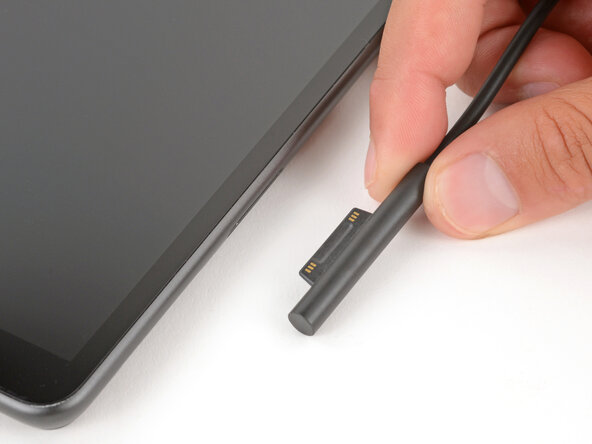
- Before starting your repair, unplug all cables and fully shut down your Surface Pro.
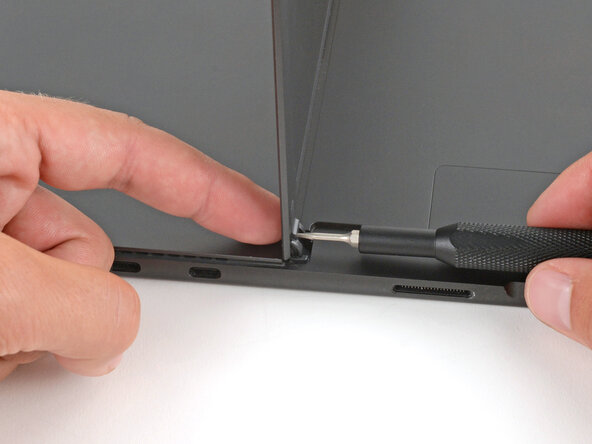
- Open the kickstand to about 90 degrees.
- While holding the kickstand behind the hinge with your finger, use a Torx Plus 3IP screwdriver to remove the 2.4 mm‑long screw from each hinge (two total).
- Firmly grip the hinges and kickstand between your thumb and index fingers.
- Lower the kickstand down to about 45 degrees.
- This may take a bit of force. Be careful not to pinch your thumbs.
- The hinges slot into recesses on the kickstand. You need to slide the kickstand out of the hinges before you can fully remove it.
- Firmly secure the device to your work surface with one hand.
- With your free hand, pull the kickstand out slightly and rotate it up so both hinges slide out.
- During reassembly, make sure both hinges slide fully into their recesses on the kickstand.
- Pull the kickstand out until both foam tabs slide out.
- If you're having trouble, make sure both hinges are fully out of their recesses on the kickstand.