HP ProBook 450 G6 Speaker Assembly Replacement
ID: 212753
Description: HP ProBook 450 G6 speakers are failing; loss of...
Steps:
- Power off your laptop and disconnect the charger and any peripheries before beginning disassembly.
- Loosen the five captive Phillips 8.2 mm screws securing the lower case.
- Remove the two 5 mm Phillips screws securing the lower case.
- Insert an opening pick into the seam between the lower case and chassis.
- Slide the opening pick around the entire perimeter, while prying every couple of centimeters to release the retaining clips.
- Remove the lower case.
- Remove the three Phillips M2.0x4.0 screws that are securing the battery.
- Rotate the top of the battery up and lift the battery out of the Probook.
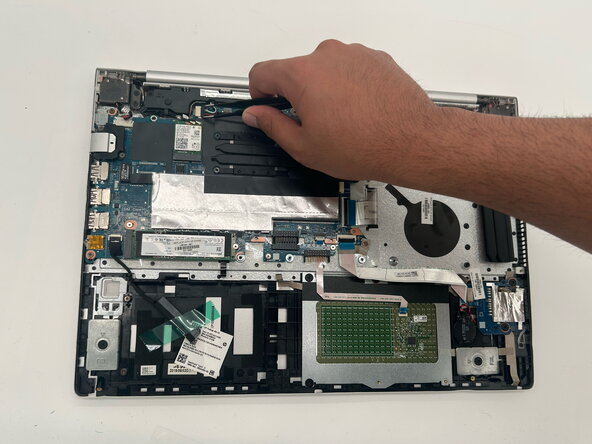
- Disconnect the speaker connector from its motherboard socket.
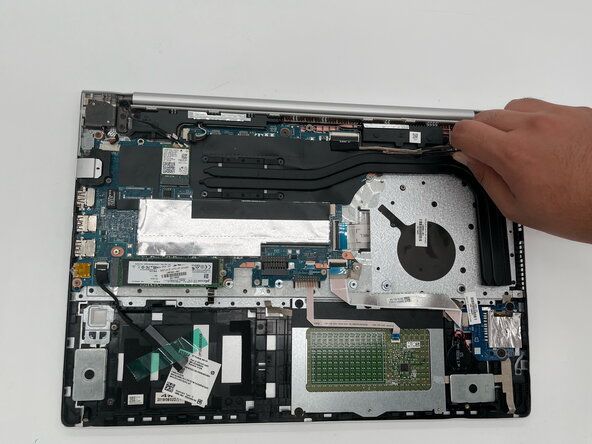
- Unseat the cables that route over the right speaker.
- Unseat the cables that route over the left speaker.
- You do not have to remove/disconnect the cable from the board.
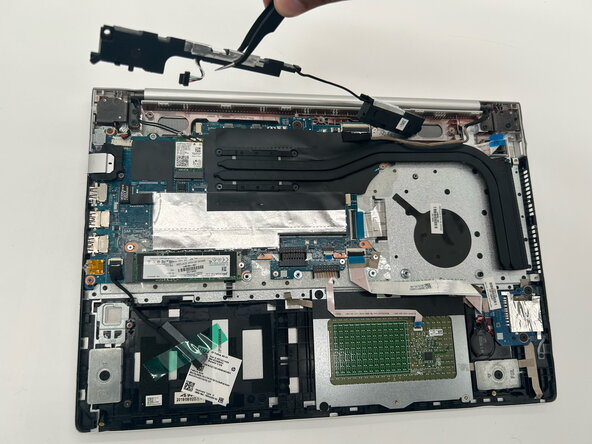
- Remove the two Phillips M2.0x6.0 screws securing the speakers to the Probook.
- Lift and remove the speaker assembly out of the Probook.